Try HTTP API Online
You can directly try the Aqara Data Export HTTP API online on the API documentation page, making it fast and convenient to test and verify API functions. This article will guide you through how to try HTTP APIs online.
Before you begin
Before you begin, please ensure you have obtained the Aqara Studio Token. If you have not yet acquired it, refer to the steps in the Developer Guide - Obtain Token documentation.
How to Use
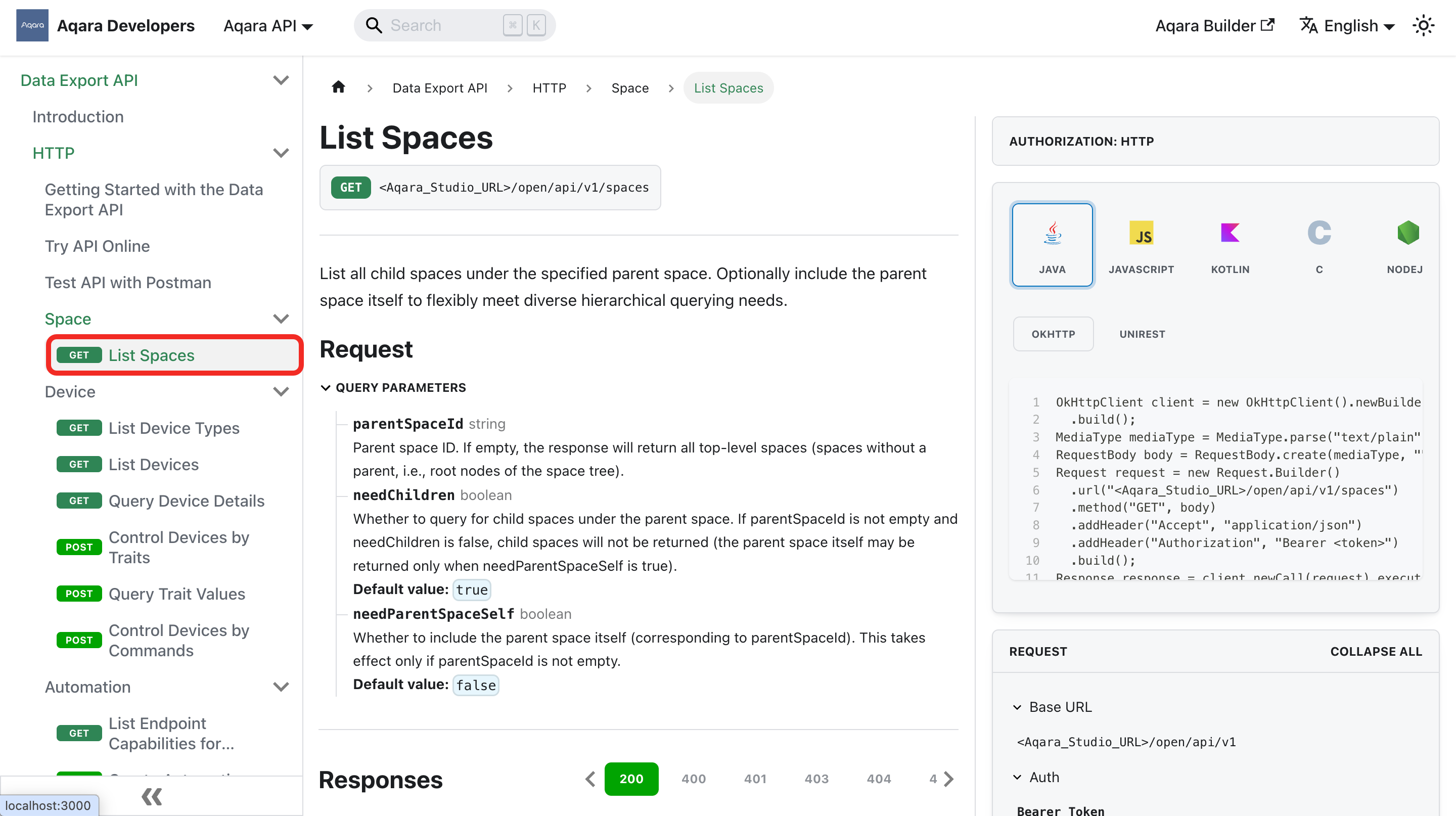
- Select the API you want to test and click its name to view its documentation.
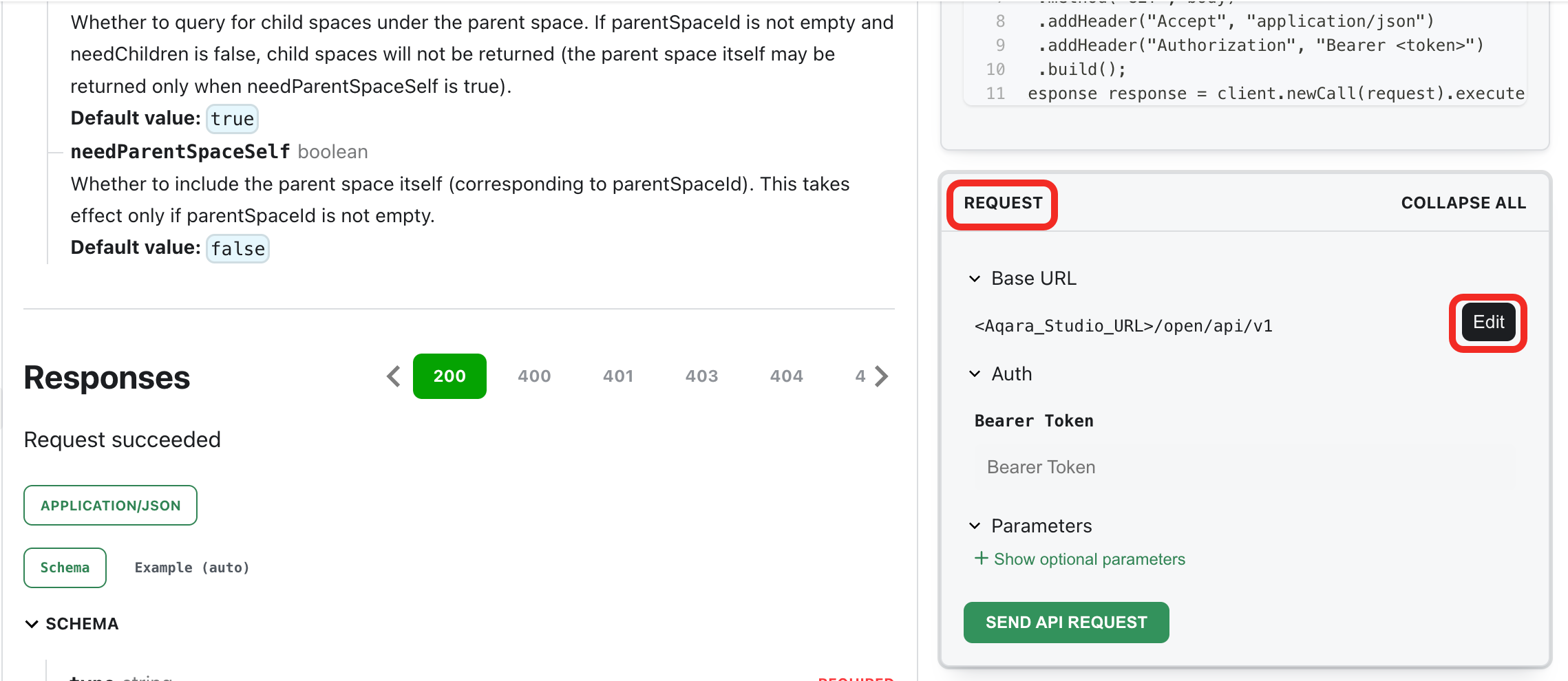
- On the right side of the documentation, find the Request area. Click the Edit button next to Base URL.
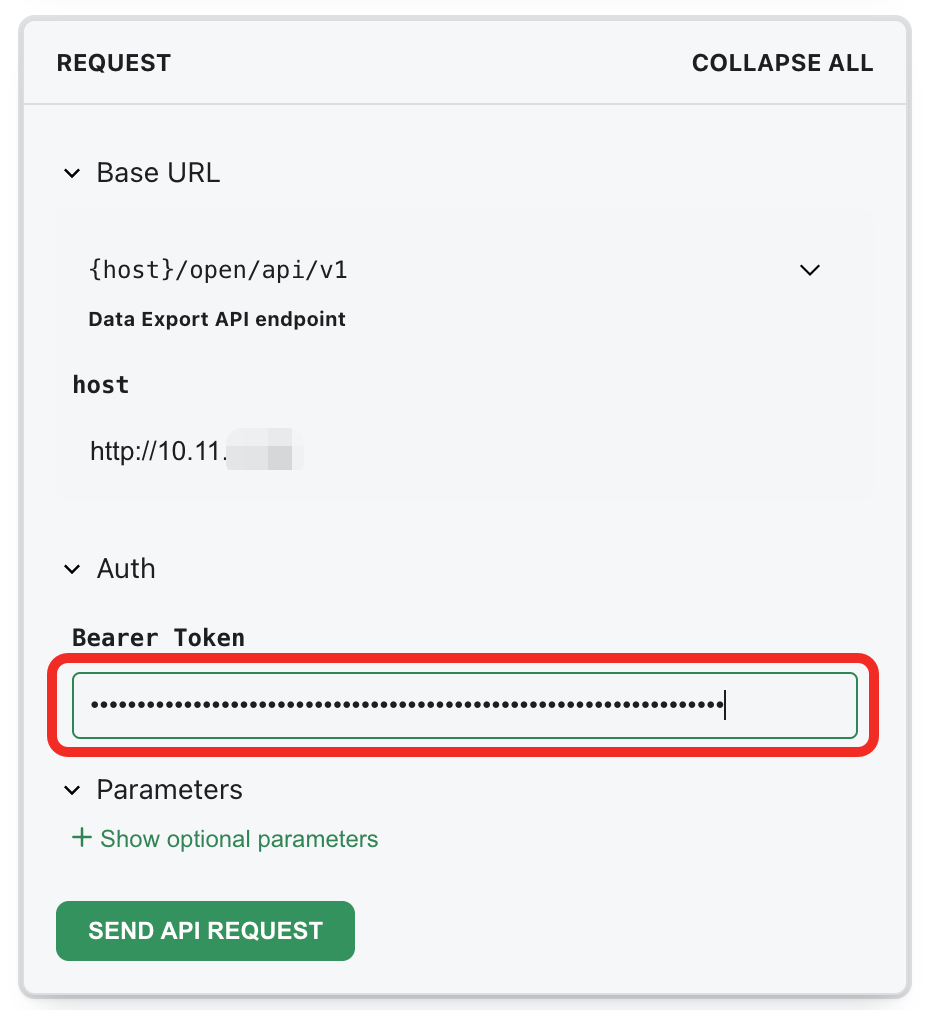
- At this point, a
hostfield will appear below. Enter your Aqara Studio service address here. You can use a local LAN IP address (http) or a remote access address (https). Read Aqara Studio - Developer Guide - Obtain Access Address for available addresses.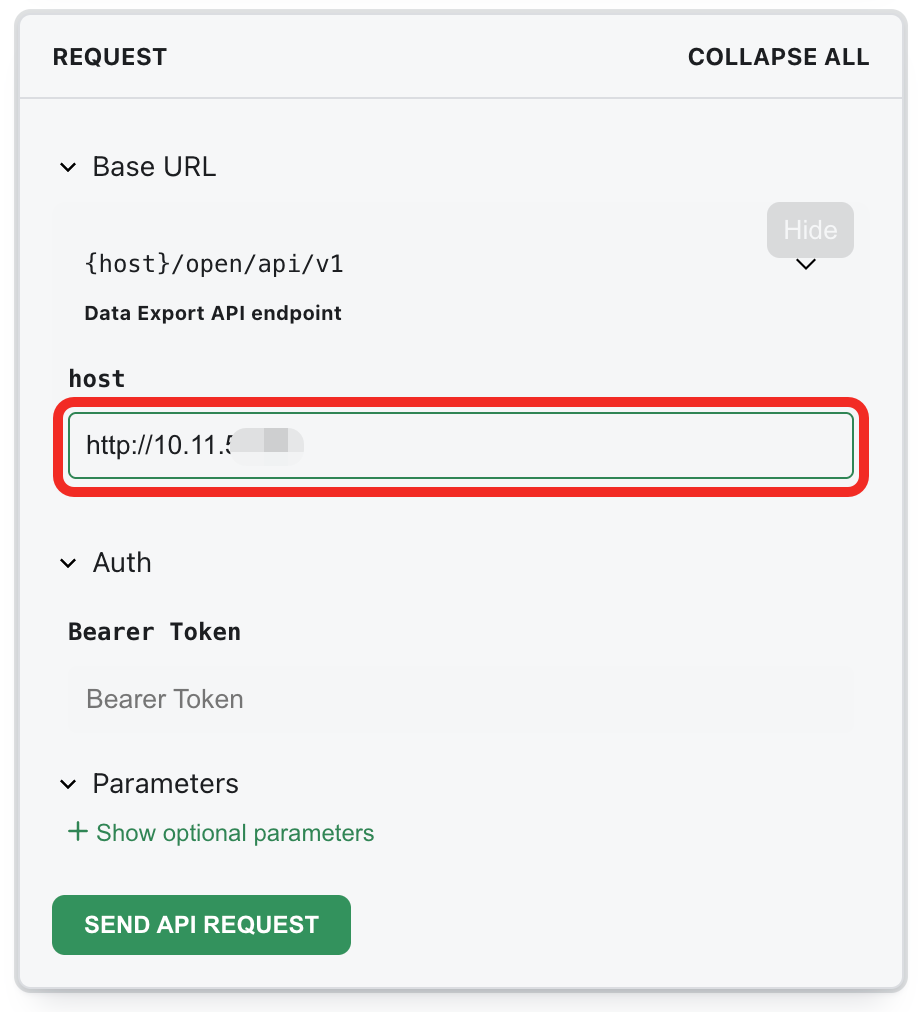
- Find the Bearer Token field. Enter the Token you obtained from Aqara Studio.
- (Optional) If you need to set other parameters or request bodies, configure them in the Request area.
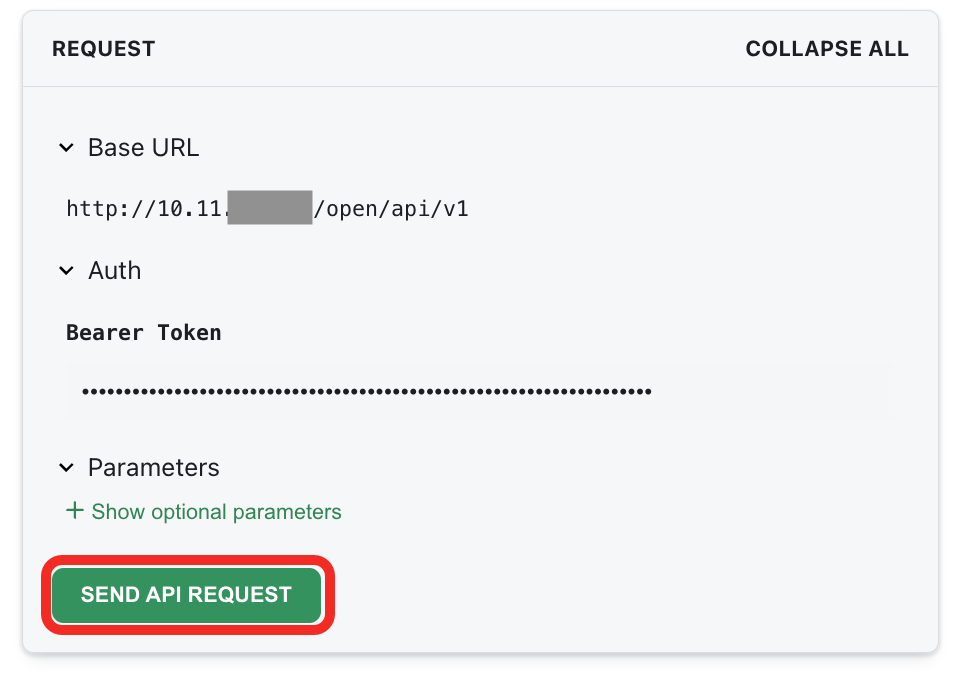
- After completing the above configuration, click the Send API Request button to debug the API online.
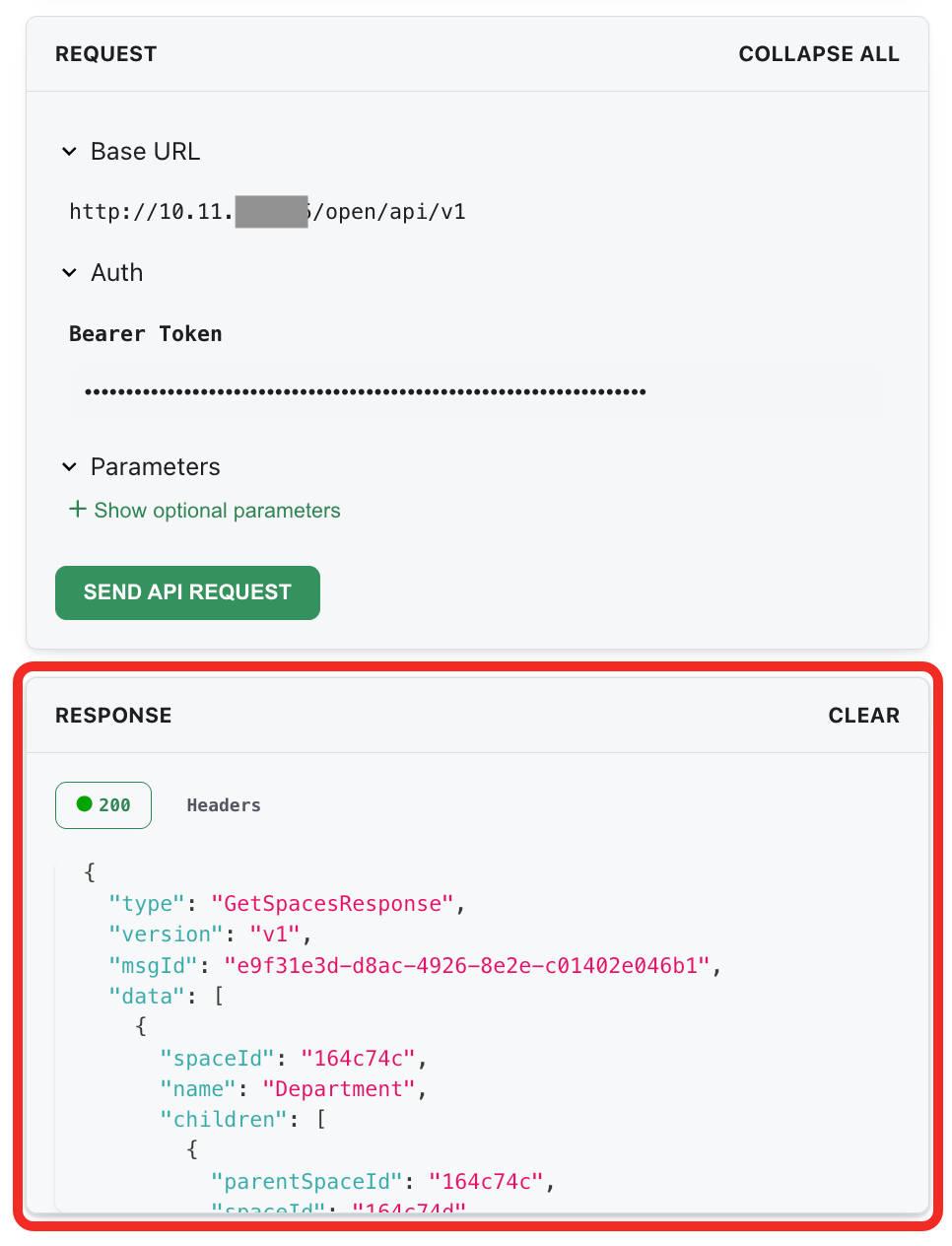
- After sending the request, you can view the returned results in real time in the Response area below, including whether the request was successful and the detailed response content.