Hub M3 Pro
Product Information
Basic Information
| Parameter | Description |
|---|---|
| English name | Hub M3 Pro |
| Chinese name | 方舟智慧中枢 M3 Pro |
| Product model | ZHWG29LM (CN version) / HM-G01D (GL version) |
| Product type | Hub |
| Barcode | 6978350355122 (CN version) / 6978350355139, 192784004753 (GL version) |
| SKU | AG041CNB03 (CN version) / AG041GLB01 (GL version) |
| Product ID | A02160 (CN version) / A02161 (GL version) |
Product Specifications
Basic Specifications
| Parameter | Description |
|---|---|
| Product dimensions | 105 × 105 × 36.5 mm |
| Operating temperature | -10°C to 50°C |
| Operating humidity | 0% to 95% RH, non-condensing |
| Wireless protocols | Wi-Fi IEEE 802.11 a/b/g/n/ac 2.4 GHz / 5 GHz, Zigbee/Thread IEEE 802.15.4, Bluetooth 5.1, IR RF |
| Power input | 5V⎓2A (Type-C) |
| PoE input | 48V⎓0.27A (IEEE 802.3af) |
| Ethernet | 1× 100 Mbps RJ45 (PoE powered) |
| SoC | ARM Cortex-A7 dual-core 1GHz |
| Applicable standard | GB 4943.1-2022 |
| Net weight | 197g |
| Package contents |
|
Main Materials
PC+ABS
Product Appearance
Wireframe
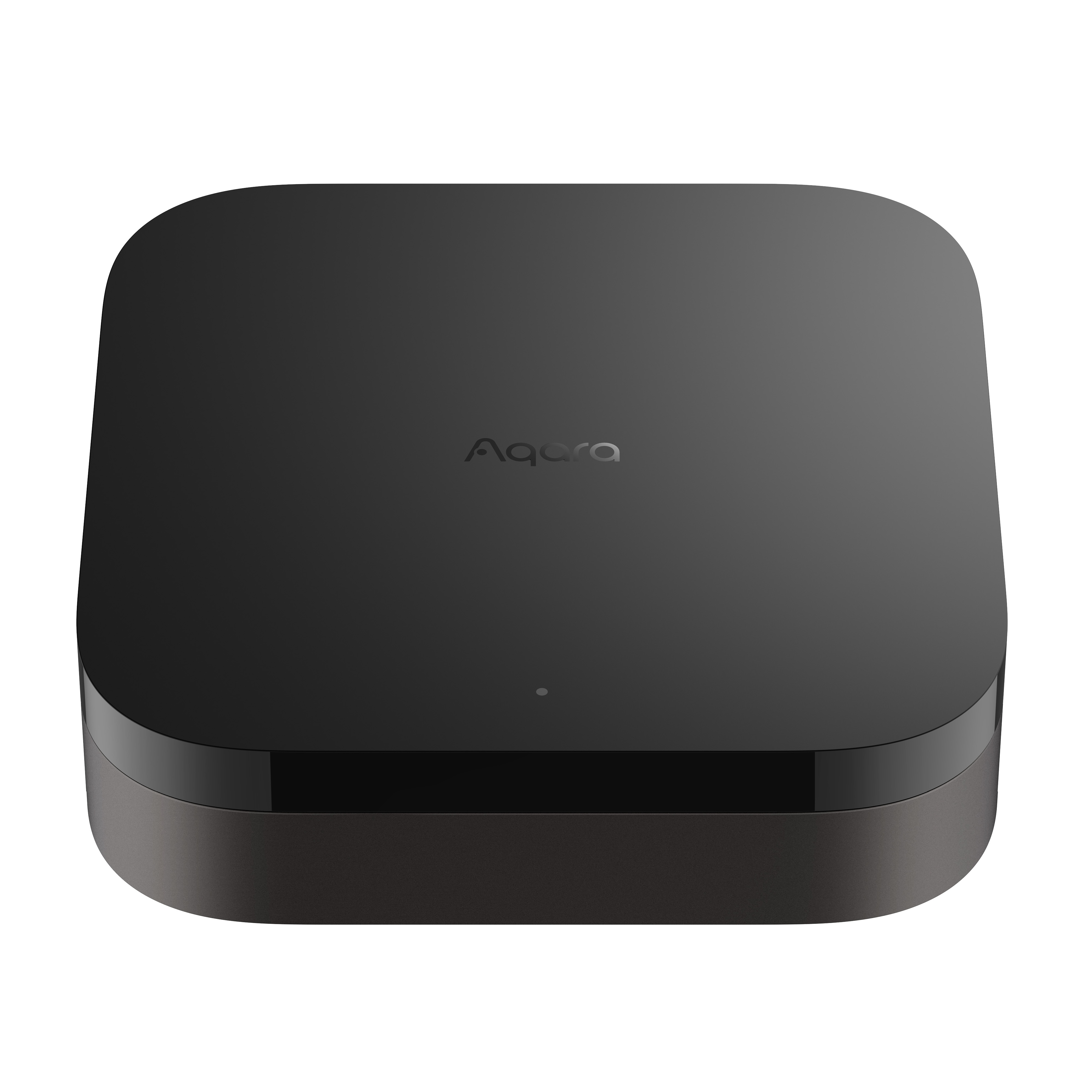
Product Overview
The Hub M3 Pro is a central hub launched by Aqara for Aqara Studio (internal codename "M3 Studio"), and is a different product from the consumer "Hub M3 / 智慧家庭中枢 M3". It supports Thread border routing, Zigbee 3.0, and Bluetooth multi-mode connectivity, and works as a Matter Controller and Thread Border Router. It uses an ARM dual-core A7 SoC at 1GHz, supports 2.4 GHz / 5 GHz dual-band Wi-Fi and RJ45 wired networking (with PoE power), has eMMC local storage and an RTC clock system for stable time synchronization even offline, an enhanced 6-emitter/1-receiver infrared remote control and speaker, supports table placement, wall mounting, and ceiling mounting, and supports hub replacement and local automation.
Note: This product is designed for the Aqara Studio platform; it does not support pairing with the Aqara Home app.
Sales Information
Sales Regions
| Version | Sales region |
|---|---|
| CN version | Chinese Mainland |
| GL version | European Union and other overseas markets |
Installation Instructions
Installation Prerequisites
Supports three indoor installation methods: table placement, wall mounting, and ceiling mounting. Wall/ceiling mounting requires the included bracket and screw kit.
Installation Precautions
- Wire the device only when it is powered off to avoid electrical accidents.
- For PoE power, confirm that the switch/power source supports IEEE 802.3af.
- For adapter power, use a 5V⎓2A adapter with the included Type-C power cable.
- For indoor use only. Do not use in humid environments or outdoors.
User Instructions
Quick Setup
1. Power on
Power via Type-C (5V⎓2A) or via PoE on the RJ45 port.
2. Install
Choose table placement, wall mounting, or ceiling mounting as needed.
3. Wait for startup
The indicator lights up and the hub enters the pairing-ready state.
4. Pairing
This product is designed for Aqara Studio and supports both wired and wireless networking:
- Wired: connect to the LAN, then pair via the Studio management page;
- Wireless: complete the Wi-Fi configuration via the Aqara Life app.
It does not support pairing with the Aqara Home app. See the Aqara Studio pairing guide for details.
5. Connect to Aqara Studio
In Aqara Studio, go to "Device Management → Aqara Hub", click "Discover Devices", search the LAN, and add this hub.
6. Bind child devices
Bind Zigbee devices, Thread devices, Bluetooth devices, and IR devices: see the corresponding pairing guides.
7. Reset network parameters / restore factory settings
See the button description in "Product Features".
Product Features
Key capabilities
- Home Hub: cross-LAN and cross-hub local automation execution and multi-hub cluster networking;
- Matter support: works as Thread Border Router and Matter Controller;
- Multi-protocol Hub: connects Thread, Zigbee, Bluetooth (BLE), IR RF, and Ethernet devices to Aqara Studio;
- Hub replacement: supports replacement between M3 Pro Hubs, and M3 Pro replacing M100 Pro, M200 Pro, and AX200M;
- Local storage: built-in eMMC for local user data storage, reducing cloud dependency;
- Universal IR control: 6 emitters / 1 receiver, supports IR emission and learning;
- Offline time sync: built-in RTC clock system maintains device time sync even offline;
- Custom ringtone: supports uploading custom ringtones for voice announcements;
- PoE power: PoE powered via the RJ45 port, reducing cabling;
- Type-C communication: supports expanding peripherals such as 4G/5G dongles for data communication;
- Dual-band Wi-Fi: 2.4GHz / 5GHz, IEEE 802.11 a/b/g/n/ac.
Interface description
| Interface | Description |
|---|---|
| Type-C interface | Power and data communication |
| RJ45 port | 100 Mbps Ethernet with PoE power |
| Button | 1 physical button for factory reset, child device pairing, alarm cancellation, etc. |
| Speaker | 4Ω2W, frequency response 200-20KHz |
| Indicator | 1 RGB indicator for device status display |
Button description
| Operation | Description |
|---|---|
| Press the function button quickly 3 times | Enter Zigbee child device pairing mode |
| Press and hold the function button for more than 10 seconds | Reset network parameters (user configuration data remains unchanged) |
| Press the function button quickly 10 times | Restore factory settings (clear all user data to factory state) |
Indicator description
The RGB indicator shows the device working status (refer to the official user manual for the exact color/flash meanings; TBD).
Precautions
Usage Precautions
- This product is not a toy. Keep it away from children;
- For indoor use only. Do not use in humid environments or outdoors;
- Keep dry. Do not spill water or other liquids onto this product;
- Do not place this product near heat sources. Do not place it in an enclosed space unless adequate ventilation is provided;
- Do not attempt to repair this product yourself. Repairs should be performed by authorized professionals;
- This product and its child devices are intended only to improve home convenience and entertainment, and for device status alerts. They should not be used as security equipment for homes, buildings, warehouses, or any other premises. If users violate the product instructions and these precautions and use the product for security purposes, the manufacturer assumes no responsibility for any resulting risks or property loss.
Supported Hub Information
Hub Replacement
Supports replacement between M3 Pro Hubs, and M3 Pro replacing M100 Pro, M200 Pro, and AX200M.
Automation Information
Supported Automation Triggers
Device status change (online/offline), anti-misdelete notification, IR code match status change, button trigger
Supported Automation Actions
Restart the entire device; delay duration; run scene; IR control; custom ringtone announcement
Product Certification
CN version: SRRC, Wi-Fi Alliance, Matter, Thread, Wi-Fi, quality inspection report
GL version: CE, FCC, RCM, TELEC, EAC
(This product is designed for Aqara Studio and does not include HomeKit certification)
Product Warranty
Warranty Statement
After-sales service for this product is provided strictly in accordance with the Law of the People’s Republic of China on the Protection of Consumer Rights and Interests and the Product Quality Law of the People’s Republic of China, under the three-guarantee (return/replacement/repair) policy.
Warranty Policy
Within the three-guarantee validity period, you may enjoy free return, replacement, and repair services in accordance with these provisions. Return, replacement, and repair shall be handled with the invoice.
- Unconditional return within 7 days from the day after receipt (e-commerce purchase channels); logistics fees are borne by the user;
- If this product has a performance fault listed in the Product Performance Fault Table, and it is confirmed by the after-sales service center, you may enjoy the corresponding services free of charge.
Because packaging is required to ensure safe transportation, it is recommended that you keep the packaging box for at least 30 days from the day after receipt.
Non-Warranty Terms
- Unauthorized repair, misuse, collision, negligence, abuse, liquid ingress, accidents, modification, incorrect use of non-original accessories, or tearing/altering labels or anti-counterfeit marks;
- Beyond the three-guarantee validity period;
- Damage caused by force majeure;
- Conditions that do not match the performance faults listed in the Product Performance Fault Table;
- Performance faults listed in the Product Performance Fault Table that are caused by human factors to this product or its accessories.
Product Performance Fault Table
- Surface cracking caused by structural or material factors
- Product fails to power on
- Indicator failure
- Button failure
- Wi-Fi connection failure
- Unable to restore factory settings
- Other factory hardware faults that prevent normal function
Troubleshooting Guide
Fault Symptoms, Possible Causes, and Solutions
Common pairing failures:
- After power-on, press and hold the hub button for more than 10 seconds, wait until the indicator enters the pairing state, then retry adding;
- Check whether the router has Wi-Fi anti-sharing settings enabled, which may prevent the hub from connecting to the network;
- Check whether the router has AP isolation enabled, which may prevent the hub from being discovered on the LAN;
- When using PoE, confirm that the switch supports IEEE 802.3af;
- Avoid connecting to bridged networks.
Specific Notes
Low-Power Radio Device Instructions
- The Zigbee/Thread technology used in this product complies with the technical requirements for Category F general-purpose low-power devices in the Catalogue and Technical Requirements for Low-Power Short-Range Radio Transmission Equipment, and is used for data transmission. It uses an integrated antenna. For control, adjustment, and switch operations, refer to the relevant sections of the product manual;
- Do not change the usage scenario or conditions without authorization, expand the transmission frequency range, increase transmit power (including adding an RF power amplifier), or modify the transmitting antenna;
- Do not cause harmful interference to other legitimate radio stations, and do not claim protection from harmful interference;
- Must tolerate interference from industrial, scientific, and medical (ISM) equipment that radiates RF energy, or from other legitimate radio stations;
- If harmful interference is caused to other legitimate radio stations, stop using the product immediately and take measures to eliminate the interference before continuing use;
- When used in aircraft or within electromagnetic environment protection areas designated by laws, regulations, national provisions, or standards—such as radio astronomy observatories, weather radar stations, satellite earth stations (including TT&C, ranging, receiving, and navigation stations), military/civilian radio stations, and airports—comply with electromagnetic environment protection requirements and relevant industry authorities;
- Do not use model remote controllers within a 5,000-meter radius centered on an airport runway midpoint;
- Operating temperature for the low-power device is -10°C to +50°C; power supply is 5V⎓2A or 48V⎓0.27A.
Product Selling Points
Selling Point Description
- Home Hub: cross-LAN/cross-hub local automation and multi-hub cluster networking
- Matter support: Thread Border Router + Matter Controller
- Multi-protocol Hub: Thread + Zigbee + Bluetooth + IR RF + Ethernet
- Hub replacement: M3 Pro can replace M100 Pro, M200 Pro, and AX200M for disaster recovery
- Local storage: eMMC for safer local data
- Universal IR control: 6 emitters / 1 receiver for reliable long-range IR control
- Offline time sync: RTC clock system for stable time sync even offline
- Custom ringtone: personalized voice announcements
- PoE power + Type-C communication: less cabling, expandable with 4G/5G dongles
- Dual-band Wi-Fi: 2.4GHz / 5GHz for more stable connections
Product Image / Selling Point Poster
FAQ
Does Hub M3 Pro support the Aqara Home app?
No. Hub M3 Pro is designed for the Aqara Studio platform; it does not support pairing with the Aqara Home app and does not include the HomeKit ecosystem.
What is the relationship between Hub M3 Pro and the consumer Hub M3?
They are two different products. Hub M3 is a consumer product, while Hub M3 Pro is the Aqara Studio version (internal codename "M3 Studio").
Does Hub M3 Pro support PoE power?
Yes. It supports IEEE 802.3af PoE power via the RJ45 port (48V⎓0.27A).