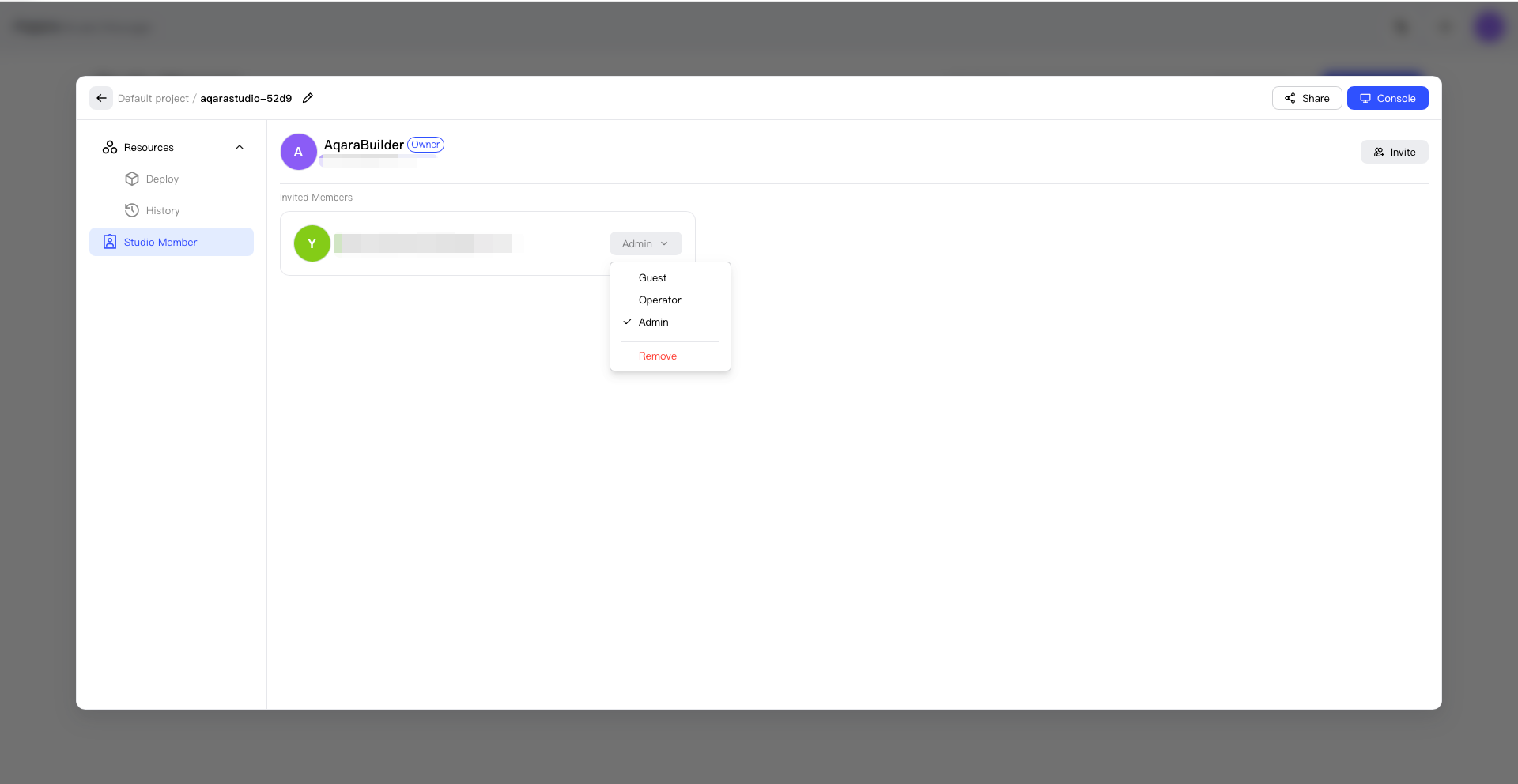
Manage Studio Members
Studio members can access and use a specific Studio. Because Application UIs are deployed to Studio members, add the members before deploying a UI.
Invite a Member
- Find the target Studio.
- Open Studio member management.
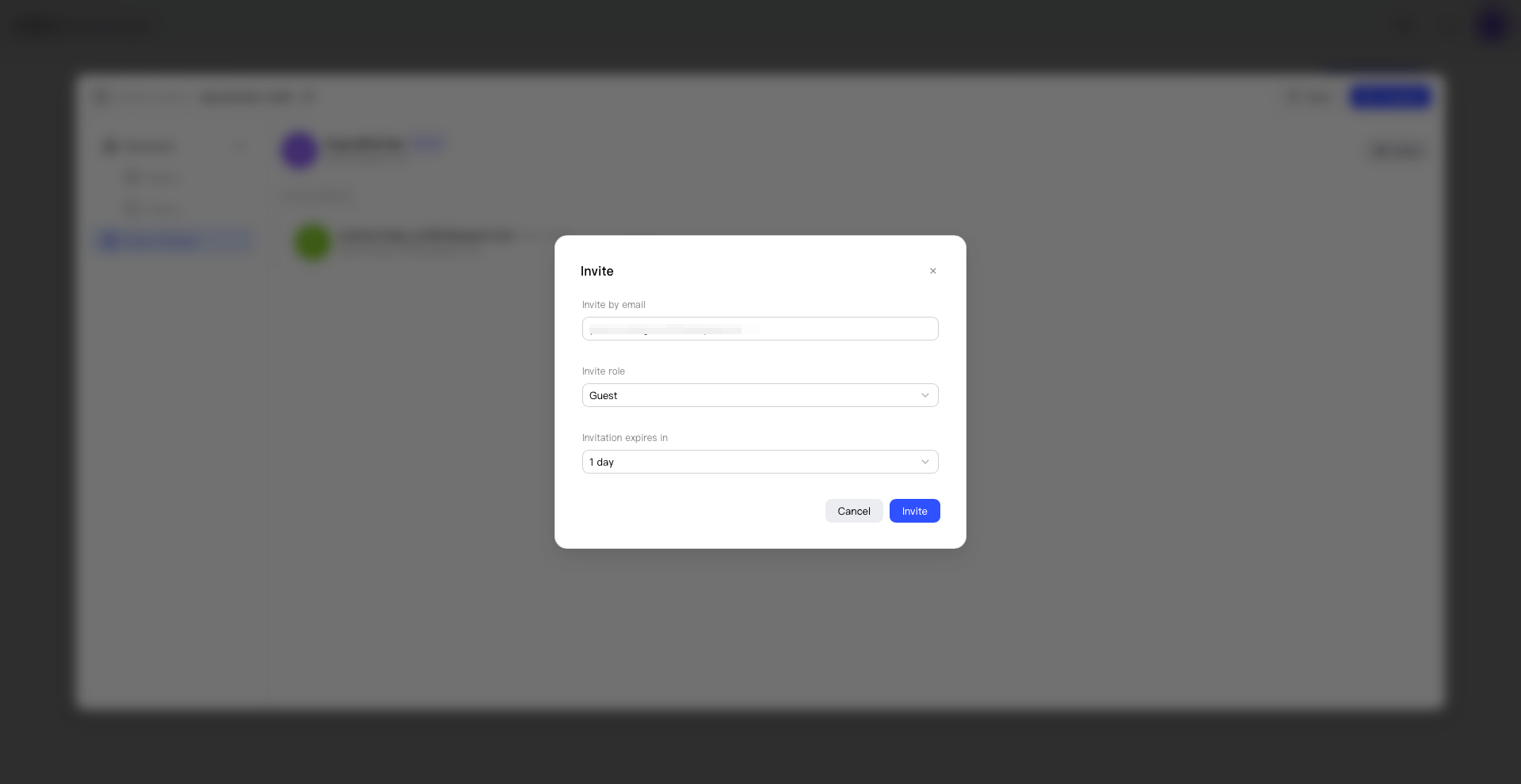
- Select Invite Member.
- Enter the account you want to invite.
- Choose Admin or Operator.
- Verify the account, Studio, and role.
- Send the invitation.
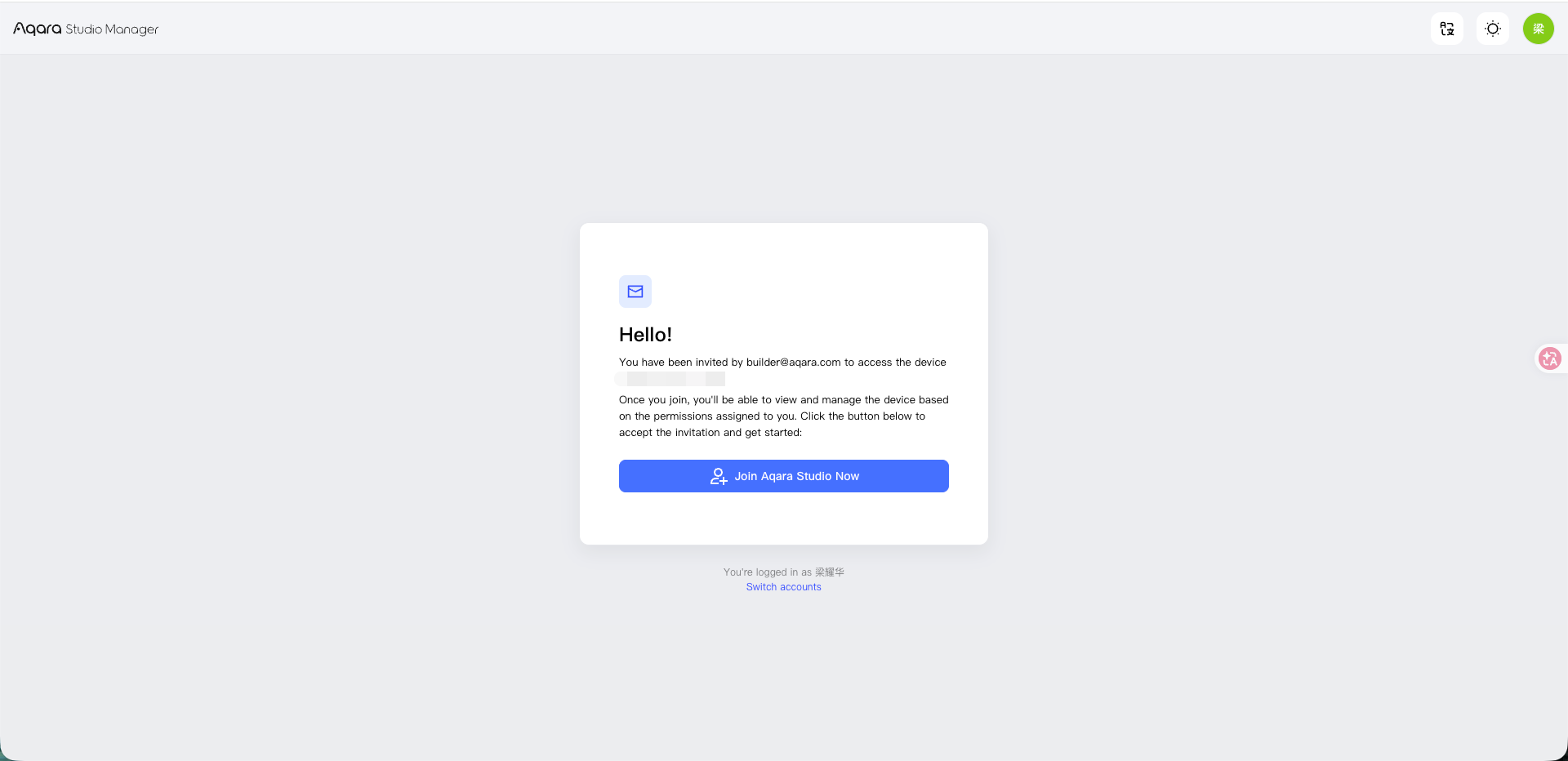
The invited person can accept or decline. The sender can cancel an invitation that has not yet been accepted.
Remove a Member
- Find the member in the Studio member list.
- Verify the member's account and role.
- Select Remove Member.
- Select Remove Member.
- Confirm the action.