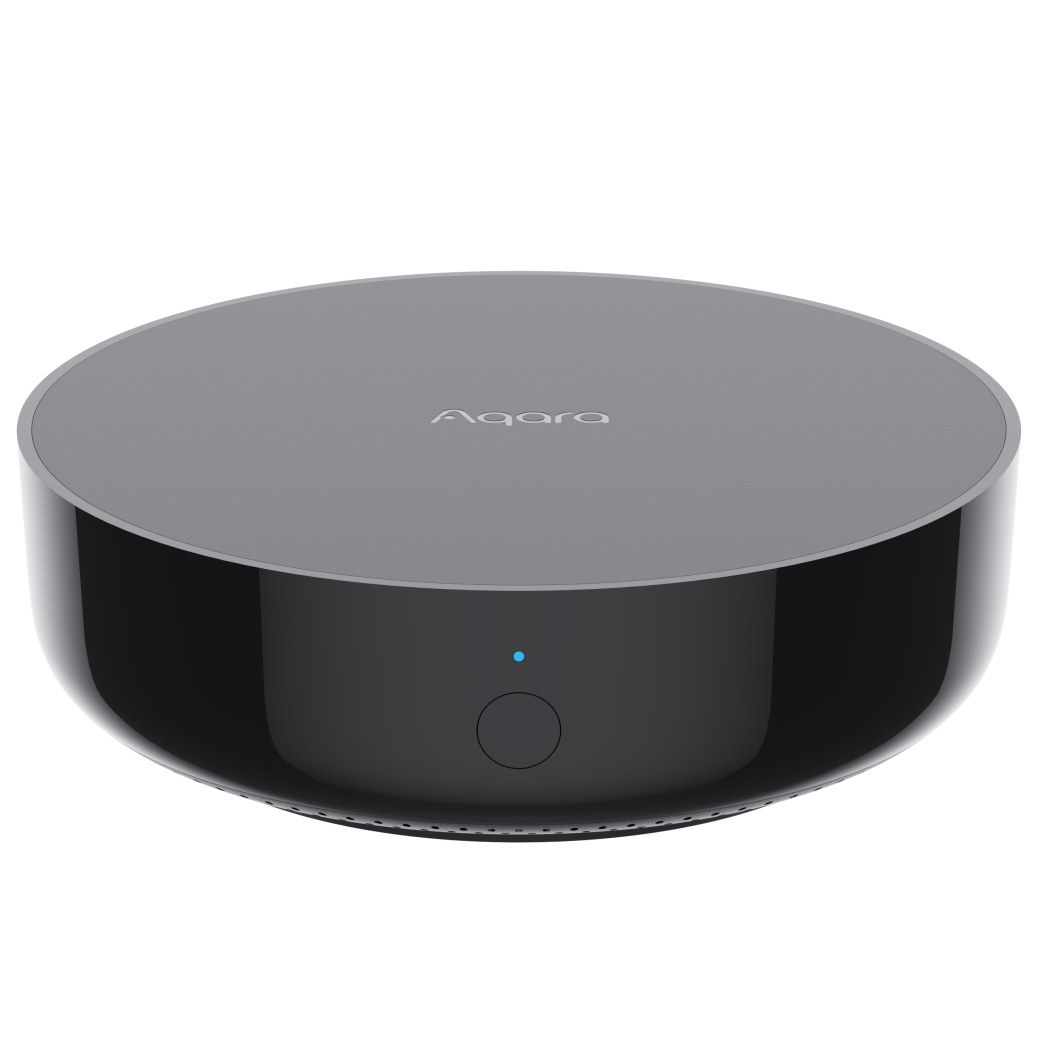
Hub AX200M
Product Information
Basic Information
| Parameter | Description |
|---|---|
| English name | Hub AX200M |
| Chinese name | 智慧网关 AX200M |
| Product model | ZHWG42LM |
| Product type | Hub |
| Barcode | 6978350352565 |
| SKU | AG055CNB01 / AG055CNB02 |
| Product ID | A01872 / A01968 |
Product Specifications
Basic Specifications
| Parameter | Description |
|---|---|
| Product dimensions | Φ100.5 × 30.75 mm |
| Operating temperature | -10°C to 50°C |
| Operating humidity | 0% to 95% RH, non-condensing |
| Wireless protocols | Wi-Fi IEEE 802.11 a/b/g/n/ac/ax 2.4 GHz / 5 GHz (Wi-Fi 6), Zigbee/Thread IEEE 802.15.4, Bluetooth |
| Power input | 5V⎓2A (USB Type-C) |
| PoE input | 48V⎓0.25A (RJ45, IEEE 802.3af supported) |
| Ethernet | RJ45, 100 Mbps, PoE supported |
| Applicable standard | GB 4943.1-2022 |
| Package dimensions | 111 × 63 × 108 mm |
| Package contents |
|
Main Materials
PC+ABS
Product Appearance
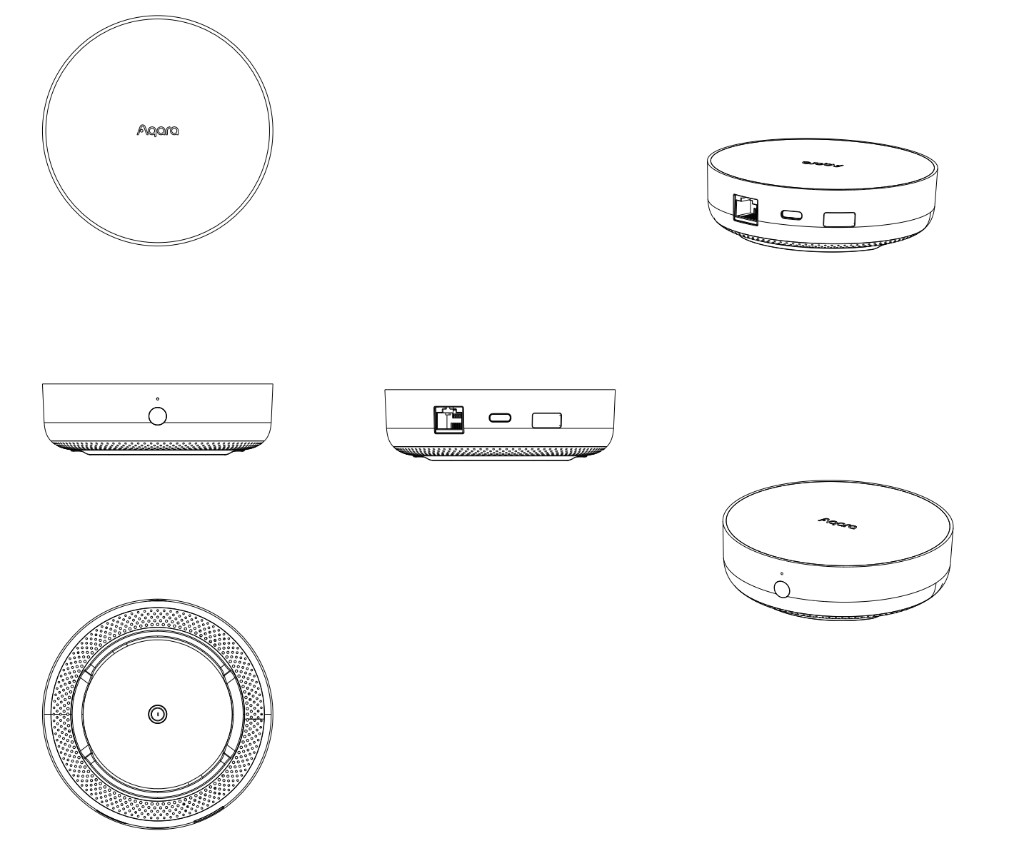
Wireframe
Product Overview
Aqara Hub AX200M is the B-end version of Hub M200 (Nand Flash upgraded from 128 MB to 256 MB). It is designed for enterprise users and system integrators, and can serve as an extension hub with Hub M300 to expand coverage. It supports Aqara Zigbee and Thread devices, dual-band 2.4/5 GHz Wi-Fi 6, dual power supply via Type-C and PoE, local pairing to Aqara Studio on M300 for use without cloud AIoT, Matter Controller / Thread Border Router, Matter Bridging of Zigbee child devices to third-party Matter ecosystems, custom ringtones and personalized automation voice announcements, and B-end dedicated child devices.
Sales Information
Sales Regions
Chinese Mainland (B2B channels)
Installation Instructions
Installation Prerequisites
Use an adapter with a minimum output of 5VDC 2A; or power the hub via RJ45 using a PoE switch that supports IEEE 802.3af.
Installation Precautions
- This product is not a toy. Keep it away from children;
- For indoor use only. Do not use in humid environments or outdoors;
- Keep dry. Do not spill water or other liquids onto this product;
- Do not place this product near heat sources. Do not place it in an enclosed space unless adequate ventilation is provided;
- Do not attempt to repair this product yourself. Repairs should be performed by authorized professionals;
- This product and its child devices are intended only to improve convenience and for device status alerts. They should not be used as security equipment for homes, buildings, warehouses, or any other premises. If users violate the product instructions and these precautions and use the product for security purposes, the manufacturer assumes no responsibility for any resulting risks or property loss;
- Use an adapter with a minimum output of 5VDC 2A.
User Instructions
Quick Setup
1. Select Power Supply Method
This product supports two power supply methods: Type-C and PoE.
Type-C Power
Use a 5V⎓2A power adapter with a USB Type-C cable to power the hub via the Type-C port.
PoE Power
Use a PoE device that supports IEEE 802.3af to power the hub via an RJ45 Ethernet cable (48V⎓0.25A).
2. Wait for the Hub to Start
The indicator stays solid yellow during startup, then switches to fast flashing yellow (waiting for connection).
3. Hub Binding
Wired pairing: Connect Hub AX200M to a router/switch via Ethernet, place it on the same LAN as M300, then sign in to the Aqara Studio management page to complete pairing (read the Aqara Hub Integration Guide for details).

4. Bind Child Devices
| Child device protocol | Pairing guide |
|---|---|
| Zigbee | Zigbee Device Integration Guide |
| Aqara RS-485 | Aqara RS-485 Device Integration Guide |
| Matter Over Thread | Thread devices must be bound via the Aqara Life App. |
Product Features
Interface Description
| Interface | Description |
|---|---|
| Indicator | single RGB status indicator for hub operating status |
| Button | raised function button for pairing, adding child devices, clearing alarms, reset, etc. |
| Type-C | power interface (5V⎓2A); also supports network data communication; can connect an external 4G module via a Type-C dock for internet access |
| RJ45 | Ethernet interface (100 Mbps), IEEE 802.3af PoE supported |
| Speaker | one 2 W speaker; supports custom ringtones and automation voice announcements |
Button Description
| Operation | Description |
|---|---|
| Press and hold the function button for more than 10 seconds | reset network parameters (user configuration data remains unchanged); when anti-misdelete is enabled, unbinding from the device side is not available |
| Press the function button quickly 10 times | restore factory settings |
| Press the function button once | clear alarm / stop adding child devices / stop voice announcement |
| Press the function button quickly 2 times | disarm-related actions (cancel alarm and turn off the current guard mode, etc.; see product instructions for details) |
| Press the function button quickly 3 times | enter Zigbee child device pairing mode |
| Press the function button quickly 5 times, then press and hold for 3-5 seconds | enter network standby mode (Wi-Fi/Zigbee/Thread/BLE off; wired network remains available) |
Indicator Description
| Indicator status | Description |
|---|---|
| Solid yellow | starting up |
| Fast flashing yellow | waiting for network connection |
| Fast flashing blue | connecting to network |
| Slow flashing blue | network connected, account binding in progress / offline after pairing |
| Solid blue | working normally (account bound successfully) |
| Solid white | unable to connect to the router within about 10 minutes / account binding failed; re-enter waiting-for-pairing configuration |
| Slow flashing purple | Zigbee child device pairing allowed |
| Slow flashing yellow | firmware upgrading |
| Solid purple | network standby mode |
| Fast flashing red 3 times | anti-misdelete enabled; cannot delete from the device side |
Key Capabilities
- Supports local pairing to Aqara Studio on M300 for use without cloud AIoT
- Can serve as a Zigbee hub and Thread Border Router to connect Aqara Zigbee and Thread child devices
- Supports Matter Controller, Matter Bridge, and Matter commissioner
- Supports dual-band 2.4 GHz & 5 GHz Wi-Fi 6 and RJ45 wired networking
- Supports dual power supply via Type-C / PoE
- Supports custom ringtones and automation voice announcements
- Supports B-end dedicated child devices (including Siemens child device access on the Siemens version)
- Supports B-end capabilities such as new Thing Model, static IP, child device anti-misdelete, and security level settings
Precautions
- This product is not a toy. Keep it away from children;
- For indoor use only. Do not use in humid environments or outdoors;
- Keep dry. Do not spill water or other liquids onto this product;
- Do not place this product near heat sources. Do not place it in an enclosed space unless adequate ventilation is provided;
- Do not attempt to repair this product yourself. Repairs should be performed by authorized professionals;
- This product and its child devices are intended only to improve convenience and for device status alerts. They should not be used as security equipment for homes, buildings, warehouses, or any other premises. If users violate the product instructions and these precautions and use the product for security purposes, the manufacturer assumes no responsibility for any resulting risks or property loss;
- Use an adapter with a minimum output of 5VDC 2A.
Automation Information
Supported Automation Triggers
| Feature | Trigger condition |
|---|---|
| Anti-misdelete notification | Equals / does not equal button-triggered reset / button-triggered factory reset |
| Volume | Equals / does not equal / greater than / greater than or equal to / less than / less than or equal to 0-100 |
Supported Automation Conditions
| Feature | Condition |
|---|---|
| Volume | Equals / does not equal / greater than / greater than or equal to / less than / less than or equal to 0-100 |
Supported Automation Actions
- Restart device;
- Set volume;
- Play hub ringtone.
Product Certification
SRRC, quality inspection report
Troubleshooting Guide
Fault Symptoms, Possible Causes, and Solutions
Common pairing failures:
- After power-on, press and hold the hub button for more than 10 seconds, wait until the yellow light flashes, then retry adding;
- Check whether the router has Wi-Fi anti-sharing settings enabled, which may prevent the hub from connecting to the network;
- Check whether the router has AP isolation enabled, which may prevent the phone from discovering the hub on the LAN;
- Avoid connecting to bridged networks.
Specific Notes
Low-Power Radio Device Instructions
- The Zigbee/Thread technology used in this product complies with the technical requirements for Category F general-purpose low-power devices in the Catalogue and Technical Requirements for Low-Power Short-Range Radio Transmission Equipment, and is used for data transmission. It uses an integrated antenna. For control, adjustment, and switch operations, refer to the relevant sections of the product manual;
- Do not change the usage scenario or conditions without authorization, expand the transmission frequency range, increase transmit power (including adding an RF power amplifier), or modify the transmitting antenna;
- Do not cause harmful interference to other legitimate radio stations, and do not claim protection from harmful interference;
- Must tolerate interference from industrial, scientific, and medical (ISM) equipment that radiates RF energy, or from other legitimate radio stations;
- If harmful interference is caused to other legitimate radio stations, stop using the product immediately and take measures to eliminate the interference before continuing use;
- When used in aircraft or within electromagnetic environment protection areas designated by laws, regulations, national provisions, or standards-such as radio astronomy observatories, weather radar stations, satellite earth stations (including TT&C, ranging, receiving, and navigation stations), military/civilian radio stations, and airports-comply with electromagnetic environment protection requirements and relevant industry authorities;
- Do not use model remote controllers within a 5,000-meter radius centered on an airport runway midpoint;
- Operating temperature for the low-power device is -10°C to +50°C; power supply is 5V⎓2A or 48V⎓0.25A.
Product Selling Points
Product Image