Aqara Hub
This document is only applicable to the hub-integrated model of Aqara Studio.
This guide explains how to connect Aqara Hub to Aqara Studio.
Add An Aqara Hub
-
In the left sidebar, click Devices, select
Aqara Hubto enter the management page, and click the Add Device button.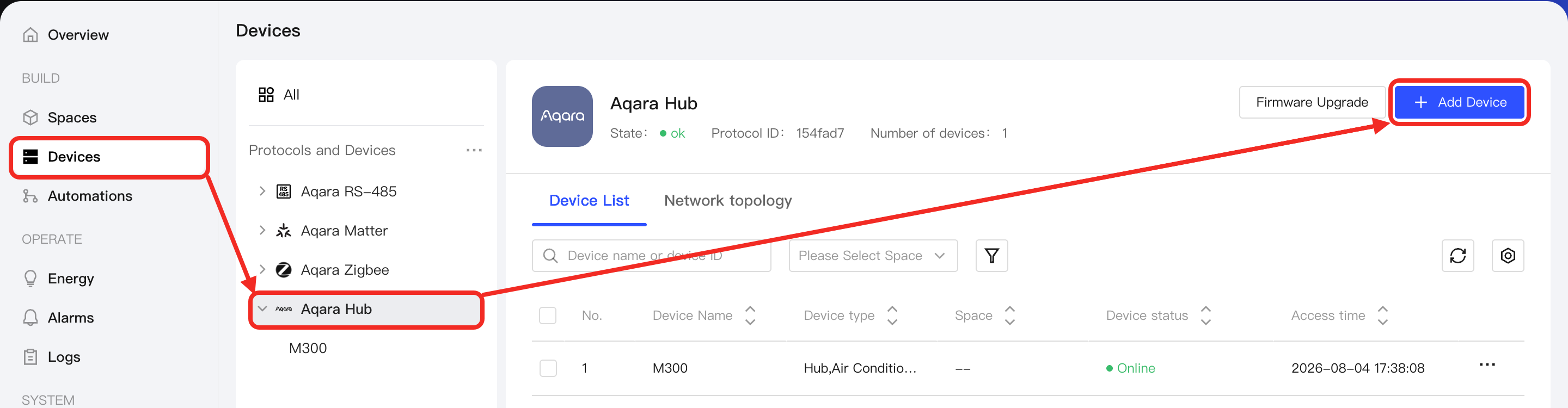
-
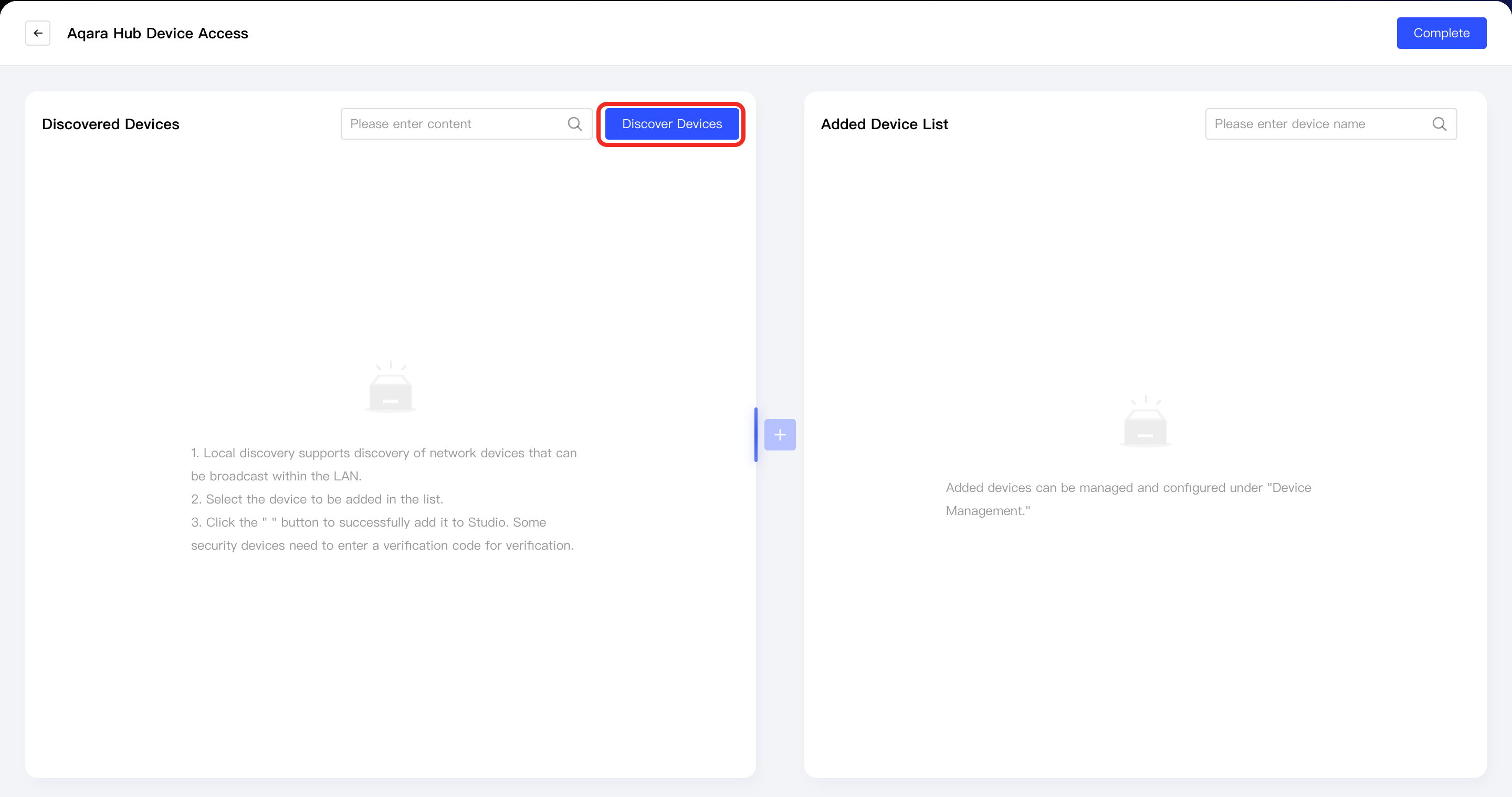
Click the Discover Devices button. Aqara Studio will search for Aqara Hub devices in the local network.
-
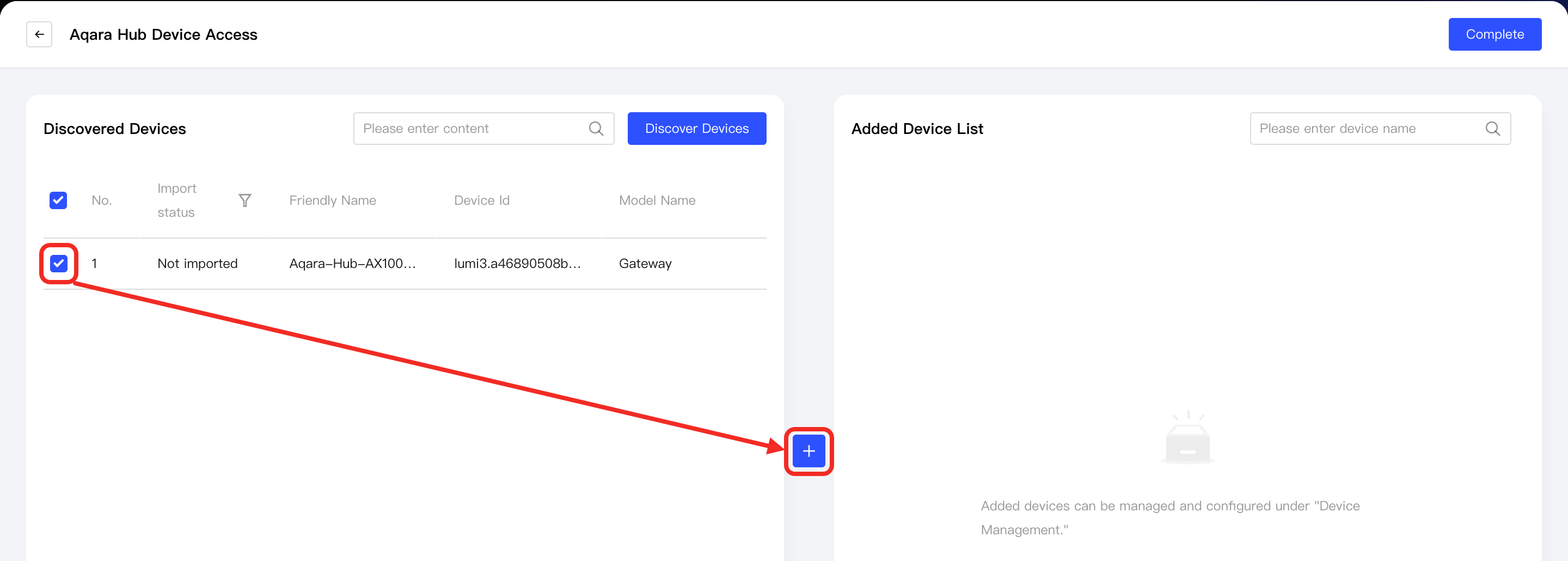
Once Aqara Studio finds the Aqara Hub devices, they will appear in the Discovered Devices list.
Select the device(s) you want to integrate and click the + button in the middle to add them.
-
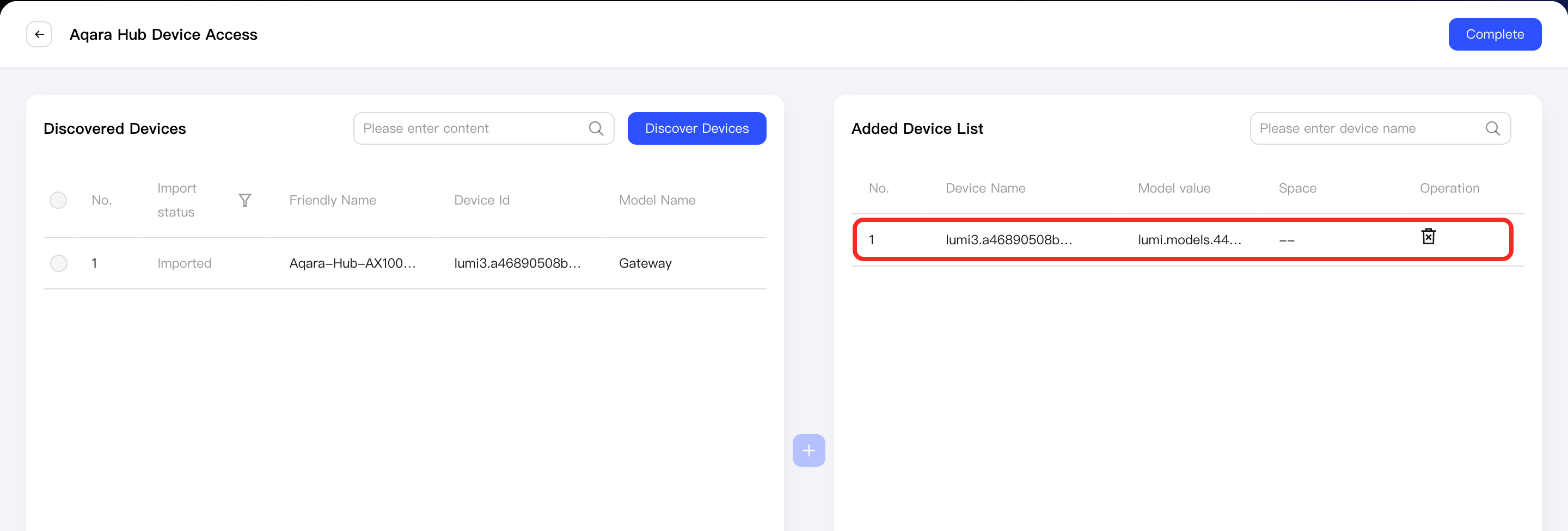
After a device is successfully added, it will appear in the Added Devices List on the right.
Click the Done button to exit the add-device process.
-
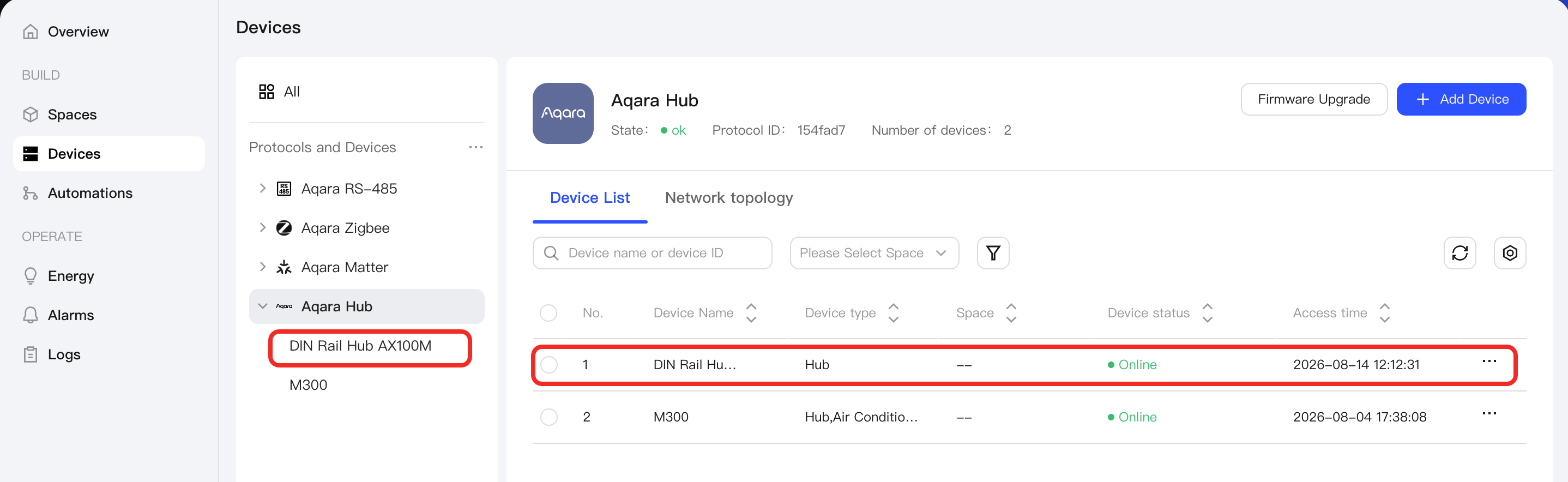
You will then see the successfully added devices under the Aqara Hub node in Protocols and Devices on the left, as well as in the device list on the Aqara Hub management page.
How to Add Other Types of Aqara Devices
To integrate Aqara devices using different protocols, please refer to the following documents and follow the integration process according to the device’s protocol type:
Next Steps
Now, you can view details and control the device, or use the device in automation.