Pastel Spotlight/Downlight H1
Product Information
Basic Information
| Parameter | Description |
|---|---|
| Product Type | Lighting |
| Communication Protocol | Zigbee, Thread, Bluetooth |
Product SKU Information
| Pastel Spotlight H1 (24° Black) | Pastel Spotlight H1 (36° Black) | Pastel Spotlight H1 (36° White) | Pastel Spotlight H1 (36° White Recessed) | Pastel Downlight H1 (60° Black) | |
|---|---|---|---|---|---|
| Model Number | ZNSD17LM | ZNSD18LM | ZNSD19LM | ZNSD20LM | ZNSD21LM |
| Barcode | 6978350352770 | 6978350352787 | 6978350352794 | 6978350352800 | 6978350352817 |
| SKU Code | AL253CNW01 | AL253CNW02 | AL253CNW03 | AL253CNW04 | AL253CNW05 |
| Product ID | A01897 | A01898 | A01899 | A01900 | A01901 |
Product Highlights
Key Features
- Core product of Aqara Pastel series, new-generation quad-color mixing technology (customized tinted LEDs + mixing algorithm)
- Supports 1800K-12000K ultra-wide color temperature and full gamut tinted color light expression, light color infinitely close to natural light variation patterns
- Ra97 high color rendering index, SDCM <5, small color deviation, good color consistency
- Compared to traditional RGB or dual color temperature solutions, finer light effects, superior color rendering, higher uniformity
- Ten-thousand-level dimming depth, 25000h rated lifespan
- Five specifications: 24°/36°/36° White Cup/36° White Recessed/60°, covering full scenario applications from accent lighting to wall washing, ceiling washing
- Supports Zigbee and Thread dual protocols, can access Aqara Studio or Matter-compatible third-party ecosystems
- Recessed ceiling-mounted installation, integrates with home decoration design
- Supports static/dynamic scene customization, custom lighting transition curves, can link with other Aqara smart devices
Product Images
| Pastel Spotlight H1 (24° Black) | Pastel Spotlight H1 (36° Black) | Pastel Spotlight H1 (36° White) | Pastel Spotlight H1 (36° White Recessed) | Pastel Downlight H1 (60° Black) | |
|---|---|---|---|---|---|
| Product Image | 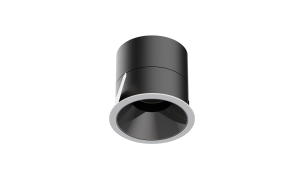 | 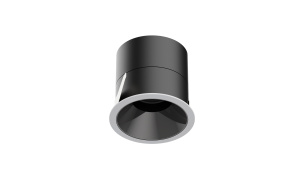 | 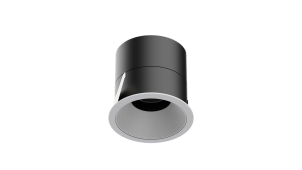 | 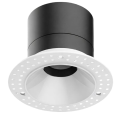 | 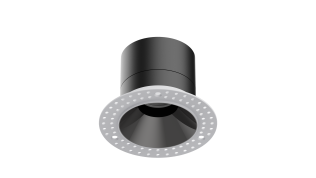 |
Product Specifications
Basic Specifications
| Parameter | Description |
|---|---|
| Operating Temperature | -10 ~ 50°C |
| Operating Humidity | 0 ~ 95% RH, non-condensing |
| Protection Rating | IP20 |
| Color Rendering Index | Ra97 |
| Color Deviation | SDCM <5 |
| Dimming Depth | Ten-thousand-level |
| Communication Protocol | Zigbee, Thread, Bluetooth Low Energy |
| Mounting Method | Recessed ceiling mounting (75mm cutout; recessed model requires 110 x 1.5mm stepped hole) |
| Execution Standard |
|
Electrical Specifications
| Parameter | Description |
|---|---|
| Rated Power | 12W (1 x 15W/LED module) |
| Input Voltage | 100-240V AC |
| Operating Frequency | 50/60Hz |
| Rated Current | 0.17A |
| Power Factor | PF > 0.9 |
Light Source Specifications
| Parameter | Description |
|---|---|
| Color Temperature Range | 1800K-12000K (tinted color) |
| Luminous Flux | 730 lm Max |
| Rated Lifespan | 25000h |
| Beam Angle | 24°/36°/60° |
Product Dimensions (Excluding Cable)
| Specification | Luminaire Body Size | Driver Size |
|---|---|---|
| Spotlight (24°/36°/36° White/60°) | Ø82 x H76 mm (spotlight), Ø85 x H55 mm (downlight) | 121.5 x 46.5 x 25 mm |
| Recessed Model (36° White Recessed) | Ø110 x H76 mm | 121.5 x 46.5 x 25 mm |
Cutout Dimensions
| Specification | Cutout Size |
|---|---|
| Standard Model (Spotlight/Downlight) | Ø75mm |
| Recessed Model | Luminary body Ø75mm + Recessed fixture Ø110 x 1.5mm stepped hole |
Main Materials
| Component | Material Description |
|---|---|
| Luminaire Body | Aluminum |
| Reflector | PC |
Product Overview
Aqara Pastel Downlight/Spotlight H1 series is Aqara Pastel series' core downlight/spotlight product for home base lighting, applying latest platform-based quad-color tinted color constant current driver, equipped with customized quad-color COB LEDs and larger size optical lenses.
The device adopts new-generation quad-color mixing technology (customized tinted LEDs + mixing algorithm), supports 1800K-12000K ultra-wide color temperature range and rich tinted color light expression, with light color infinitely close to natural light variation patterns; Ra97 high color rendering index, SDCM <5 color deviation, ten-thousand-level dimming depth, 25000h rated lifespan, significantly superior light quality compared to traditional RGB or dual color temperature solutions.
Software platform developed based on new thing model under Zigbee/Thread dual protocol architecture, accessing Aqara Studio or Matter-compatible third-party ecosystems according to usage environment. Supports static and dynamic scene customization, 0~10s gradient transition, custom lighting transition curves and other advanced configurations.
- This device requires use with Aqara gateway for full functionality support. Certain specific features are only supported in Aqara Studio / Aqara Life App.
Installation Guide
Installation Conditions Confirmation
| Parameter | Description |
|---|---|
| Installation Tools | Screwdriver, Electric drill (for cutout), Insulated tools |
| Installation Environment | Indoor use, only applicable for recessed ceiling mounting |
| Installation Location | Dry ceiling, avoid heat sources |
| Power Requirement | 100-240V AC 50/60Hz household AC power |
Installation Precautions
Installation involves high-voltage work; must be installed by professionals in accordance with electrical codes and product manual.
- This product is for indoor use only; do not use outdoors;
- Pay attention to moisture protection; do not splash water or other liquids onto this product;
- Do not place this product near heat sources;
- Do not attempt to repair this product yourself; this work should be performed by authorized professionals;
- This luminaire is for recessed installation; not suitable for installation inside conduits;
- If external flexible cord or cable of this luminaire is damaged, it must be replaced by manufacturer, its service agent or similarly qualified persons to avoid danger;
- Light source in this luminaire must be replaced by manufacturer, its service agent or similarly qualified persons;
- Does not include terminal blocks; installation must be performed by qualified personnel;
- Connection to fixed wiring requires spring terminals to avoid solder cold flow.
Under no circumstances should luminaire be covered by thermal insulation or similar materials.
General Installation Instructions (Standard Model/Recessed Model Common Process)
-
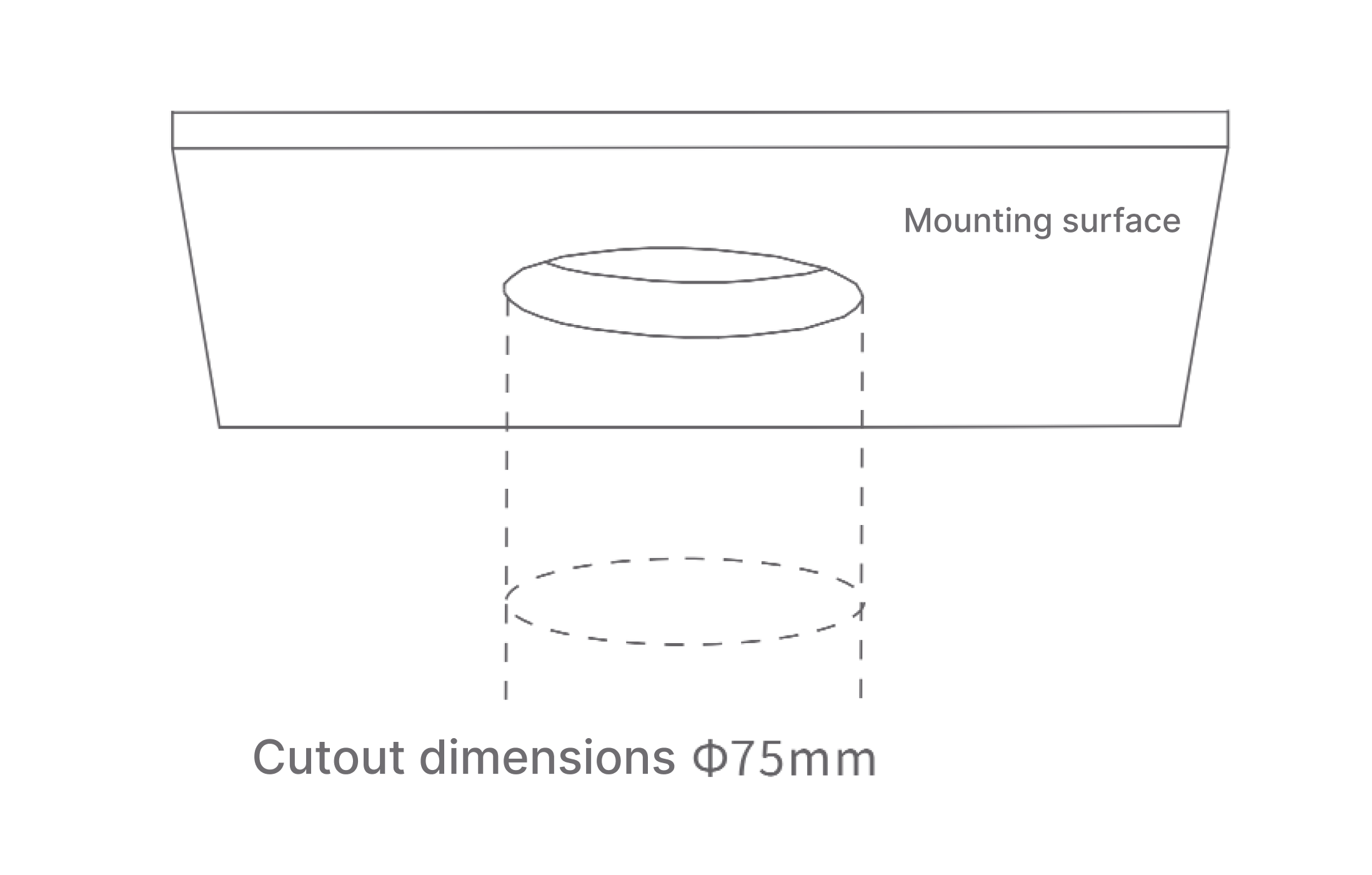
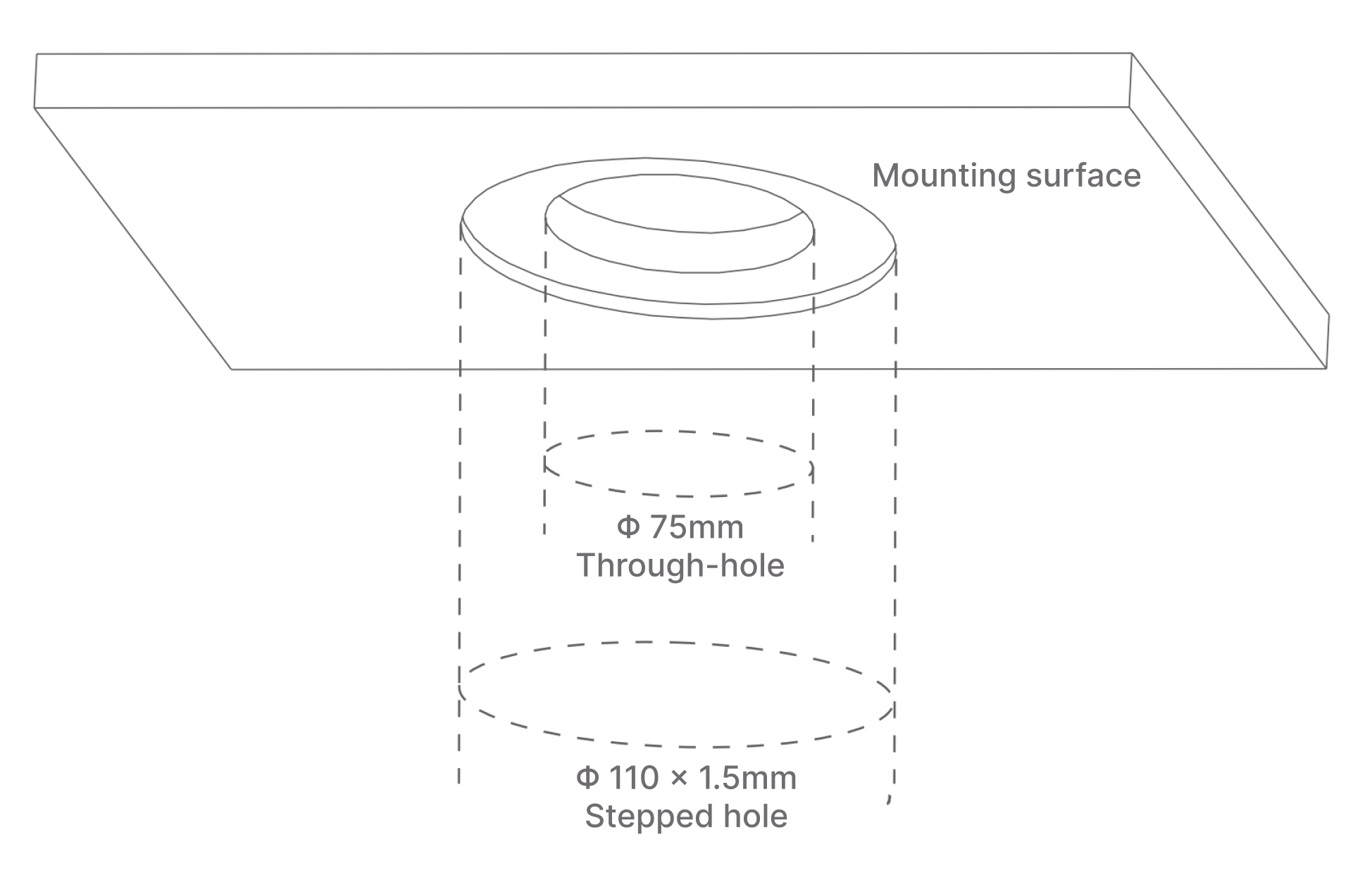
Cutout: Make cutout on installation surface according to selected model.
-
Standard Model: Cut circular hole with 75mm diameter.
-
Recessed Model: Cut 1 x Ø75mm through hole and 1 x Ø110 x 1.5mm stepped hole.
-
-
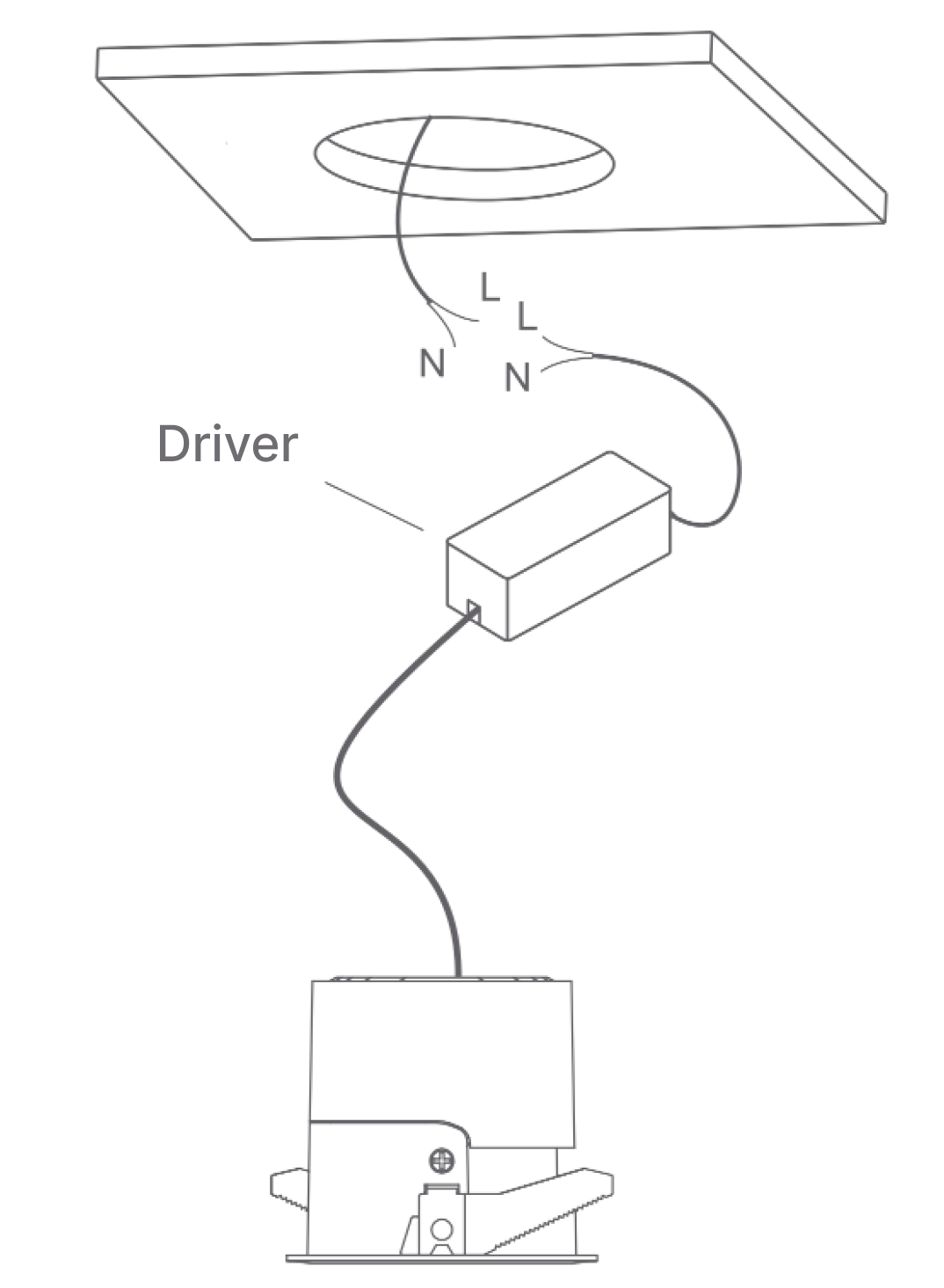
Electrical Connection and Insulation: Connect neutral and live wires from lamp to power supply, and perform reliable insulation.
-
L/N connect to household AC power
-
Connection to fixed wiring requires spring terminals to avoid solder cold flow
-
-
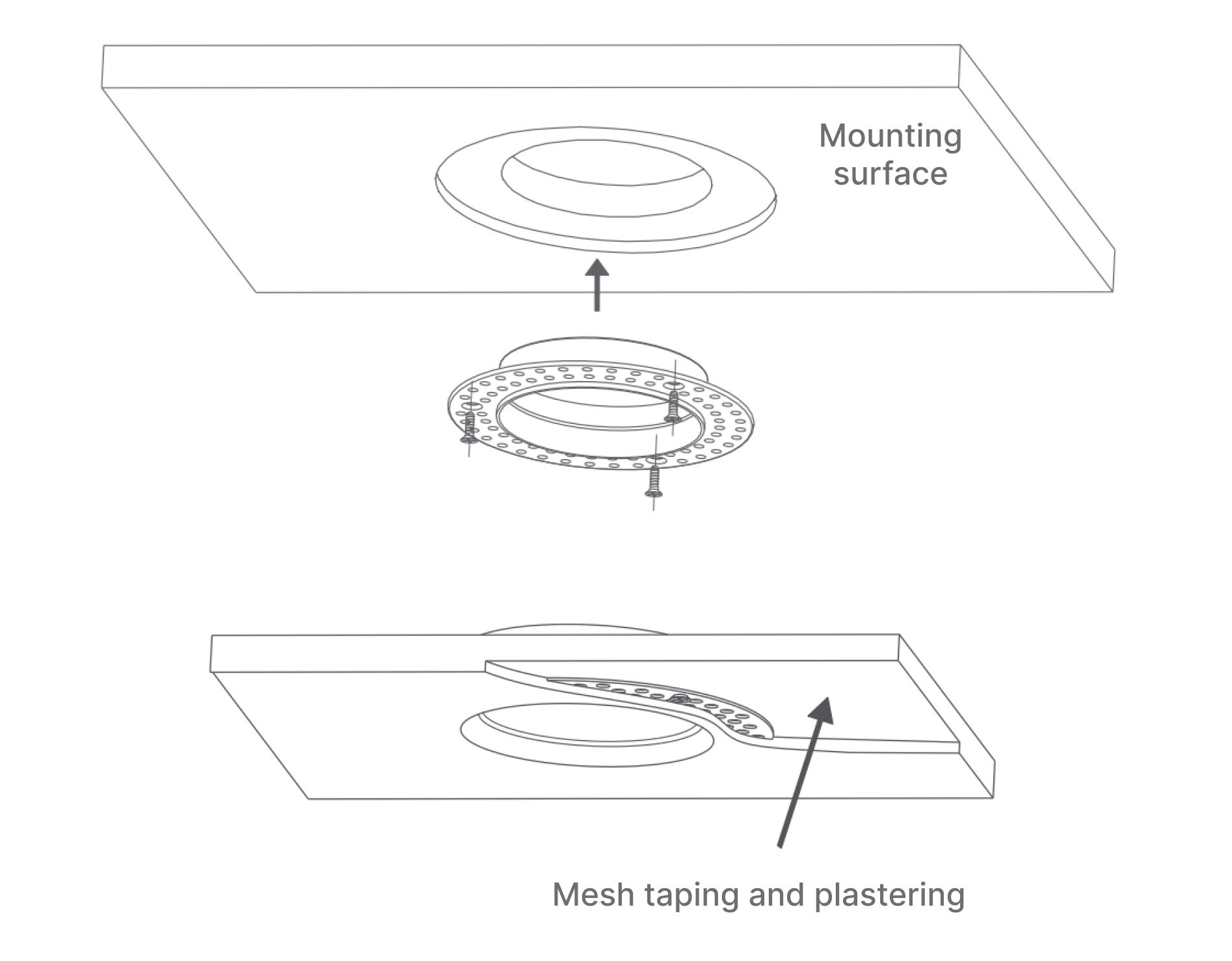
Recessed Fixture Installation (Recessed model only): Fix recessed fixture to installation surface with cut hole using self-tapping screws, then apply mesh and plaster, ensuring recessed fixture is flush with installation surface.
-
Insert Luminaire:
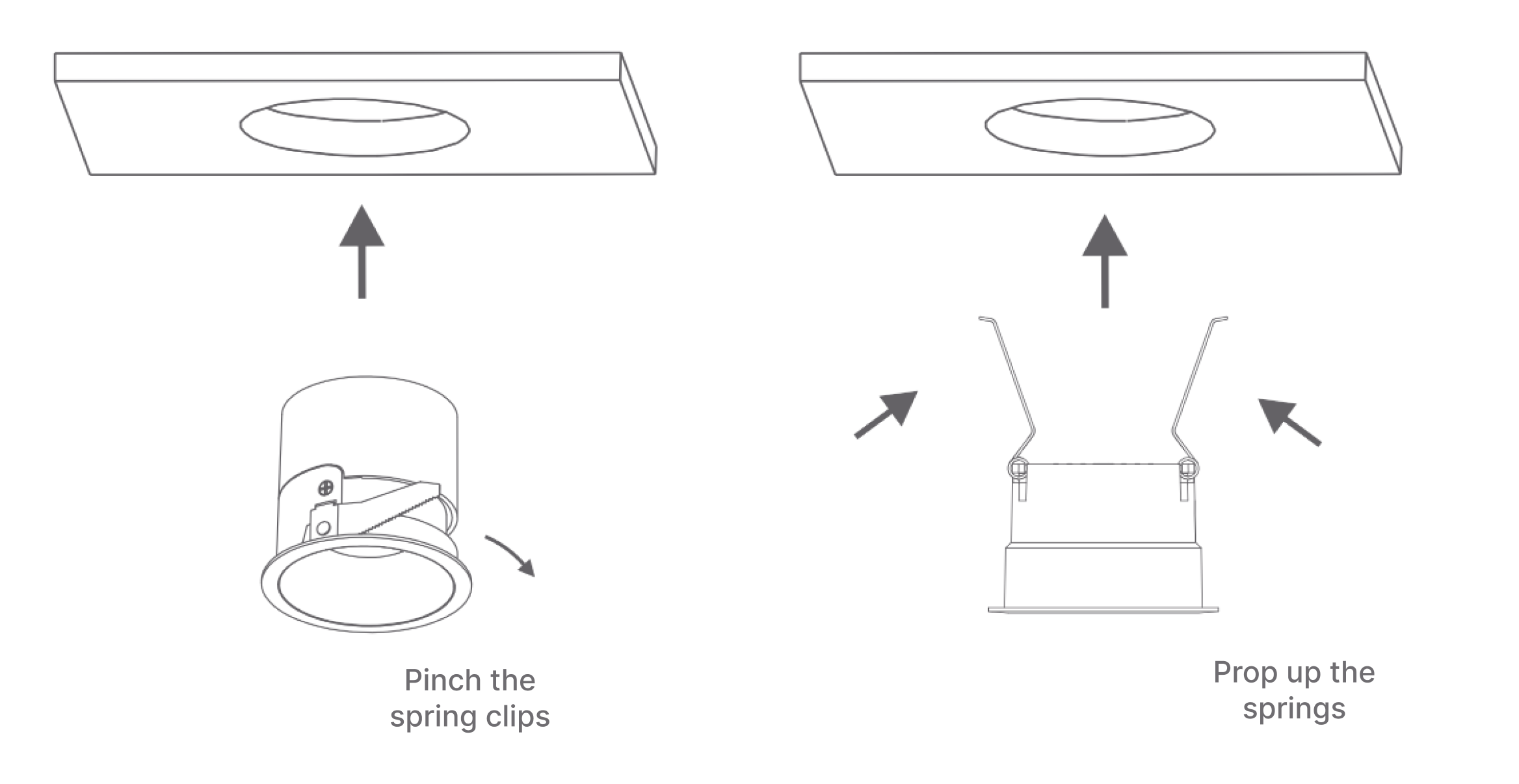
- Standard Model: Press clips on both sides of luminaire body (pinch springs), push luminaire body into installation opening. Pay attention to installation angle for spotlight.
- Recessed Model: Push luminaire body into recessed fixture.
-
Power On Test: Close switch and power on, confirm luminaire is working normally.
Pay attention to installation angle for spotlight
Installation Distance Requirements
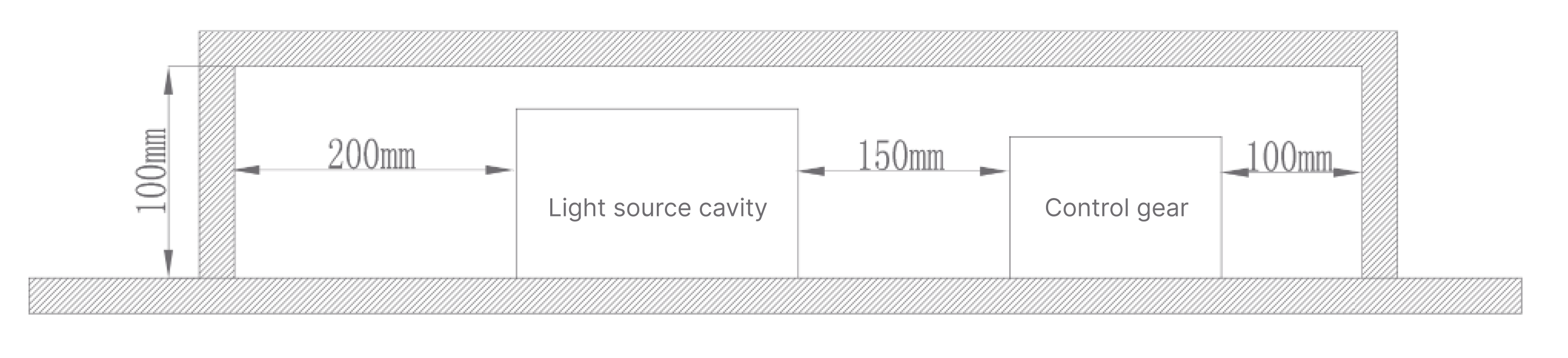
Luminaire must at least meet installation distance requirements shown below, otherwise may cause fire risks or other hazards.
User Guide
Device Pairing
Device defaults to Zigbee protocol for network joining. After device enters pairing mode, it can be added to Aqara Studio or Aqara Life App for use.
When device is not joined to network, upon powering on, light breathes twice and automatically enters pairing mode. Pairing time is 60s. If pairing time is exceeded, device can be power-cycled to re-enter pairing mode.
Add to Aqara Studio
According to current protocol used by device, please refer to following documents to complete addition:
| Protocol | Document |
|---|---|
| Zigbee | Zigbee Device Integration Guide |
| Matter | Matter Device Integration Guide |
Add to Aqara Life App
- Download Aqara Life App (scan QR code on manual, or search and download from Apple App Store / Google Play).
- Open App, enter "Home" page then click "+" in upper right corner to enter "Add Device" page, follow App prompts to complete addition.
Firmware Update
You can update device firmware to latest version in Aqara Studio or Aqara Life App before starting use.
| Platform | Operation |
|---|---|
| Aqara Studio | Read Firmware Update, follow prompts to complete update. |
| Aqara Life App | Update device firmware to latest version in App settings page, follow prompts to complete update. |
If you integrate device to third-party ecosystem (such as Apple, Google or Amazon, etc.) and cannot get latest firmware, you can pull latest cloud firmware for upgrade by adding device in Aqara Life App and performing two "protocol switch" operations (such as switching Thread to Zigbee, then switching back to Thread).
Device Reset / Factory Restore
| Operation | Operation Method | Description |
|---|---|---|
| Device Reset | Long press reset button on driver for 5s or more, or cycle power 5 times (keep powered on last time) | Light breathes twice, reset successful. Device only clears network pairing and re-enters pairing state. |
| Factory Restore | Press reset button on driver 10 times, or cycle power 10 times (keep powered on last time) | Light breathes twice, factory restore successful. Device clears all configuration information and re-enters pairing state. |
| Switch Protocol | First remove device in Aqara Life App, then long press reset button for 5s to reset, enter pairing process, click "Switch Protocol" on device pairing screen | Note: Switching protocol is equivalent to factory restore, will clear all device settings and data. |
Product Functions
Basic Dimming
| Function | Description |
|---|---|
| On/Off | Supports basic on/off function |
| Brightness | Supports 1% - 100% brightness adjustment |
| Color Temperature | Supports 1800K - 12000K wide-range color temperature adjustment (default color temperature after device joining is 4000K natural white) |
| Color Adjustment | Supports tinted RGB color custom adjustment to meet different ambient color needs |
Scene Functions
| Function | Description |
|---|---|
| Static Scene | Can solidify and store specific combinations of white light color temperature, RGB colored light, and brightness values as dedicated scenes for one-click recall. Supports copy, edit, delete; custom scene upper limit: matter - 30, zigbee - 26 |
| Dynamic Sequence | Supports multi-keyframe setting. Can customize keyframes with:
|
| Colored Light Dynamic Scene | Supports selecting colors through color card/palette to generate specific effects. Can customize:
|
Configuration Options
| Configuration Item | Description |
|---|---|
| Communication Protocol | Zigbee (factory default)/Thread |
| Power-On State | Four modes available:
|
| On/Off Transition Time | Default value: 1500ms, maximum range 0-10s |
| Transition Curve Configuration | Light transitions to target state with set curve effect Adjustment method:
|
| Initial Brightness Configuration | Supports 1-50% range adjustment, default 1%, step 1%. After configuring initial brightness for power-on, light will execute transition effect from configured value as initial brightness to final state when turning on (when last power-off brightness is lower than configured initial brightness, light turns on directly at last power-off brightness without transition time) |
| Dimming Range Configuration | Click to enter to set maximum and minimum brightness of light. After setting, brightness range 1-100% on device homepage and automation components respectively correspond to maximum and minimum illuminance range settings |
| Find Device | Upon clicking, device flashes or beeps |
Button Instructions
| Operation Method | Function Description |
|---|---|
| Single Click Reset Button | On/Off light |
| Long Press Reset Button 5s | Reset device network, clear network pairing, re-enter pairing state |
| Press Reset Button 10 Times | Factory restore, clear all configuration information, re-enter pairing state |
Indicator Light Instructions
| Indicator Status | Function Description |
|---|---|
| Light Breathes Twice | Device entered pairing mode/Reset successful/Factory restore successful |
Maintenance
- Regularly wipe product surface with dry soft cloth to avoid dust accumulation affecting usage;
- Do not use chemical solvents to clean product;
- When not in use for extended periods, store in dry environment after disconnecting power.
Supported Gateway Information
This product requires use with Aqara gateway for full functionality support. This device is a new thing model sub-device; please use gateway upgraded to v4.5.50 or above.
| Parameter | Description |
|---|---|
| Aqara Gateway Support |
|
Automation Information
Supported Automation Triggers/Results
| Condition Type | Supported Automation Conditions |
|---|---|
| Automation Condition | On |
| Off | |
| Is On | |
| Is Off | |
| Automation Result | On |
| Off | |
| On/Off | |
| Set Brightness | |
| Set Brightness (without switching) | |
| Set Color Temperature | |
| Set Color | |
| Set Color Temperature and Brightness | |
| Set Color and Brightness | |
| Brightness+ | |
| Brightness- | |
| Color Temperature+ | |
| Color Temperature- | |
| Adjust Color Temperature (only supports knob adjustment or cube flat flip) | |
| Adjust Brightness (only supports knob adjustment or cube flat flip) | |
| Set to Specified Scene |
Product Certification
SRRC, CCC
Troubleshooting Guide
Issue 1: Device Cannot Join Network
| Possible Cause | Solution |
|---|---|
|
|
Issue 2: Device Cannot Pair/Connect
| Possible Cause | Solution |
|---|---|
|
|
Issue 3: Luminaire Not Lighting / Abnormal Color
| Possible Cause | Solution |
|---|---|
|
|
FAQ
How many specifications does Downlight/Spotlight H1 series have?
The currently launched Downlight/Spotlight H1 series is 12W 75mm cutout specification (4 standard installation models + 1 recessed installation model).
What installation methods are available?
There are narrow-frame model and recessed model. Recessed model is only available in 36° White Cup SKU (ZNSD20LM).
Can accessories (such as reflector cups) of Downlight/Spotlight H1 be shared with Downlight/Spotlight T2 Pro?
Yes. Same structure, accessories can be shared.
How to enter pairing mode?
When device is not joined to network, upon powering on, light breathes twice and automatically enters pairing mode. Pairing time is 60s. If pairing time is exceeded, device can be power-cycled to re-enter pairing mode.
How to reset device?
Long press reset button on driver for 5s or more or cycle power 5 times (keep device powered on last time). If light breathes twice, reset is successful. After device reset, device only clears network pairing and re-enters pairing state.
How to factory restore?
Press reset button on driver 10 times or cycle power 10 times (keep device powered on last time). If light breathes twice, factory restore is successful. After factory restore, device clears all configuration information and re-enters pairing state.
How to switch protocol?
If need to switch protocol during device usage, first remove device in Aqara Life App, then long press device reset button for 5 seconds to reset device, enter pairing process, click "Switch Protocol" on device pairing screen and select required protocol, complete setup according to application instructions.
Switching protocol is equivalent to factory restore, will clear all device settings and data.
Does device support power-off memory function?
Yes, device factory default is "Restore state at power-off". User can change post-power-on state according to own needs in APP's post-power-on state settings, can also set to lights on after power-on, lights off after power-on, and reverse (opposite to state before power-off).
What is the actual display of color temperature and color palette for light groups composed of different types of lights?
- Dual color temperature lights and colored lights grouped together, only color temperature control within group, when color temperature ranges differ, take intersection;
- Tinted lights and tinted lights grouped together, group has color temperature and tinted color palette;
- Tinted lights and RGB lights grouped together, take RGB color values.