Firmware Upgrade
This article introduces how to upgrade the firmware of Aqara devices (Aqara Hub, Aqara RS-485, Aqara Zigbee, Matter) via Aqara Studio.
Steps
-
In the left sidebar, click Devices, and select the desired Aqara device's protocol (Aqara Hub, Aqara RS-485, Aqara Zigbee, Matter) in the Protocol and Device Tree. On the Protocol Detail page, click Firmware Upgrade.
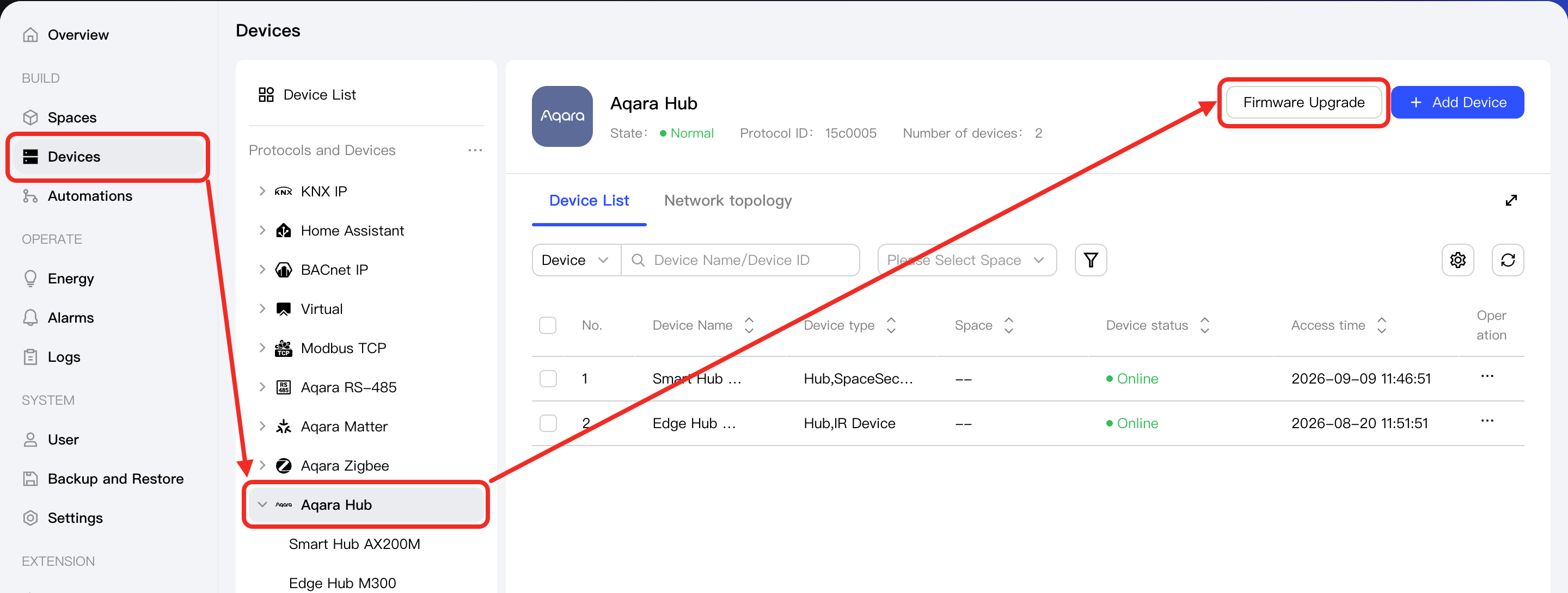
-
Select the devices you want to upgrade, then click the Start Upgrade button to begin the upgrade process.