Home Assistant
Aqara Studio supports connecting IoT devices from the Home Assistant ecosystem. Currently, only device types that follow the Aqara device specification are supported.
Prerequisites
Before you begin, make sure that:
- Your Home Assistant ecosystem devices, your computer, and Aqara Studio are all connected to the same local network.
- You have completed the following Home Assistant basic setup:
- Home Assistant is installed. Refer to the official Home Assistant Installation guide for details.
- Devices in the Home Assistant ecosystem have been discovered and integrated. For details, see the Onboarding documentation.
How to Get a Home Assistant Token
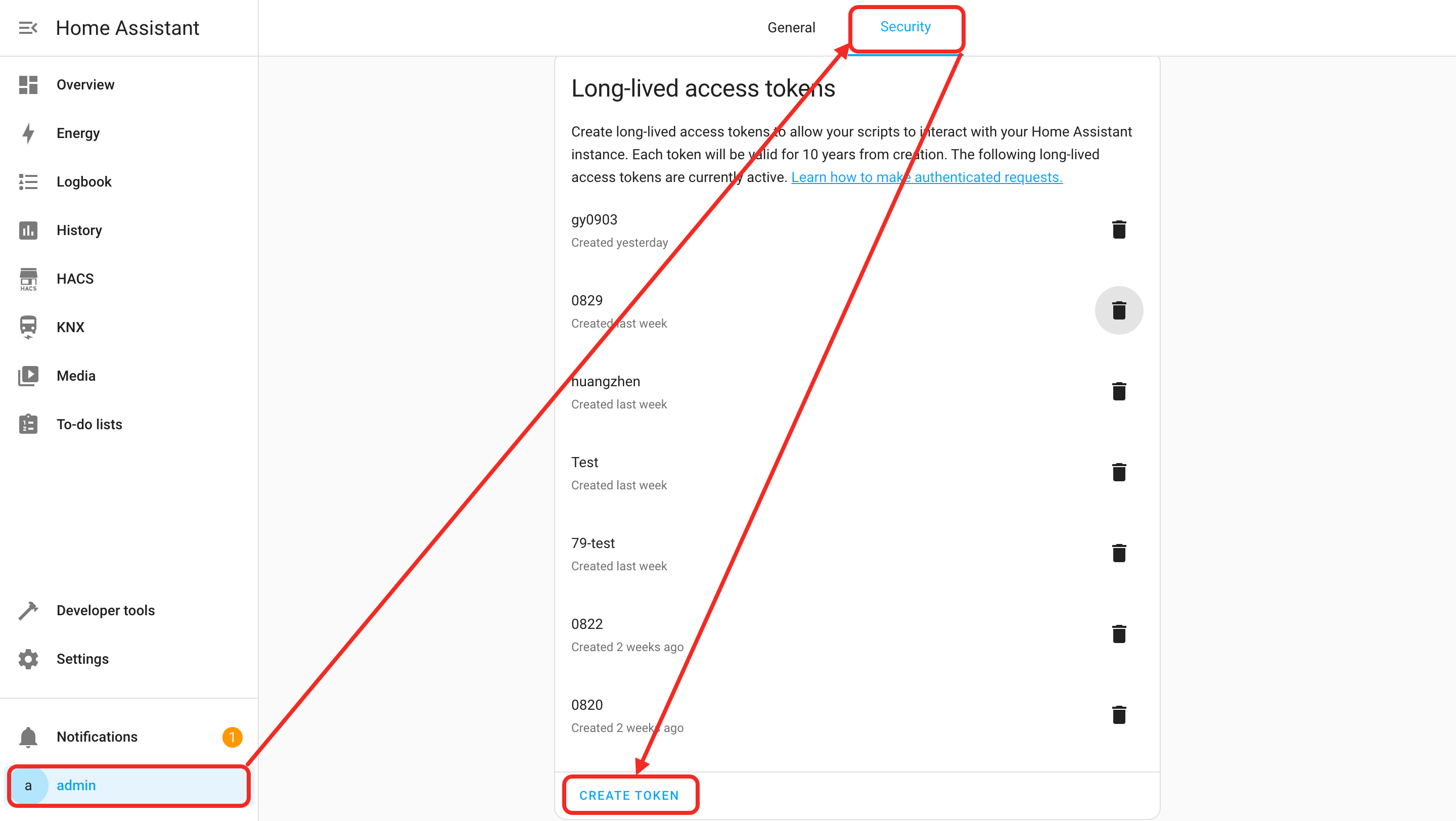
- In your web browser, visit:
http://homeassistant.local:8123. (If you have changed the Home Assistant port, use your actual port here.) - Click your account icon at the bottom right of the page to enter your profile.
- In your profile, click the "Security" tab. Find "Long-Lived Access Tokens" and click "Create Token". This will generate a Home Assistant token, which you will use to add Home Assistant ecosystem devices in Aqara Studio.
Add Home Assistant Ecosystem Devices
-
In the left sidebar, click to enter the Devices page. In the left Protocols and Devices panel, click the ... button and select Add Protocol.

-
Select
Home Assistantin the popup.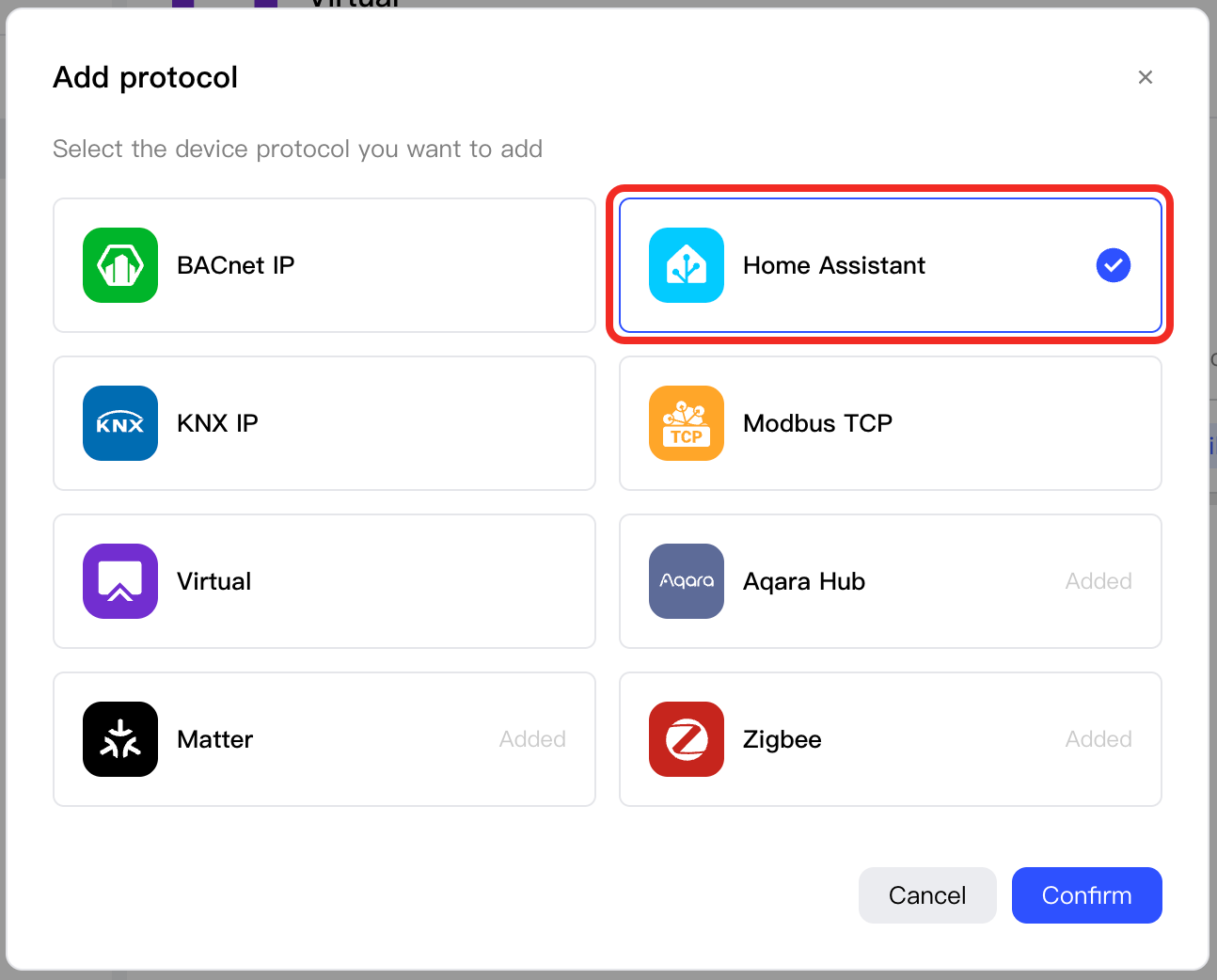
-
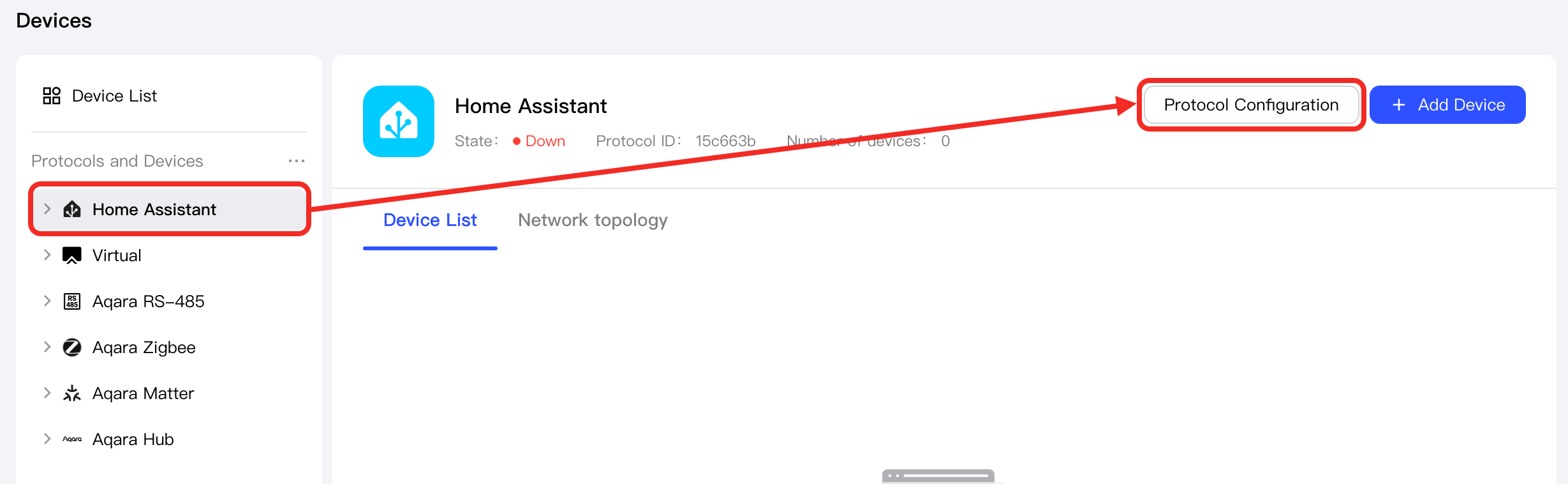
In the left Protocols and Devices tree, select the newly added
Home Assistantnode, and click its Protocol Configuration button.
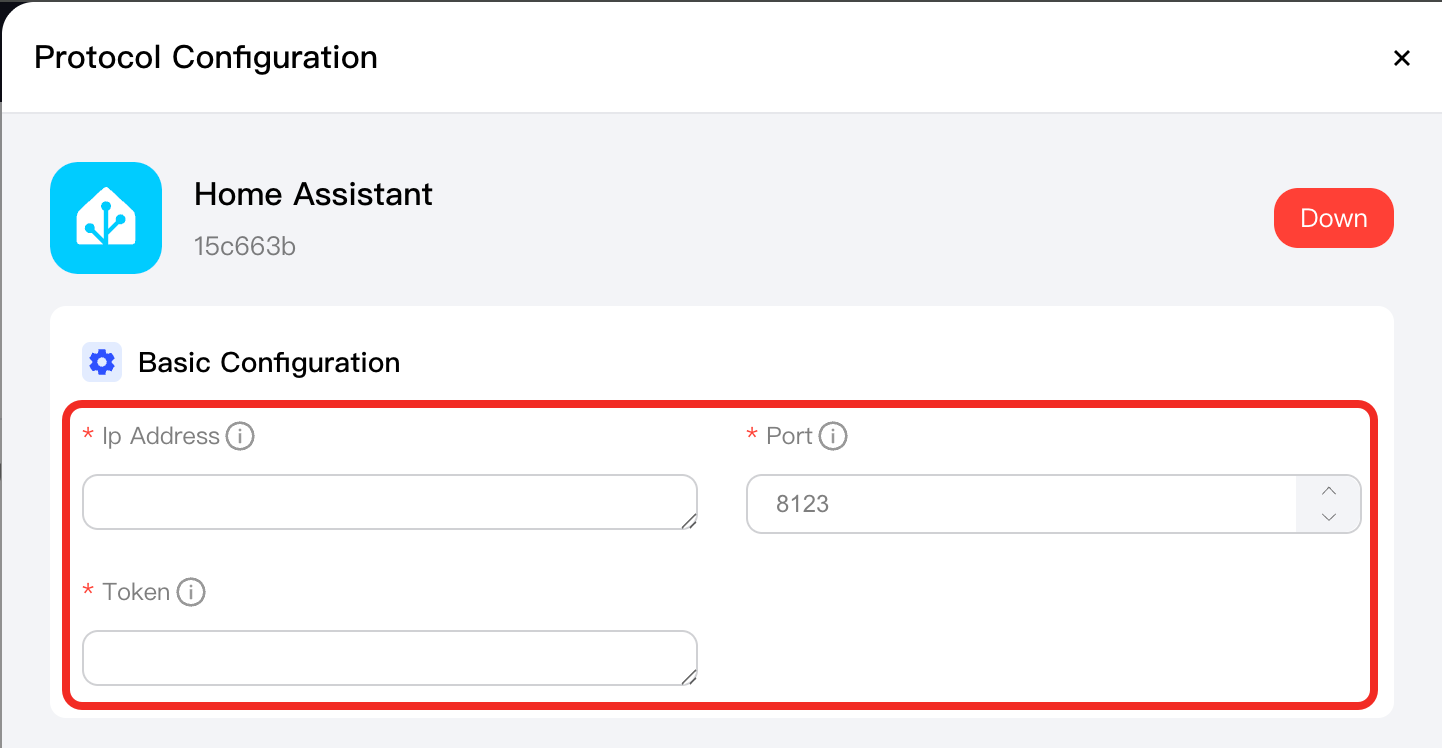
- In the Basic Configuration section, enter the local IP address and port of your Home Assistant system, as well as the token.
- In the
Home Assistantprotocol management page, click the Add Devices button.
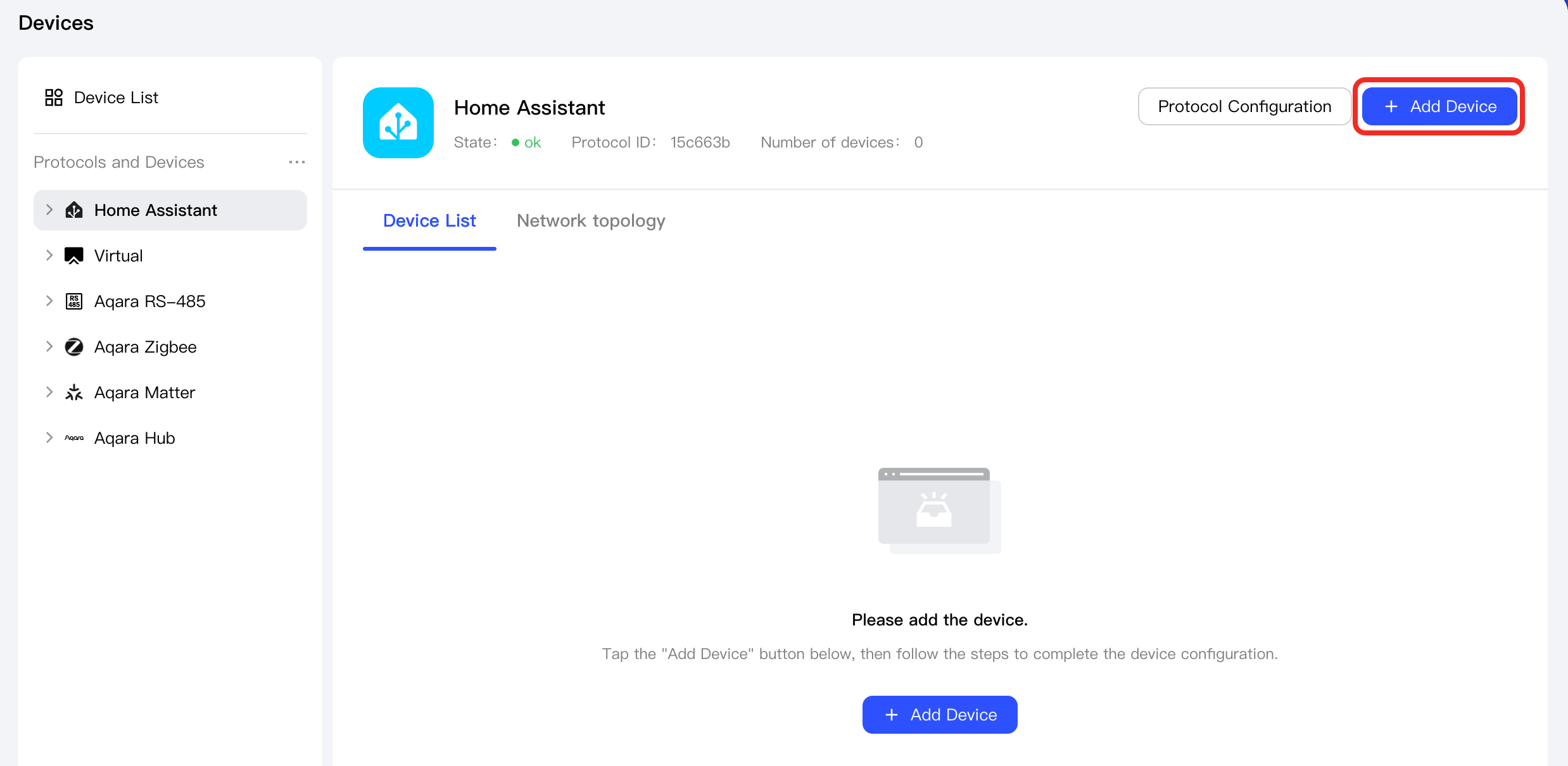
- Click the Discover Devices button, Aqara Studio will automatically find devices from your Home Assistant.
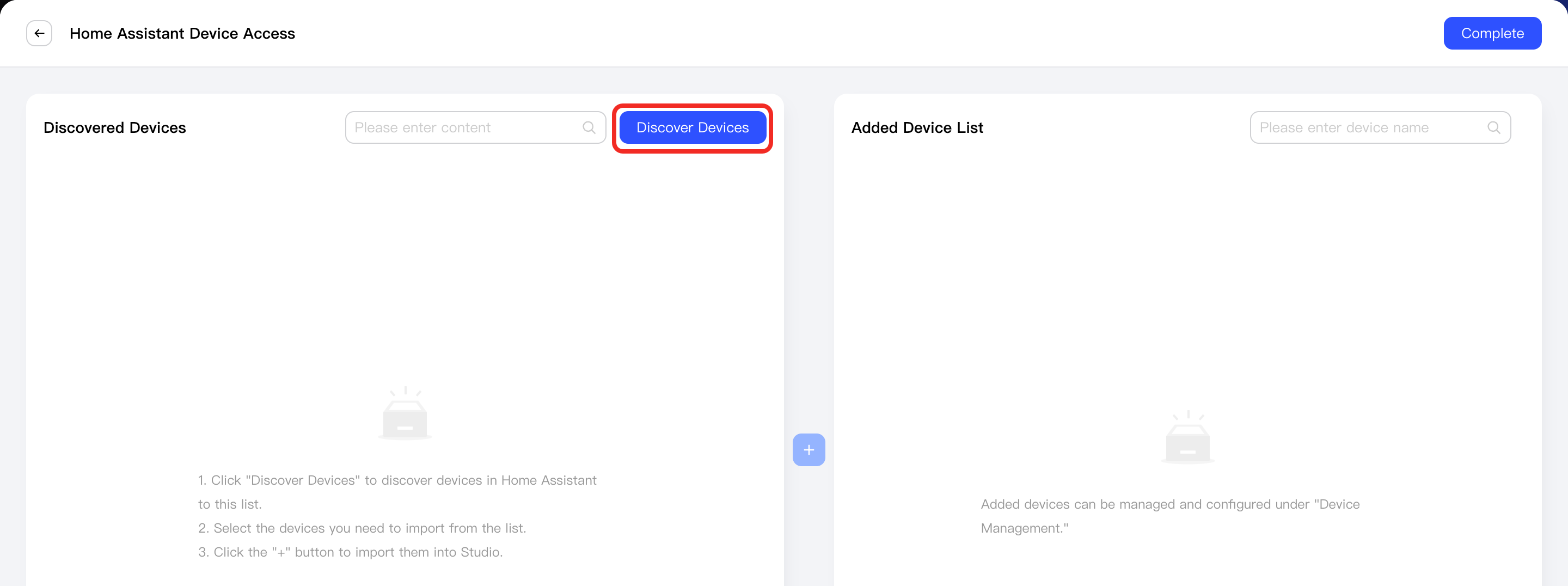
-
Select the devices to integrate and click the + button in the center.
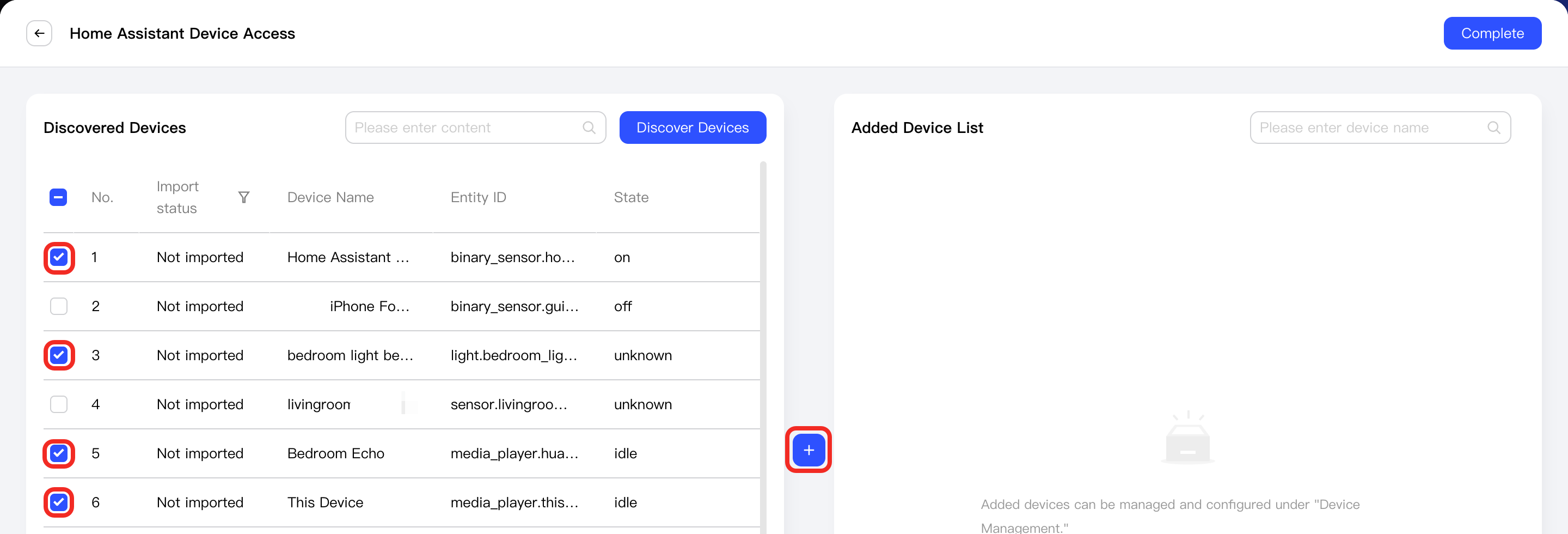
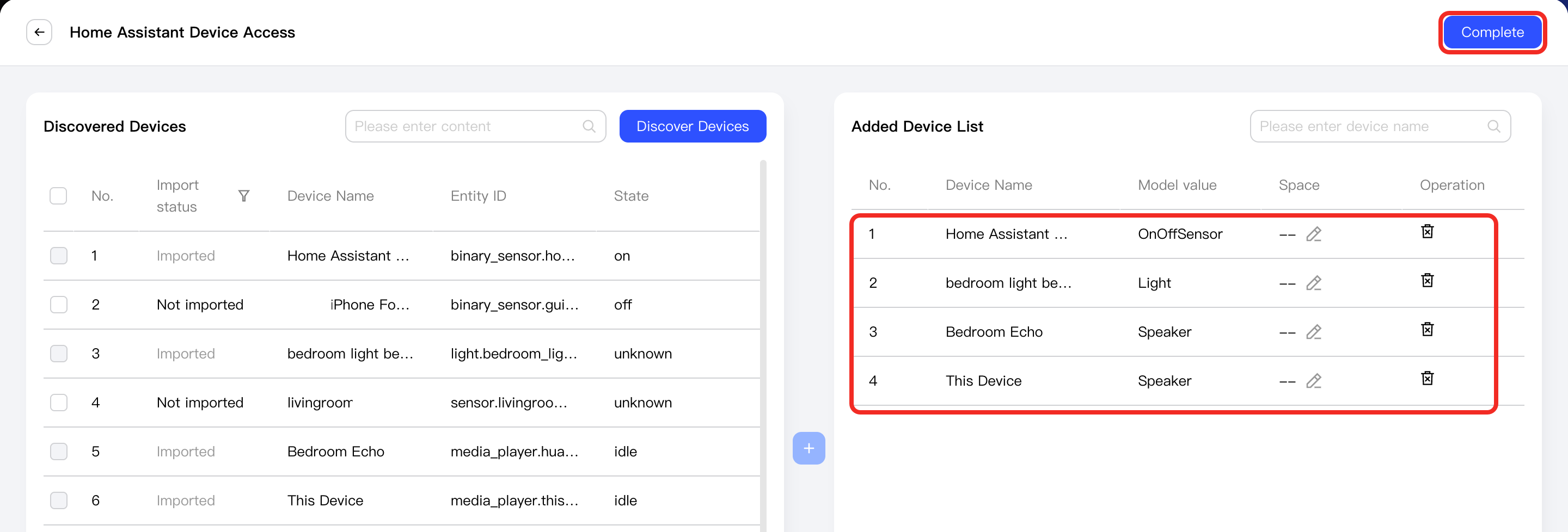
Newly added devices will appear in the Added Device List on the right. Click the Complete button to exit the add device process.
-
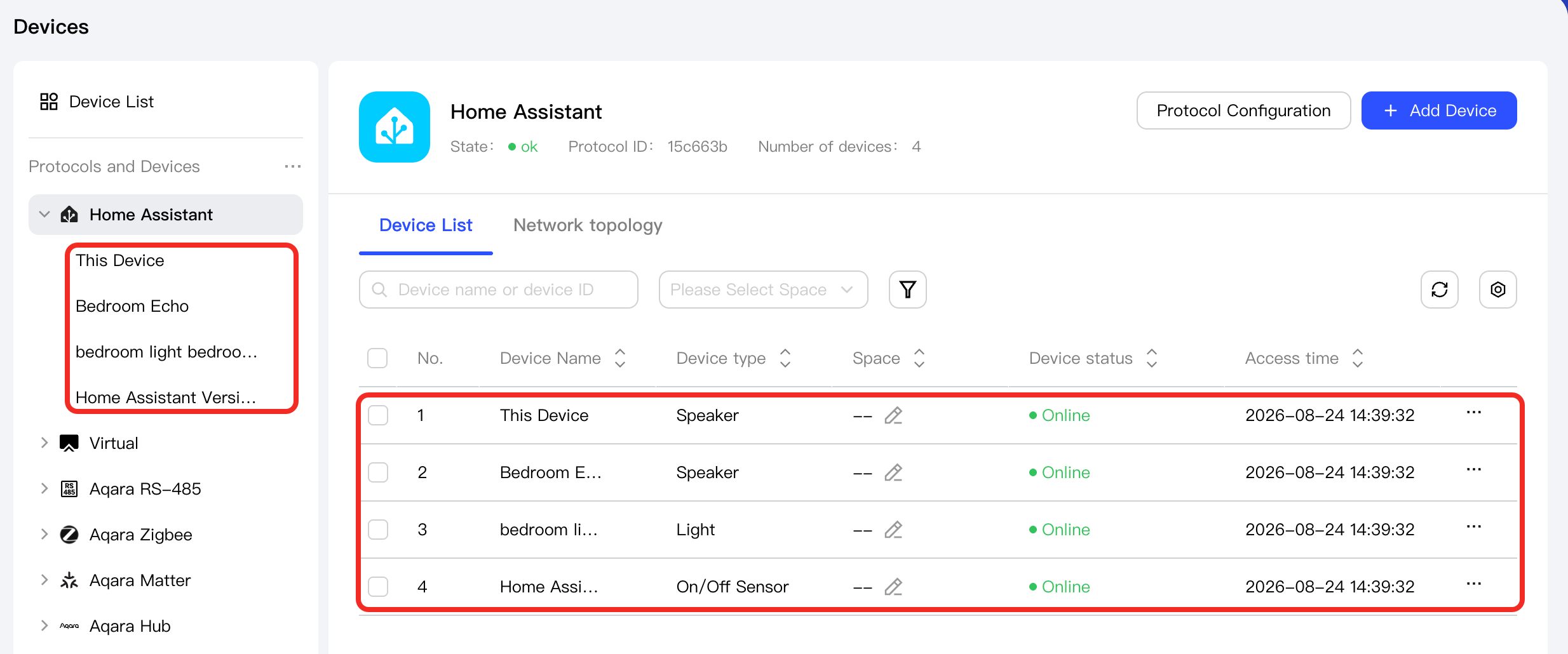
You will then see the successfully added devices under the Home Assistant node in the left Protocols and Devices panel, as well as in the device list on the Home Assistant management page.
Supported Device Types
- Light
- Media Player
- Vacuum
- Switch
- Climate
- Select
- Binary Sensor
- Lock
- Sensor
- FlowSensor
- AirQualitySensor
- TemperatureSensor
- PressureSensor
- ParticulateMatterSensor (PM1, PM2.5, PM10)
- IlluminanceSensor
- HumiditySensor
- NaturalGasAlarm
- CO2Sensor
- AtmosphericPressureSensor
Next Steps
Now, you can view details and control the device, or use the device in automation.