View and Edit Basic Information
This article explains how to view and edit the basic information of a device, such as its name.
-
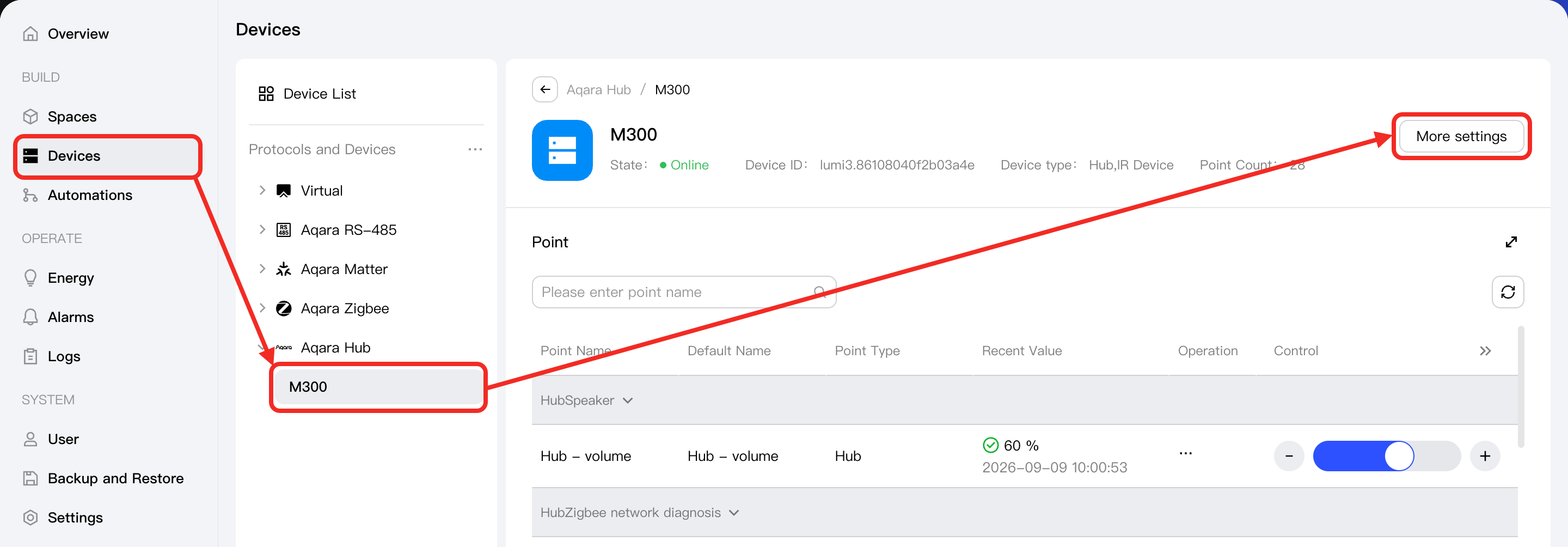
Go to the Devices page. In the Protocol and Device Tree on the left, select the device you want to view, and click the More Settings button.
-
In the More Settings popup window, you can view and edit the following basic information:
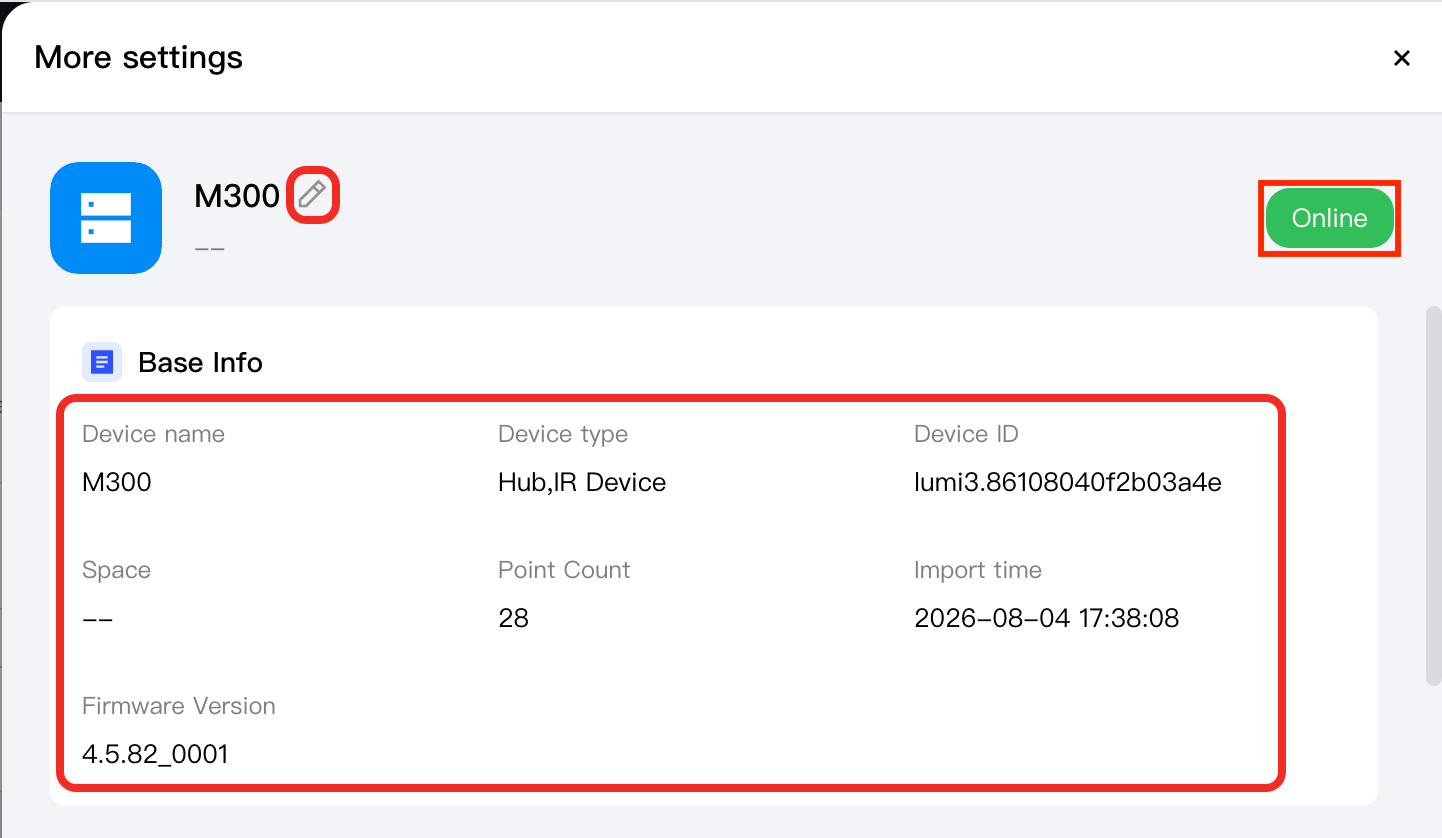
Field Editable Description Device Name ✓ You can rename the device to help with identification and management. Device Type ✗ A collection of the function point types of the device. Device ID ✗ The ID assigned to the device by Aqara Studio. Device Status ✗ The device's online status. Space ✓ It Shows and allows you to change the space where the device is located. This helps you manage the mapping between devices and physical spaces. Point Count ✗ The number of function points supported by the device. Import Time ✗ The time when the device was imported into Aqara Studio. Firmware Version ✗ The device's firmware version.