Developer Guide
This document is designed to help developers expand the platform’s capabilities, enabling deep integration and custom development. Whether you want to build personalized applications using the API, or connect devices to mainstream smart home systems, you will find detailed guidance here.
Before starting to use the API v1, you need to obtain the Studio’s access address and Token. This information is required for request URLs and authentication.
Obtain Required Information
Before using the API v1, you must first get a Studio access address and Token. These details are used for composing the request endpoint and for authentication.
Obtain Access Address
You can access Aqara Studio through any of the following three types of addresses:
- IP address (http)
- Host access domain (http)
- Remote access address (https)
The methods to obtain each type are as follows:
- IP address: Go to the Settings page from the left navigation bar. In the sidebar, choose Network Settings to view the IP address in the current network mode.
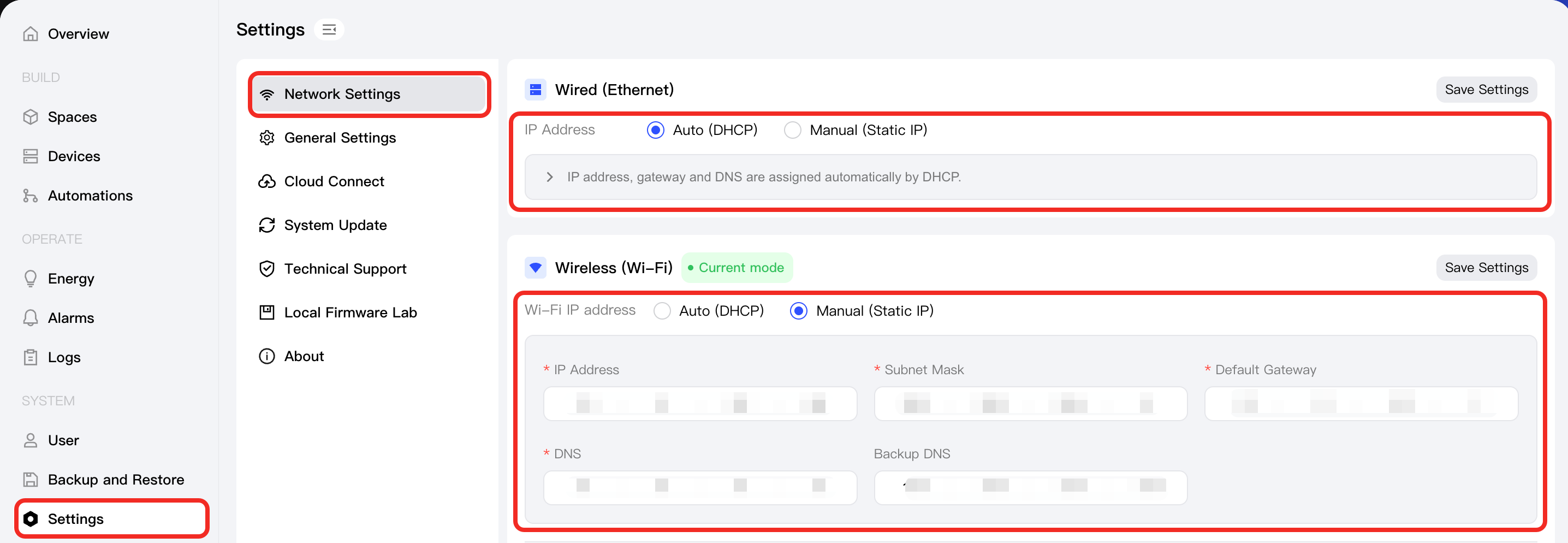
- Host access domain: See the Access via LAN Domain Name document for more information.
- Remote access address: See the Remote Access document for more details.
Obtain Token
Follow these steps:
-
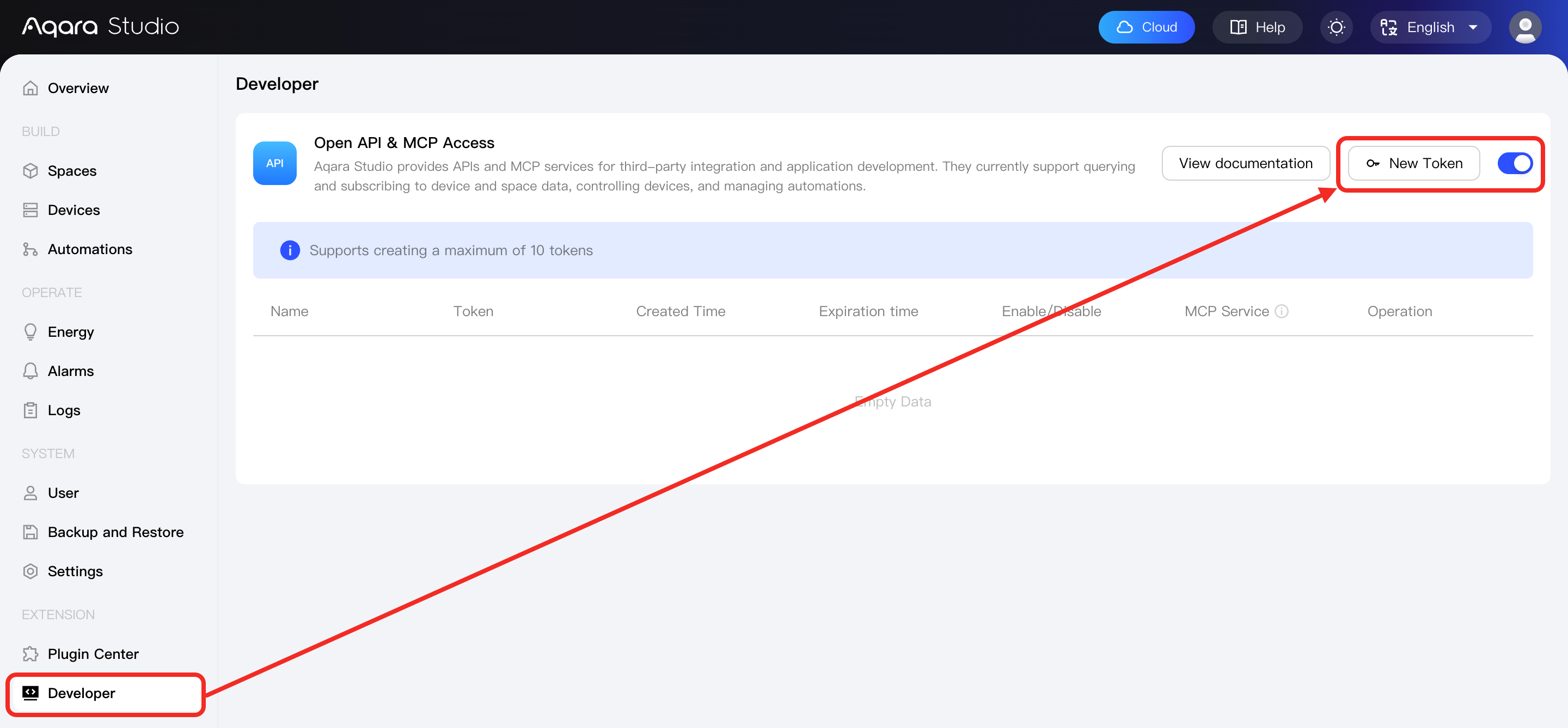
In the left sidebar, navigate to the “Developer” page. In the Open API & MCP Access section, enable the service and click the New Token button.
-
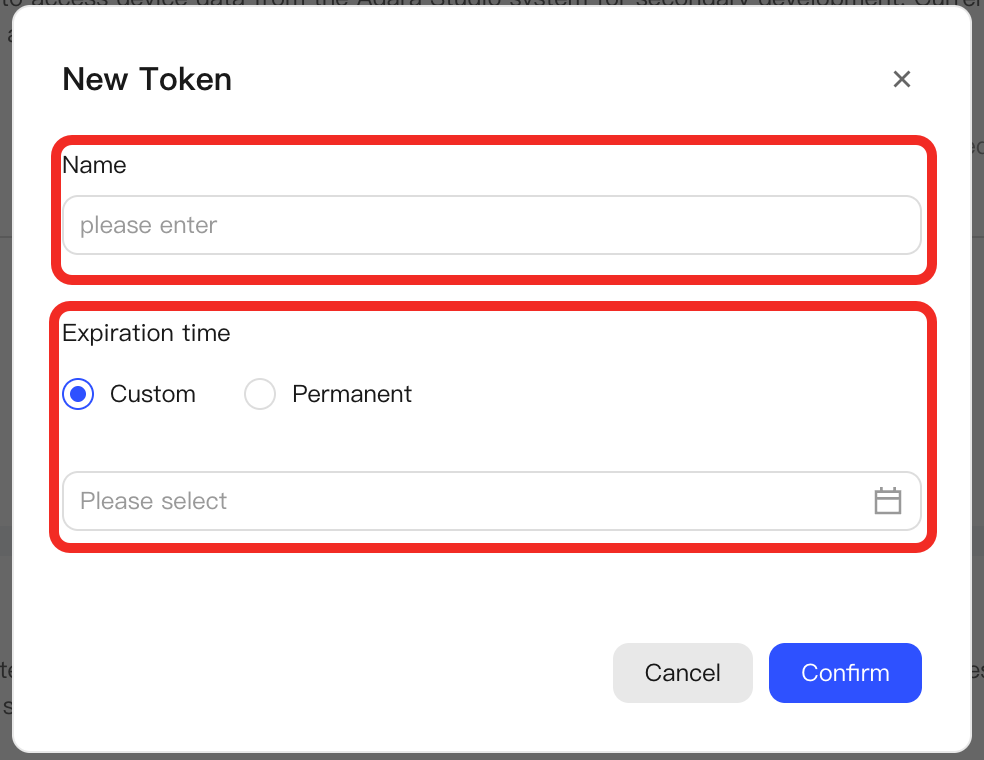
In the popup, define the token name and validity period. Click the Confirm button.
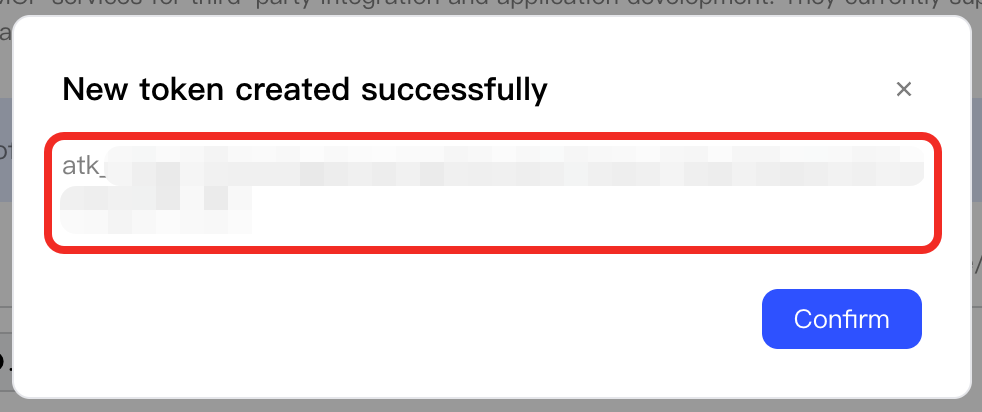
Afterwards, you will see a popup indicating the Token was created successfully and displaying the token.
-
In the Open API & MCP Access section, you can see the newly added Token entry.
-
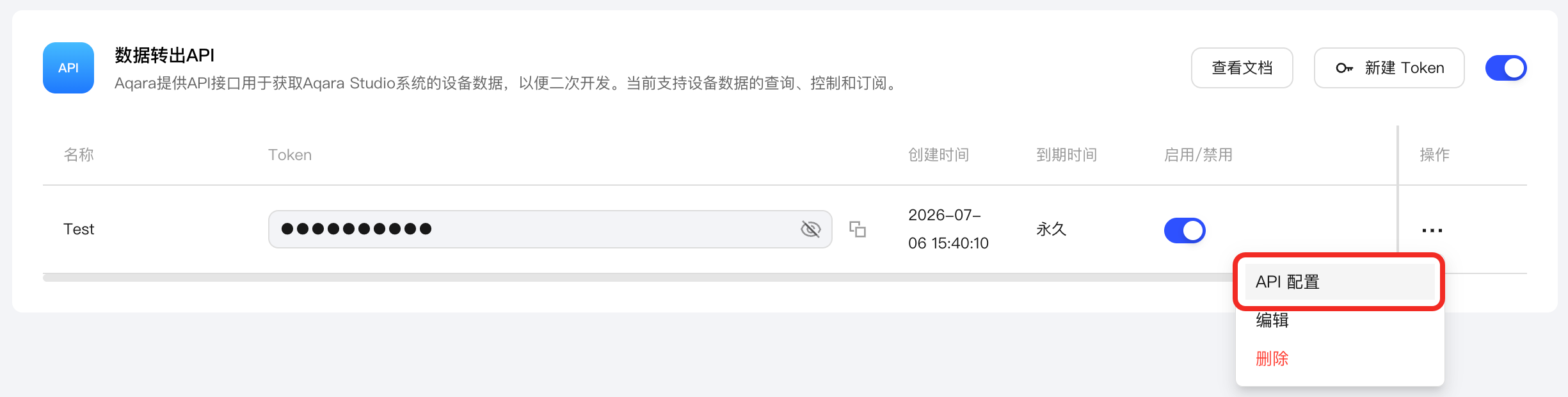
(Optional) To restrict the API access permissions of this Token, click … > API Configuration.
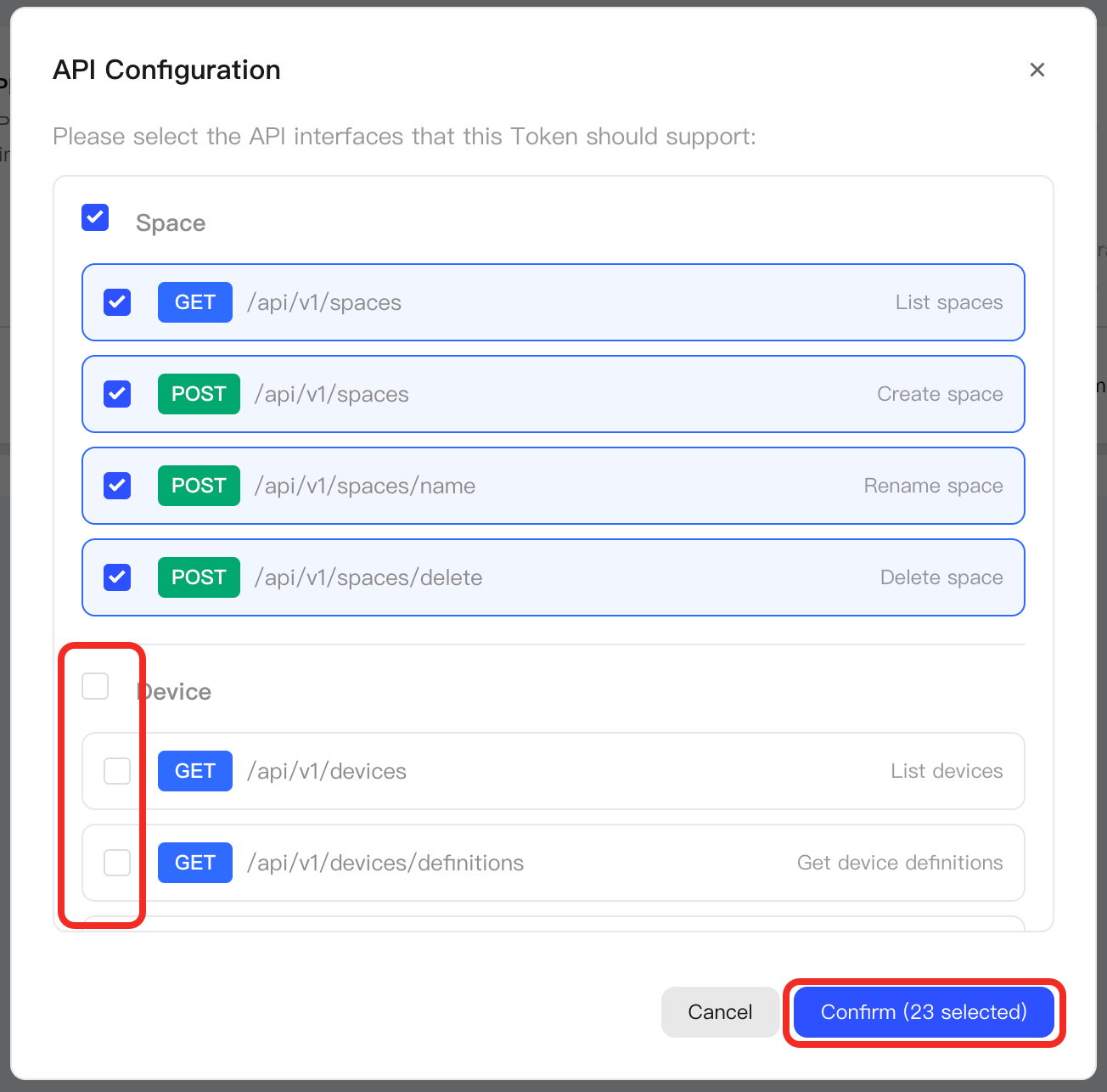
In the API Configuration popup, uncheck the APIs you do not need, then click the Confirm button.
-
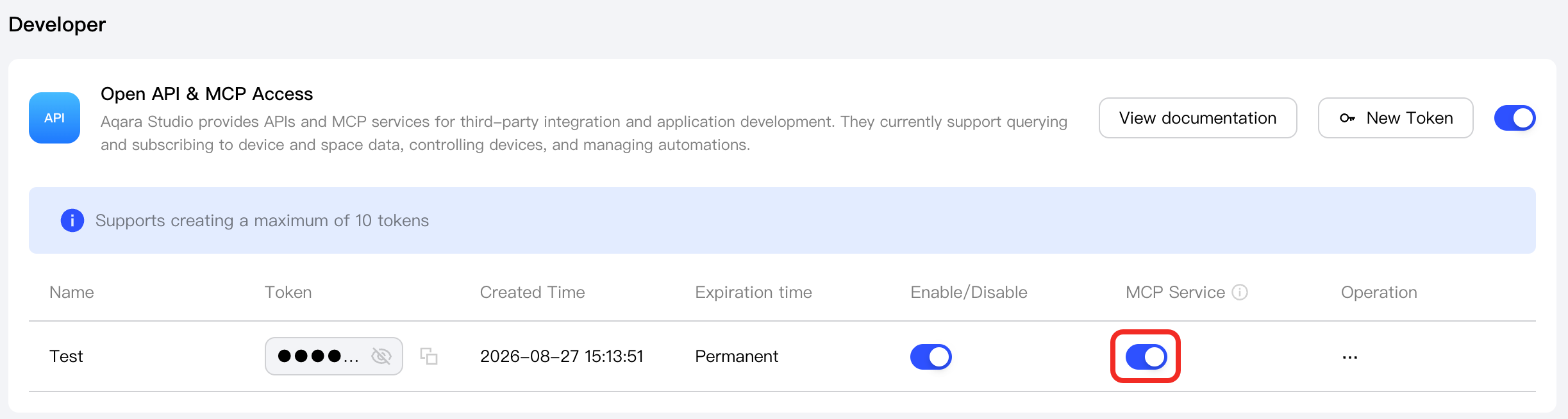
(Optional) In addition to calling APIs, this Token can also be used for MCP services. To enable MCP services, click the MCP Service button.
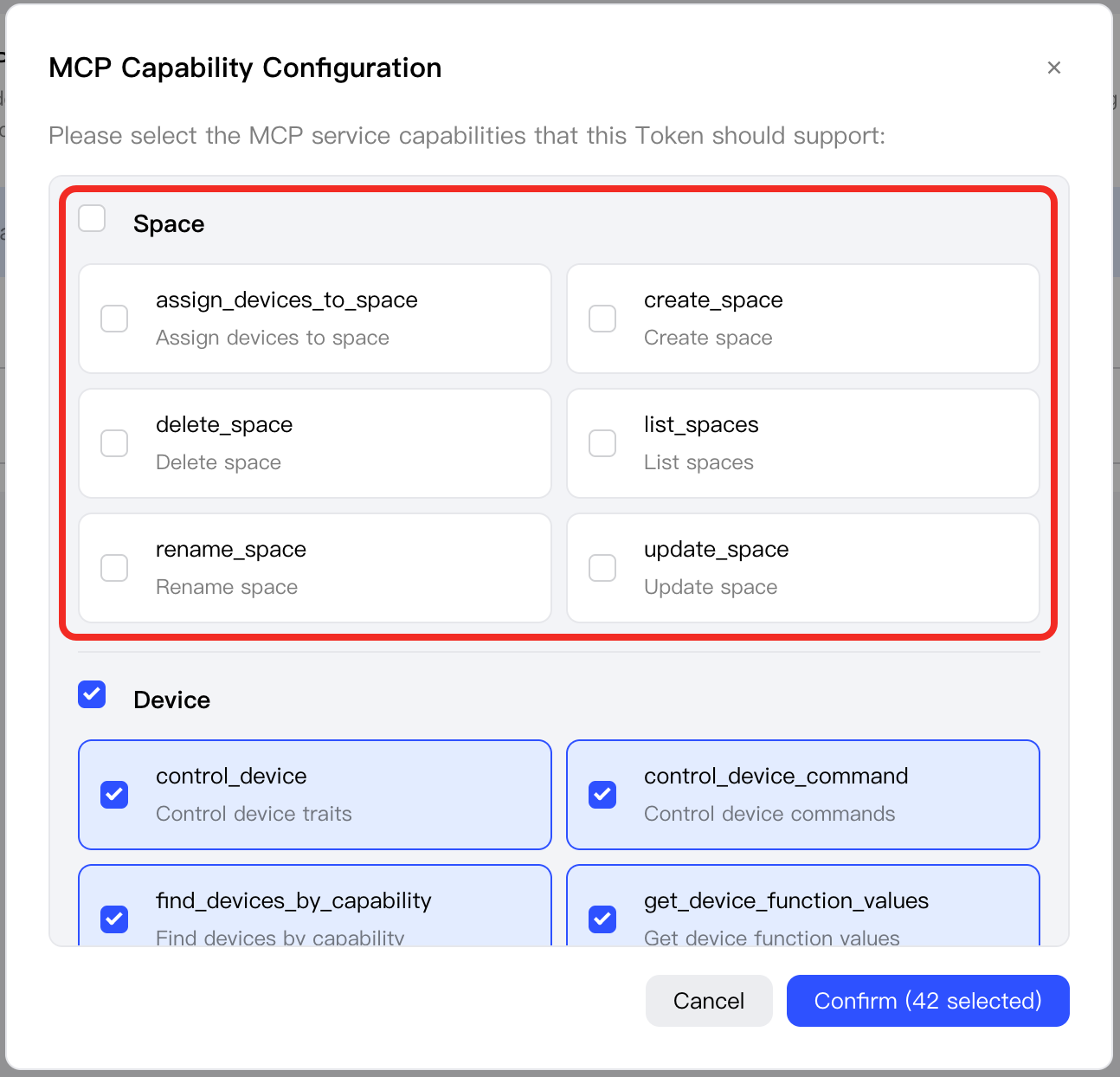
To restrict the MCP service capabilities of this Token, click … > MCP Capability Configuration.
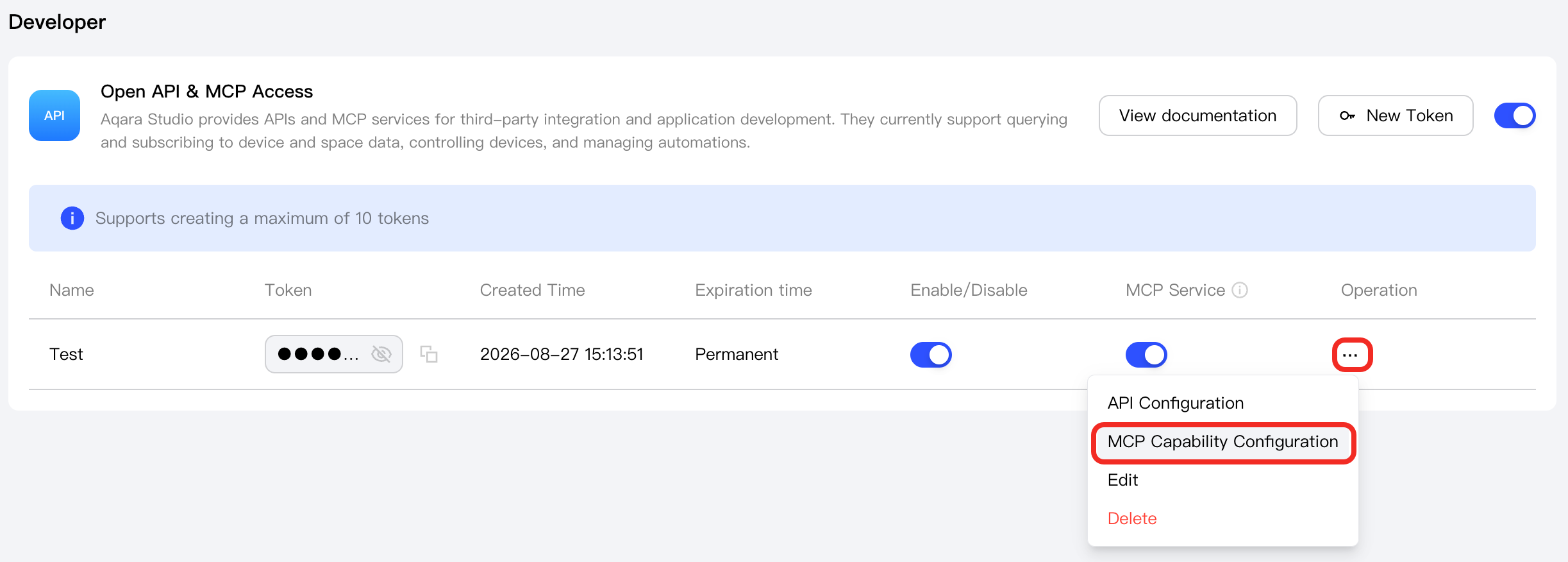
In the MCP Capability Configuration popup, uncheck the MCP capabilities you do not need, then click the Confirm button.
-
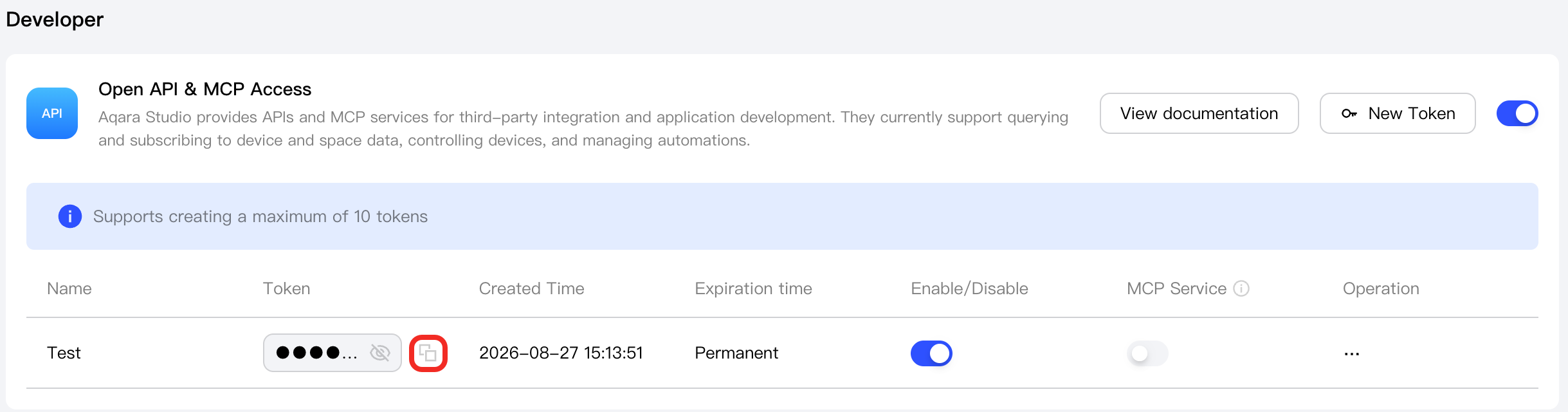
After completing the configuration above, click the copy icon to obtain the Token.
Call the API
With the complete API, you can programmatically obtain device data, control devices, and subscribe to real-time messages. You may want to:
- Query the device list and their status.
- Remotely control device operations.
- Integrate device data into your own system.
- Develop a customized device management experience.
Please refer to the API documentation for detailed API descriptions and usage instructions.