FAQ
What to do if I cannot log in to Aqara Studio?
Please refer to the following troubleshooting guide according to whether you are a local user or remote user.
Local User
- Confirm whether the account exists:
- If you do not have an account, please contact a local user with
Super Administratorpermissions to create one for you. - If you already have an account, refer to the following information to recall your username and password:
- Common usernames include:
super(i.e.,Super Administrator),admin,operator, or other custom usernames you may have set. - Password requirements: 8-16 characters, must include uppercase and lowercase letters, numbers, and special characters.
- Common usernames include:
- If you do not have an account, please contact a local user with
- If you still cannot remember your password, please choose one of the following methods according to your user role:
Super Administrator: Please choose the following approach based on the running mode of Aqara Studio:- Gateway-Integrated Mode: Refer to the device manual to perform a factory reset.
- Edge-Deployed Mode: Uninstall the current Aqara Studio and reinstall it.
tipFactory reset will clear all data.
- Other roles: Please contact the
Super Administratorto reset your password.
Remote User
If a remote user enters the remote access address in the address bar, and then receives a login failure message when entering their Aqara account and password on the login page, please do not continue trying. This is not the correct login method.
The correct remote access method is:
- Log in to Aqara Builder, find the Studio you have permission to access in the Studios section of the left menu.
- Click the Connect button to remotely access that Aqara Studio.
What should I do if I fail to access Aqara Studio through the host domain name?
This may be caused by DNS resolution failure or router interception. You can try setting DNS manually to 224.0.0.251.
The following steps use the Windows interface as an example to show how to manually set the DNS:
The screenshots below are from Windows 10; the interface may look different in your OS. To ensure accurate configuration, please refer to the DNS manual setup instructions for your specific OS.
-
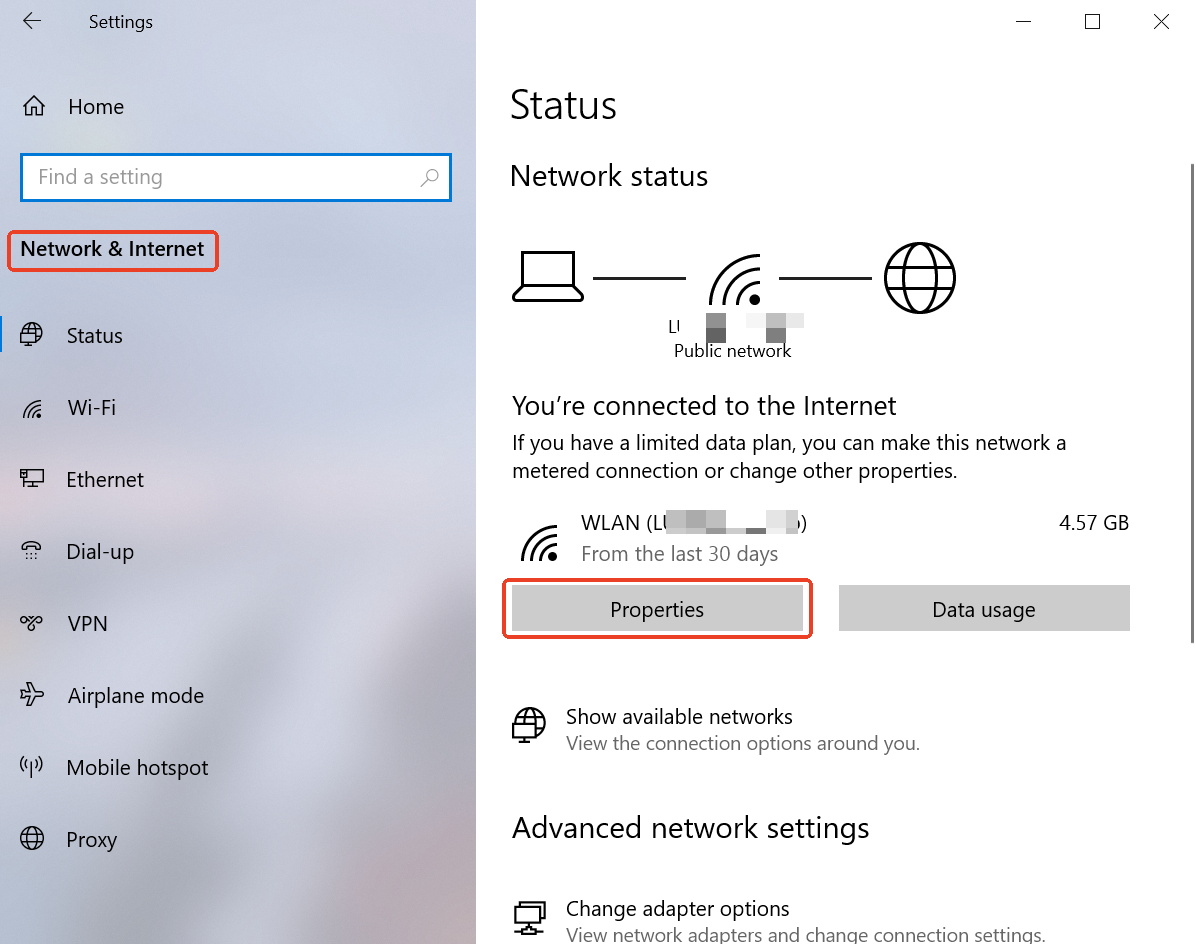
Open Windows Settings and click on Network & Internet.
-
Check your network properties.
-
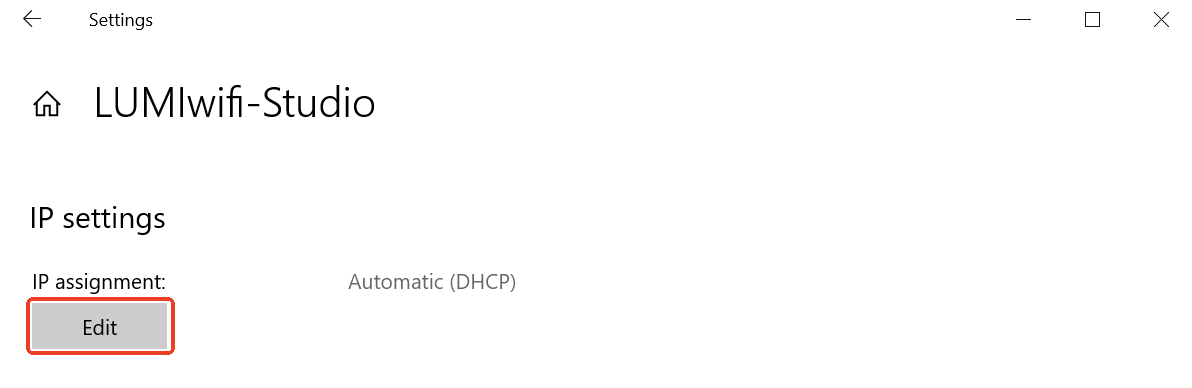
Find the IP settings, and select Edit.
-
In the "Edit IP settings" pop-up, select "Manual", then enable "IPv4". Set the Preferred DNS to
224.0.0.251and save the settings.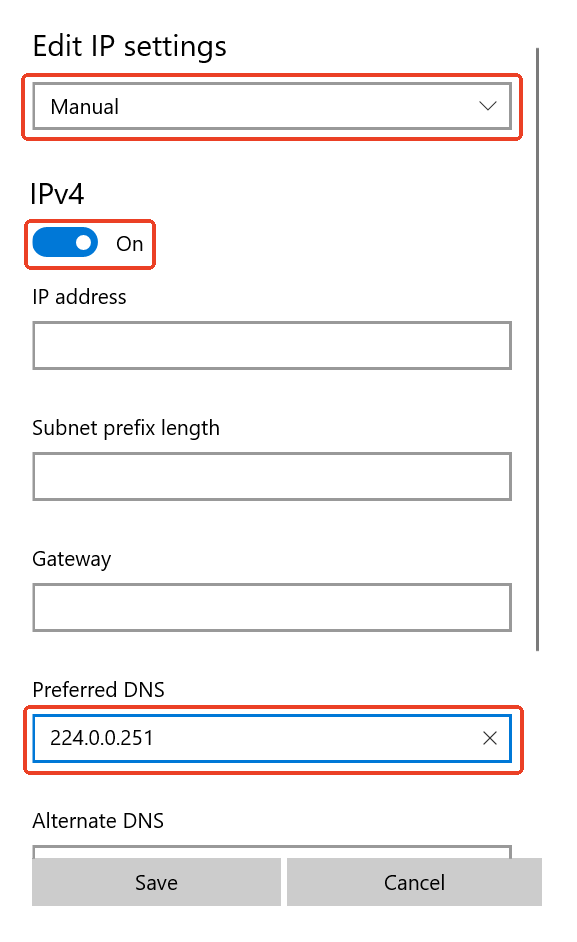
-
Try accessing Aqara Studio again using the host domain name; it should now work properly.
-
(Optional)If you are unable to access other websites after manually setting the DNS, please restore the DNS configuration to Automatic.