Technical Support
Overview
During the use of Aqara Studio, if you encounter operation abnormalities or device communication failures, you can use this function to export diagnostic data locally (including Studio logs, and for Aqara Studio Primary Hubs, also gateway local logs) or upload it to the cloud. These data help the Aqara technical support team more efficiently and accurately locate and resolve the complex issues you encounter.
Comparison of Data Export Methods
You can choose any of the following methods to export technical support information from Aqara Studio. See details below:
| Method | Scenario | Description |
|---|---|---|
| Local Export | When data needs to be strictly kept on premises, cannot be uploaded, or privacy is of high concern. | No data will be uploaded to the cloud, ensuring privacy requirements. However, if the system crashes or the web page is unavailable, it may not be possible to retrieve or export information in time. |
| Cloud Sync | When periodic synchronization to the cloud is allowed for remote support and ongoing follow-up. | It offers a more convenient user experience and supports remote troubleshooting in case of failures, but you must have enabled scheduled upload prior to any issues. |
Prerequisites
If you intend to upload technical support information to the cloud, please ensure:
- You are logged into your Aqara account and connected to Aqara Cloud.
- The Remote Access feature is available.
Process
-
From the left navigation bar, go to Settings > Technical Support.
-
According to your needs, choose a data export method:
-
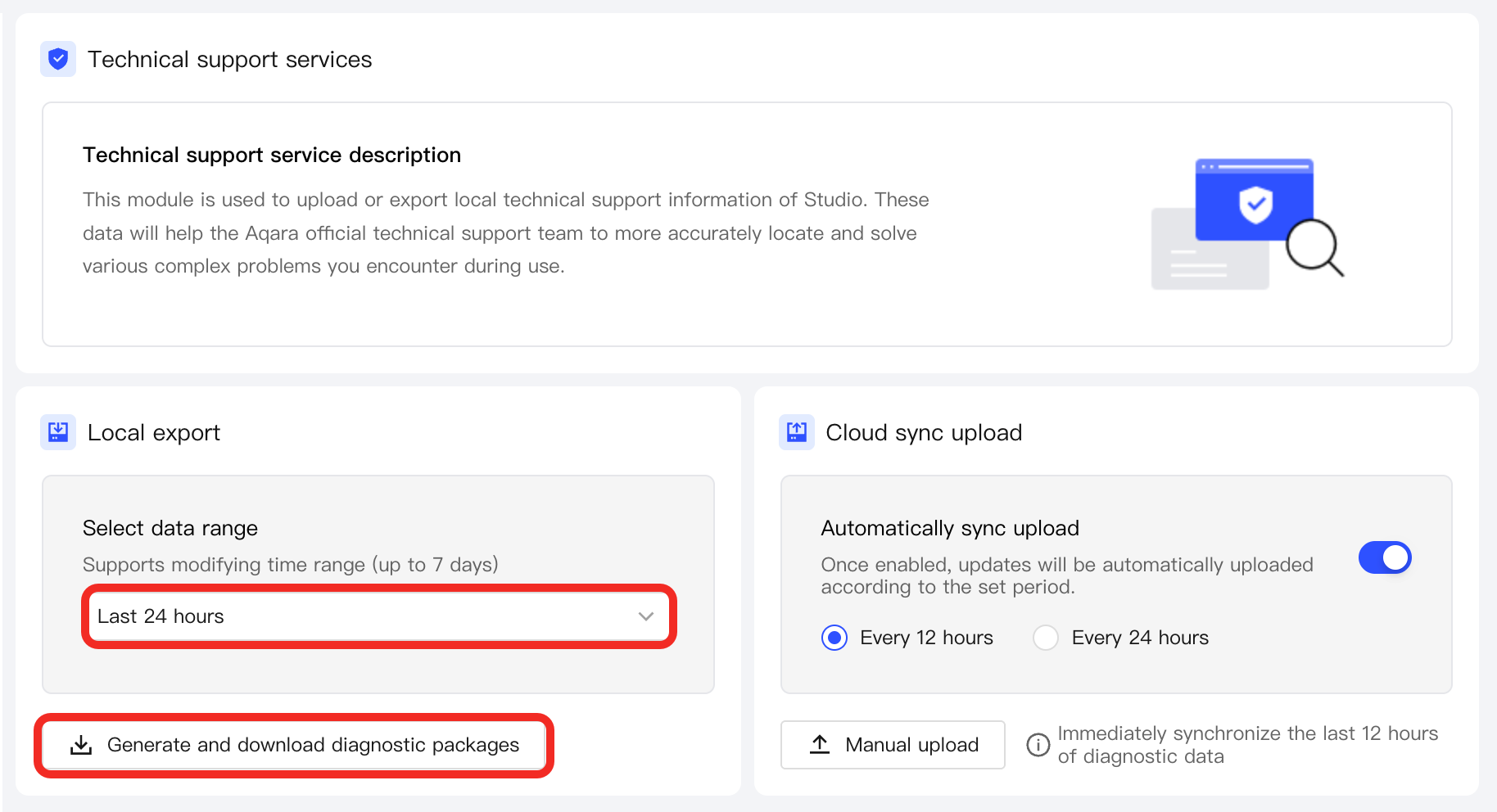
Local Export:
- Select the required time range for export (only data within the past 7 days is supported).
- Click the Generate and download diagnostic package button. The system will automatically generate the file and download it locally.
-
Cloud Sync:
You can enable scheduled automatic uploads of technical support information (available every 24 or 12 hours), or manually trigger an upload at any time. This ensures that even if system anomalies occur, the technical support team can remotely access necessary data for troubleshooting assistance.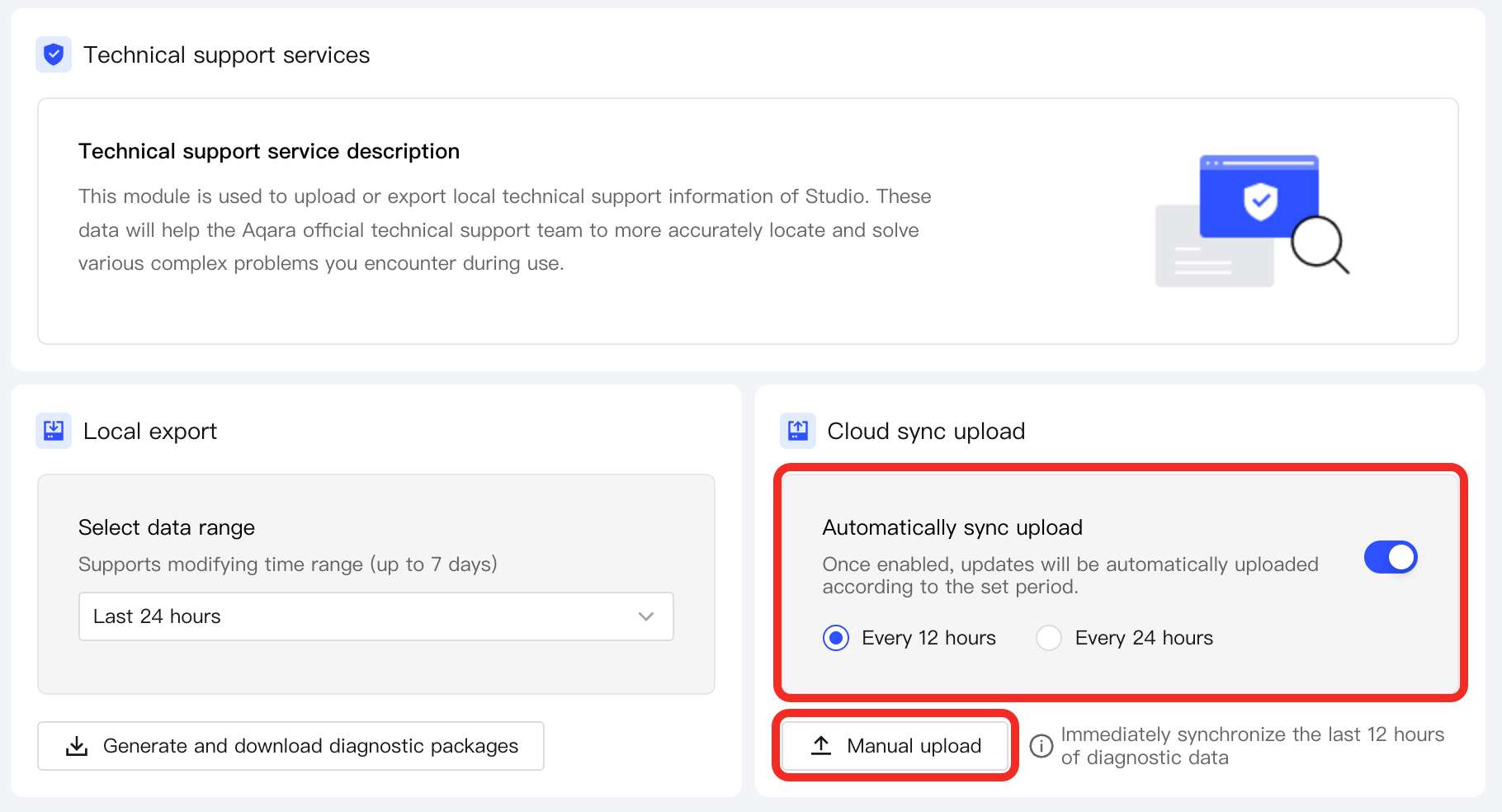
-
-
Contact Aqara technical support, and either send the locally exported file to the technical team, or inform them that the technical support information has been synchronized to the cloud so the support staff can assist in troubleshooting.