Remote Access
Feature Overview
By default, you can only access Aqara Studio within your local area network (LAN). When you need to connect from an external network, you can use remote access to securely manage your smart home devices and control systems from anywhere.
Prerequisites
Before using remote access, please ensure that you have connected to Aqara Cloud.
Steps to Access
-
Visit the Aqara Builder Lab - Marketplace website, and navigate to Builder Lab from the left sidebar.
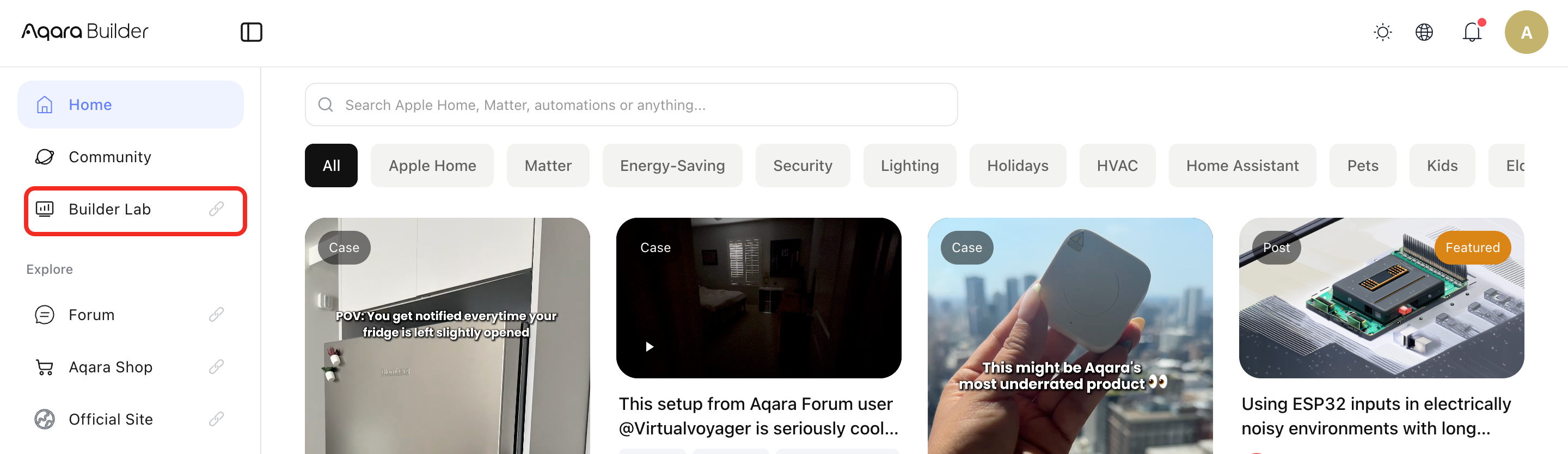
-
Select your avatar in the top navigation bar, then select Studio Manager from the dropdown list.
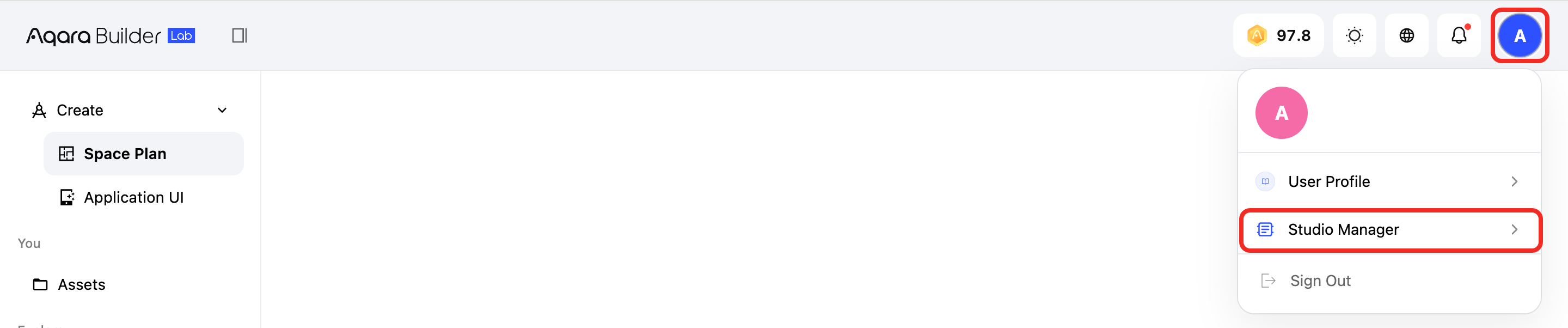
-
Select the Region you chose when logging in with your Aqara account during Cloud Connect.
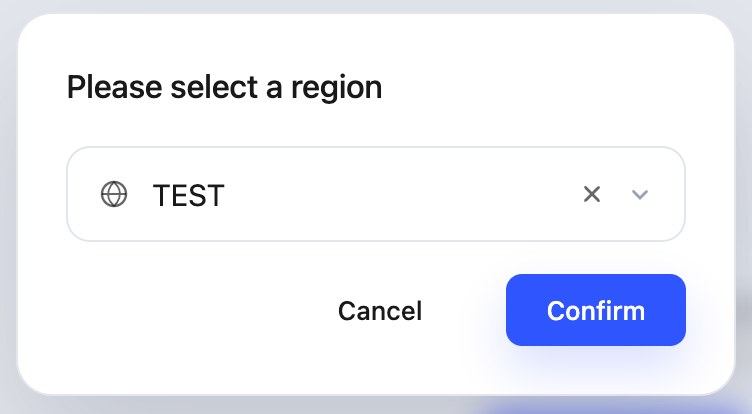
-
After entering Studio Manager, switch to the Studios tab. Click the Aqara Studio that you want to access remotely.
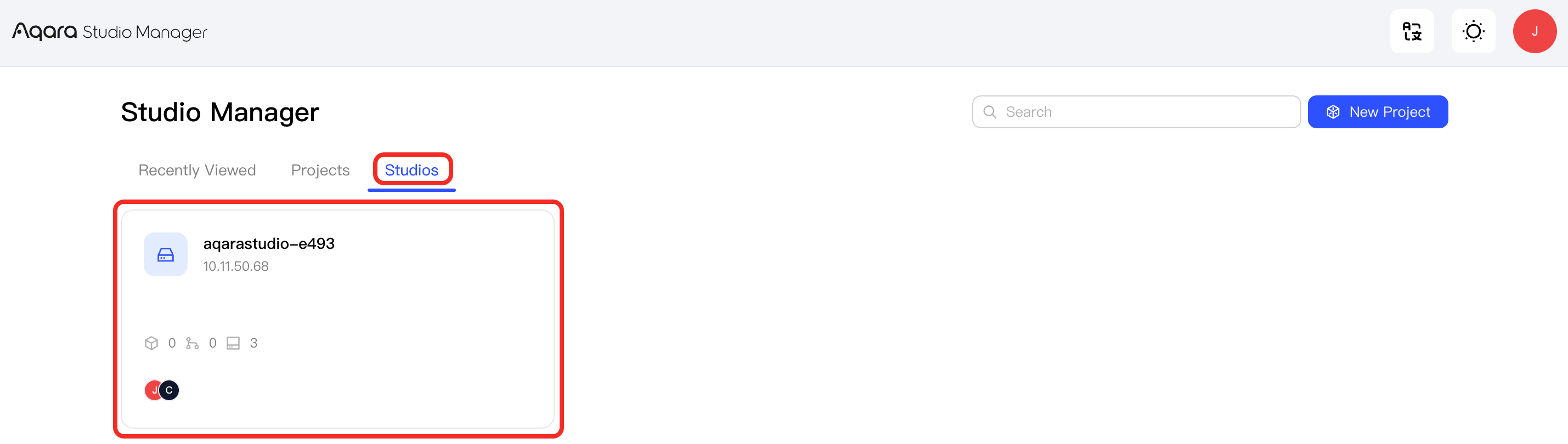
-
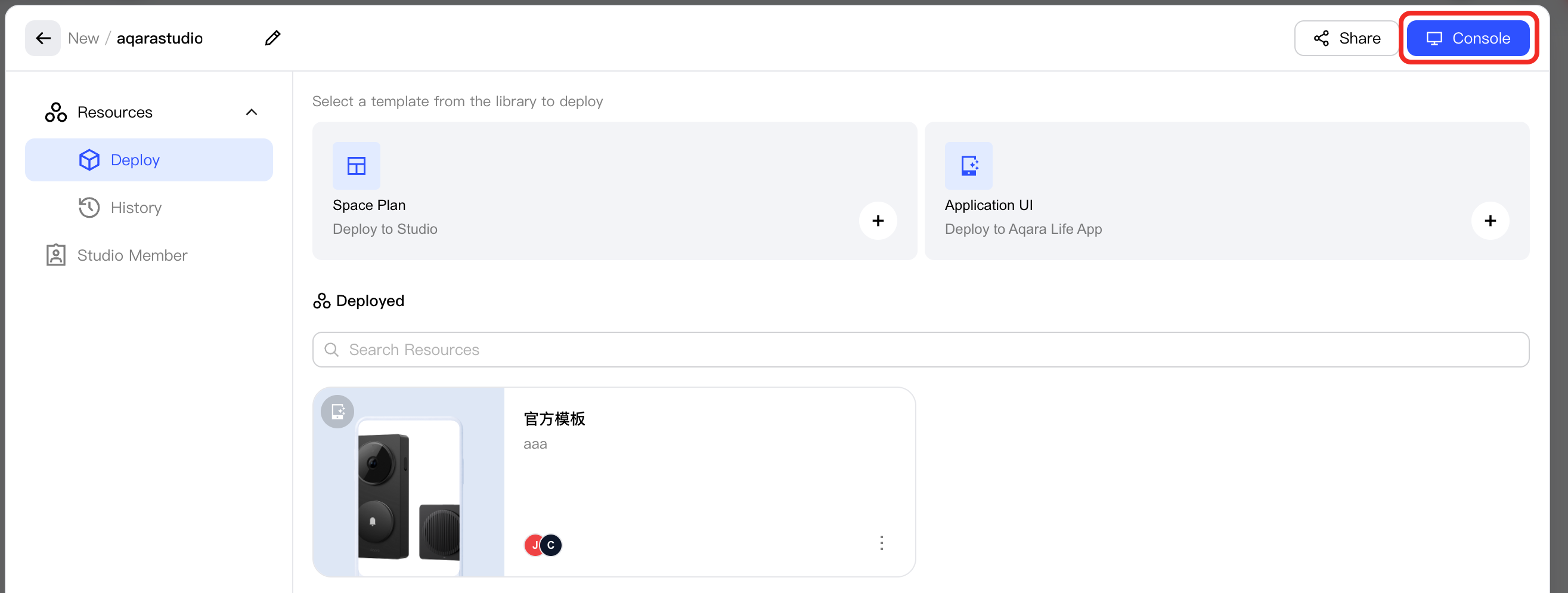
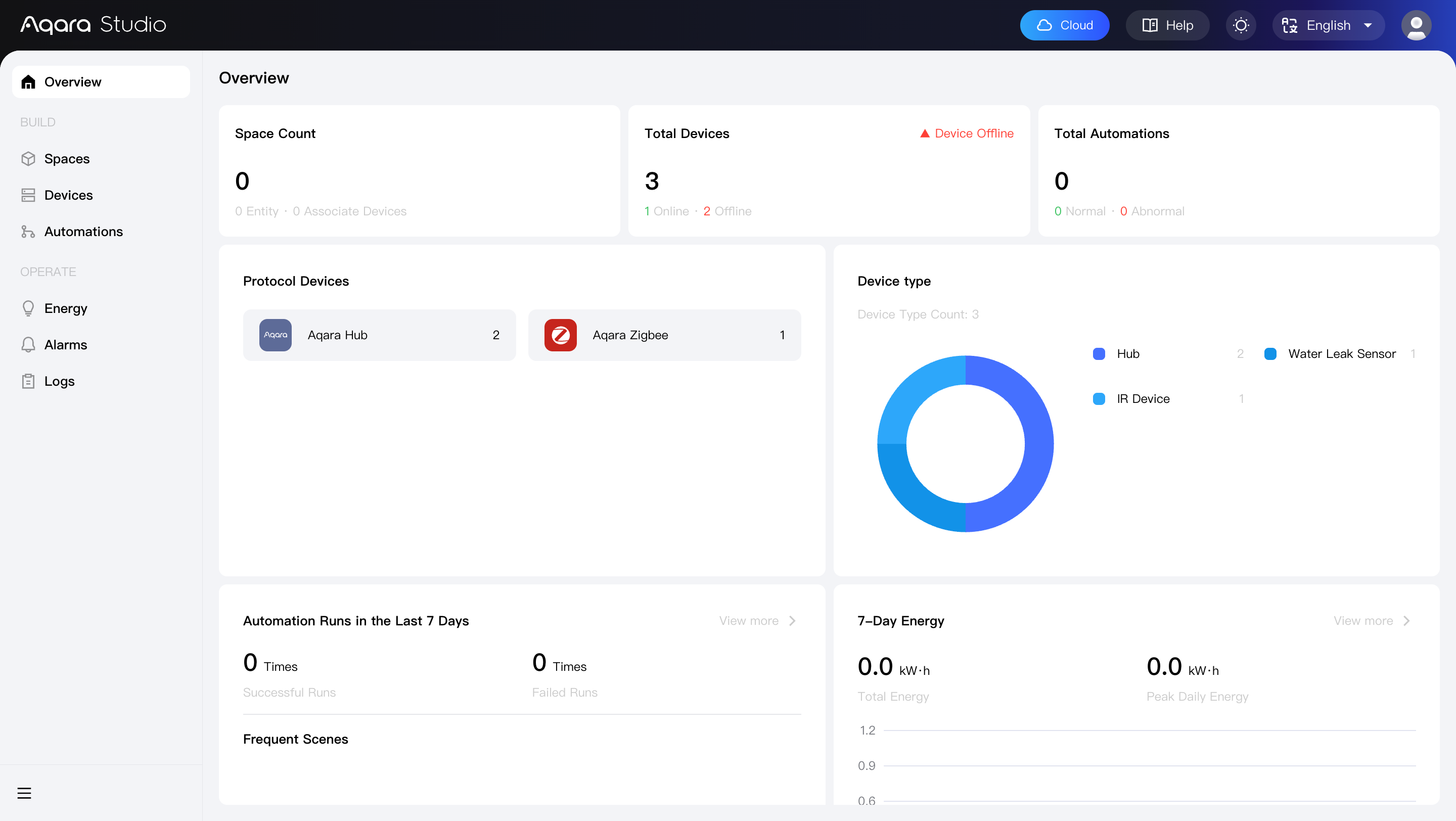
In the popup, click Console to remotely access the Aqara Studio.
 tip
tipYou can also use an existing local user account to log in to the remote access address. The permissions granted will be exactly the same as those for local access. For details, please refer to Local User Management - Local User Roles.
Share with Other Aqara Users
To invite other Aqara users to remotely access your Aqara Studio, follow these steps:
-
After entering Studio Manager, switch to the Studio tab. Click the Aqara Studio that you want to share for remote access.
-
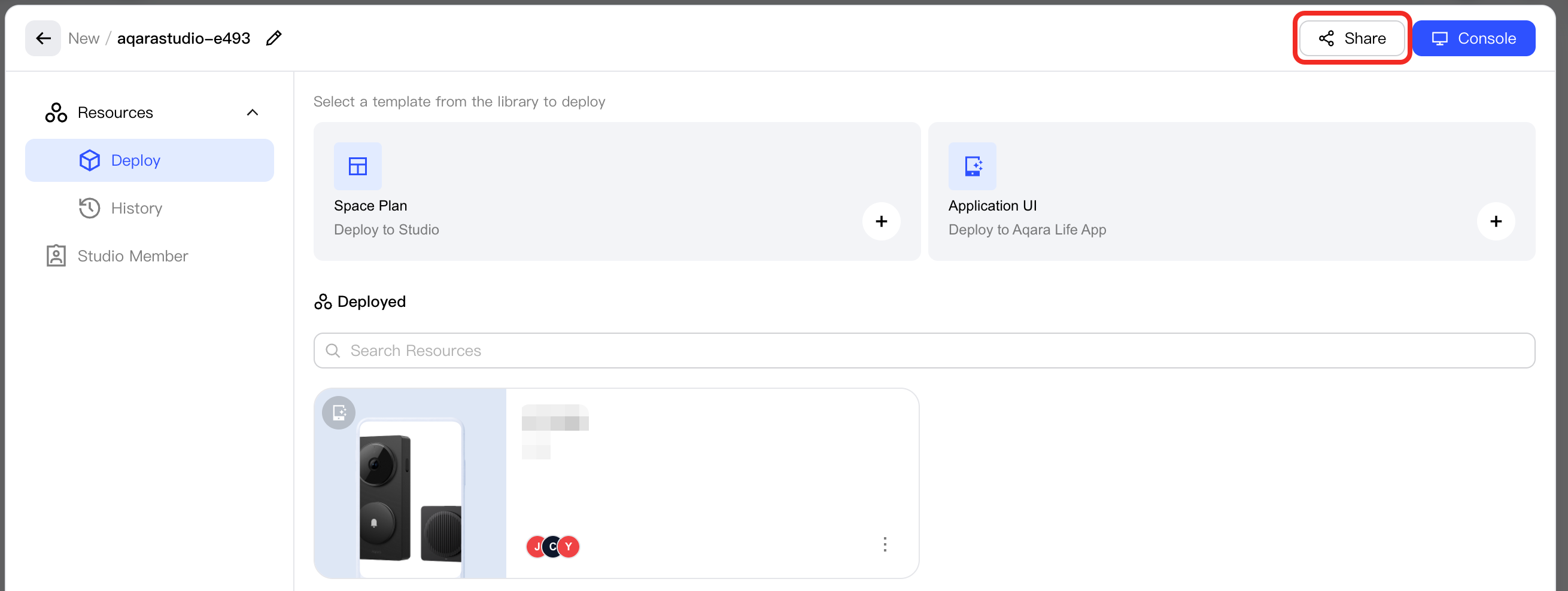
In the popup, click the Share button.
-
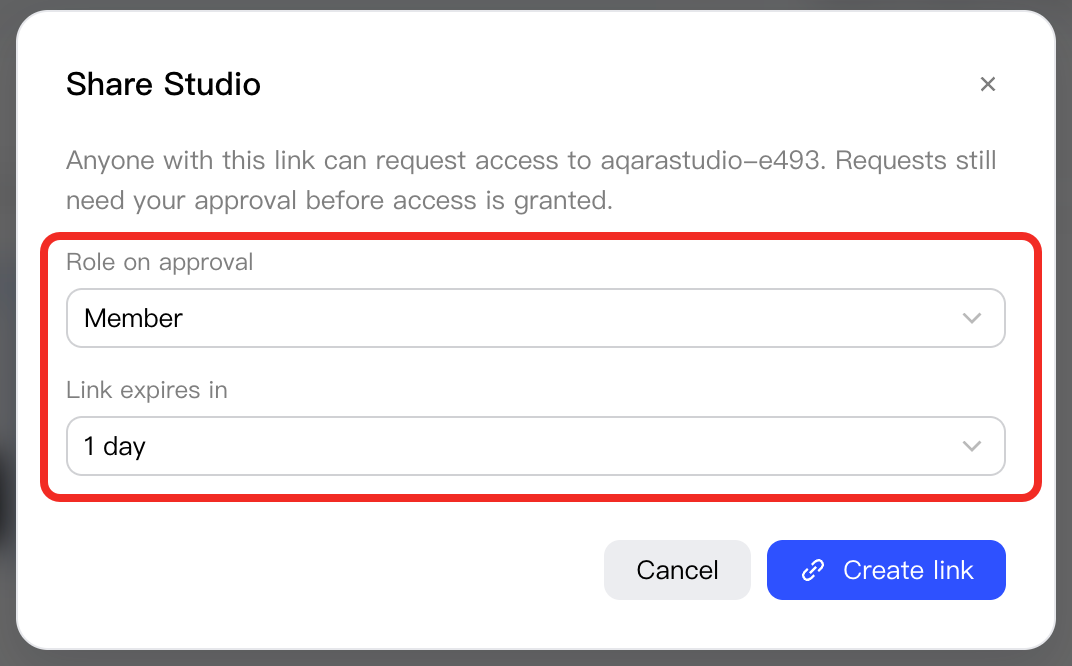
In the popup, select the role to assign to the invited user and the expiration time of the invitation link.
-
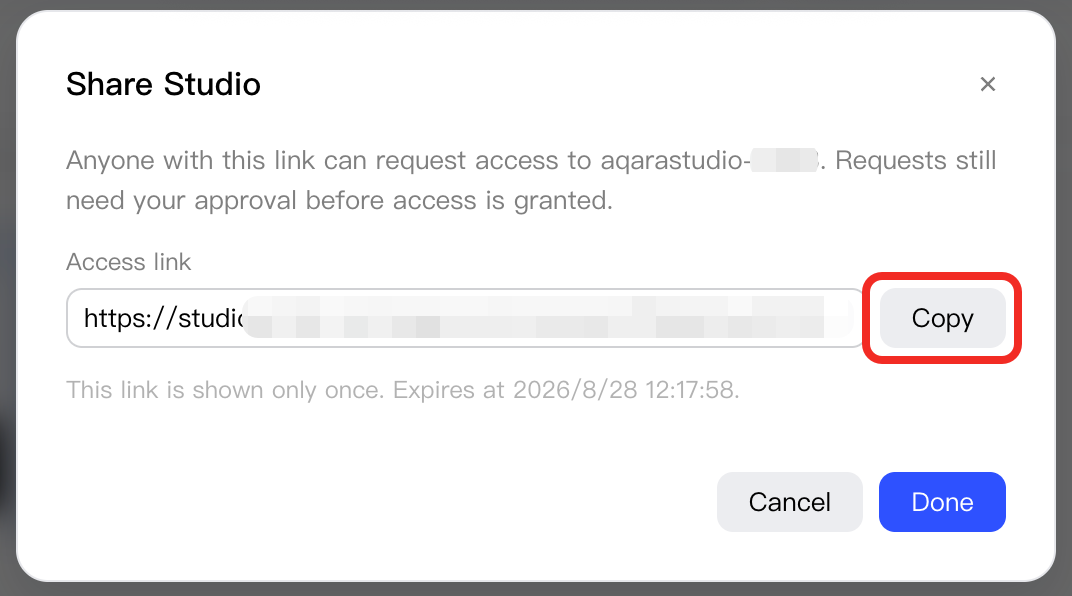
Click Copy to share the link with other Aqara users.
-
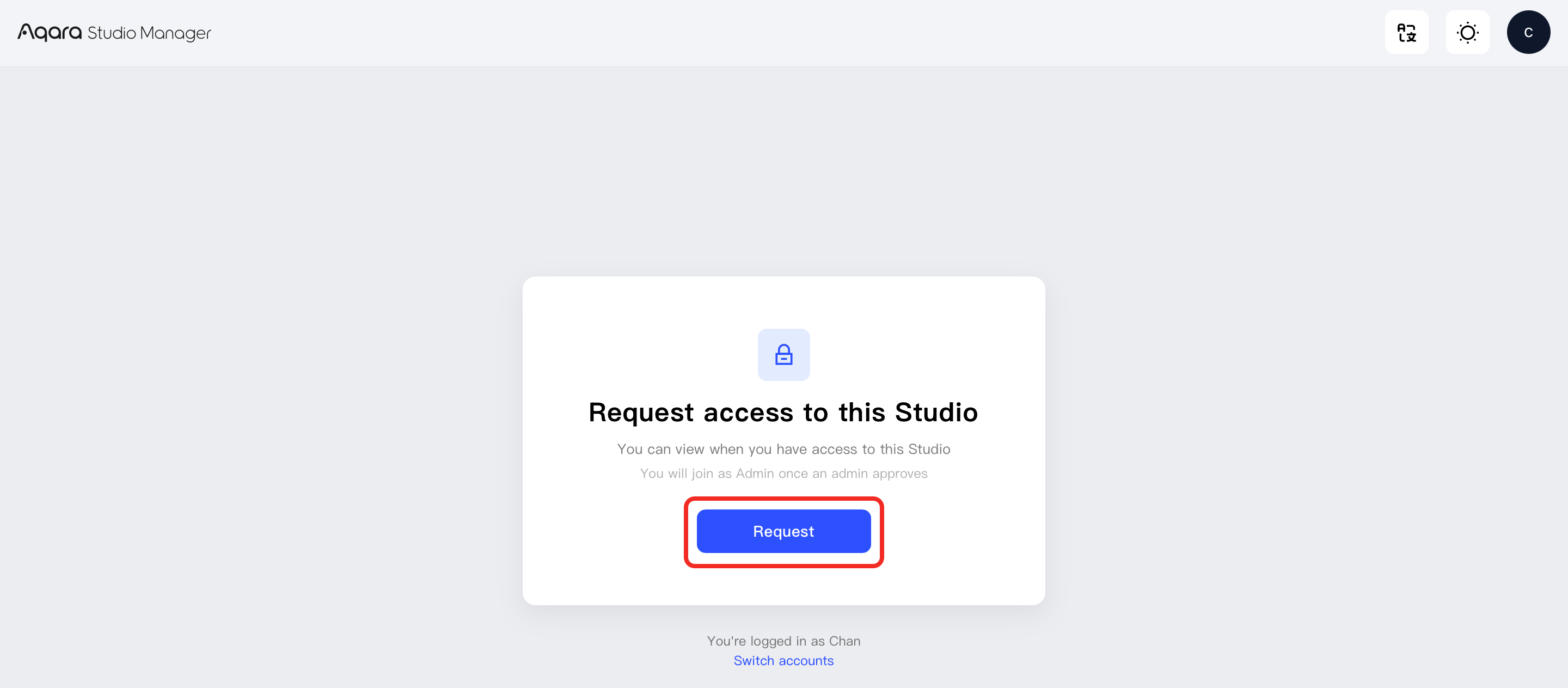
After the invited user clicks the link, they will see a page for requesting access and need to click Request.
-
In Studio Manager, open the Studio details again, view Studio Member, find the request, and click Approve.

-
The invited user can then see the Aqara Studio under the Studio Manager > Studio tab and remotely access it. For details, see Steps to Access.
Remote User Roles
A remote user refers to a user who accesses Aqara Studio using an Aqara Builder account. Remote users can have either the operator or admin role.
The following table details the feature visibility and permissions for different remote user roles in Aqara Studio:
- ✓ indicates that the role can use this feature.
- ✗ indicates that the role cannot use this feature.
| Primary Category | Secondary Category | Tertiary Category | Permissions | |
|---|---|---|---|---|
| Operator (Remote) | Admin (Remote) | |||
| Overview | / | / | ✓ | ✓ |
| Build | Space | / | ✓ | ✓ |
| Device | / | ✓ | ✓ | |
| Firmware Upgrade | / | ✗ | ✗ | |
| Automation | / | ✓ | ✓ | |
| Operation | Alarm Management | / | ✓ | ✓ |
| Energy Management | / | ✓ | ✓ | |
| Log Audit | Device Logs / Link Logs | ✓ | ✓ | |
| Gateway Operation Logs | ✗ | ✗ | ||
| Plugin Operation Logs | ✓ | ✓ | ||
| User Operation Logs | ✗ | ✗ | ||
| System Upgrade Logs | ✗ | ✗ | ||
| Firmware Upgrade Logs | ✗ | ✗ | ||
| Management | User Management | / | ✗ | ✗ |
| Backup & Restore | / | ✗ | ✗ | |
| Settings | Cloud Connection | / | ✗ | ✗ |
| Remote Access | / | ✗ | ✗ | |
| System Update | / | ✗ | ✗ | |
| Local Firmware Library | / | ✗ | ✗ | |
| Technical Support | / | ✗ | ✗ | |
| About | / | / | ✗ | ✗ |
| Extensions | Developer | / | ✗ | ✗ |
| Plugin Management | / | ✗ | ✗ | |