Wireless Connection
tip
This document is only applicable to the hub-integrated model of Aqara Studio.
This article explains how to connect Aqara Studio to a wireless network.
Process
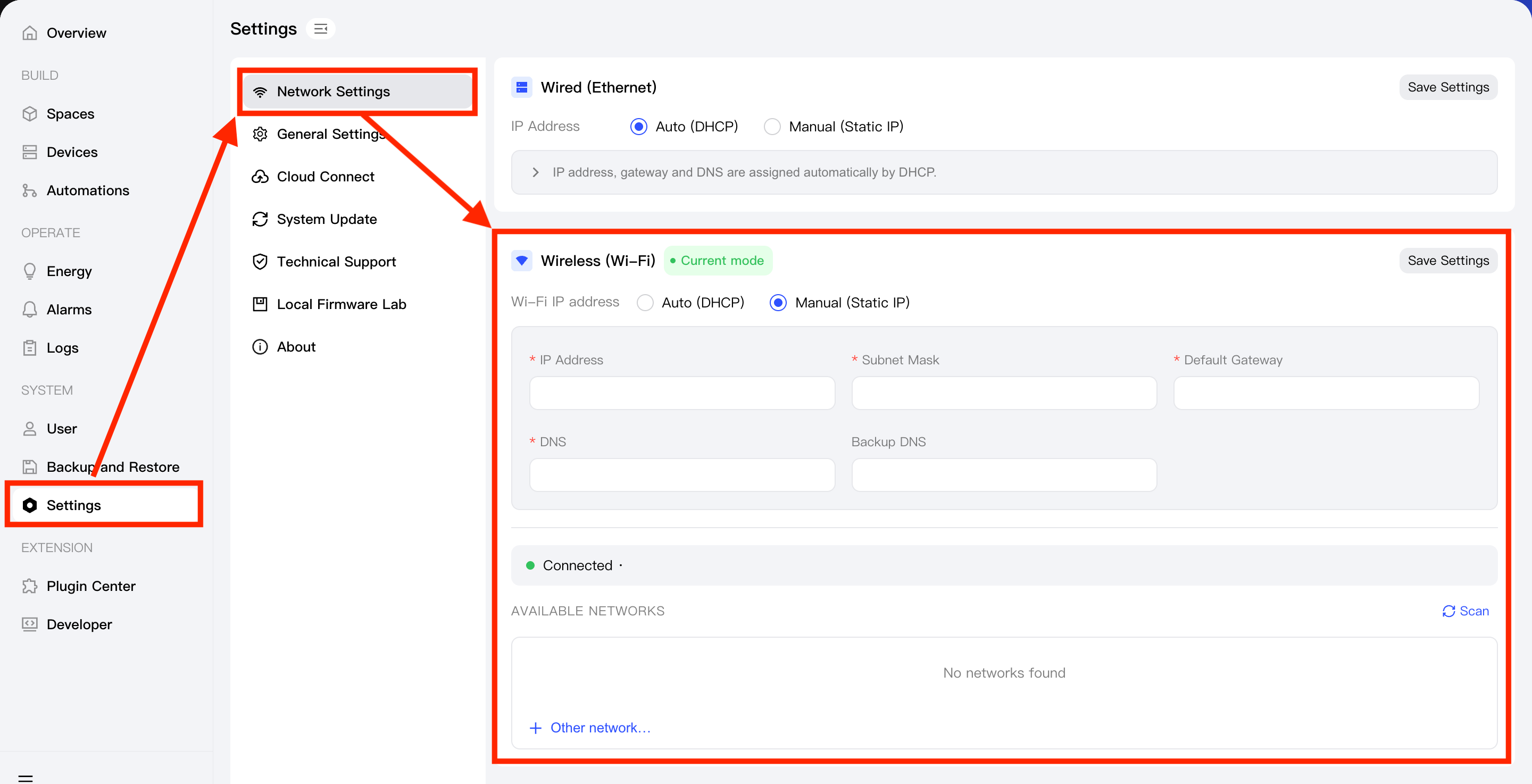
- In the left sidebar, go to Settings > Network Settings.
- Find Wireless (Wi-Fi):
- When you are connecting to a wireless network for the first time in a wired connection, please manually enter the Wi-Fi name and password you want to connect to, and click the Save settings button.
Then, unplug the network cable to allow Aqara Studio to use the wireless network. - When you have already connected to a wireless network, Aqara Studio will automatically scan for nearby available wireless networks. Please select the target Wi-Fi, input the password and click the Save settings button to complete the connection.
- When you are connecting to a wireless network for the first time in a wired connection, please manually enter the Wi-Fi name and password you want to connect to, and click the Save settings button.