Cloud Connect
Feature Overview
Cloud Connect allows you to bind your local Studio to the Aqara Cloud platform, so that you can remotely access your local Studio from anywhere via Aqara Cloud, free from local network restrictions. Key features include:
- Provides secure remote access services for cloud platform users with the necessary permissions.
- Enables remote monitoring and other cloud-based operational features through the cloud platform.
- Offers more extensible value-added services for local Studio.
- Facilitates data interaction between the local Studio and the cloud platform.
- Remote access for users is free of charge across all maintained Studio versions.
How to Use
-
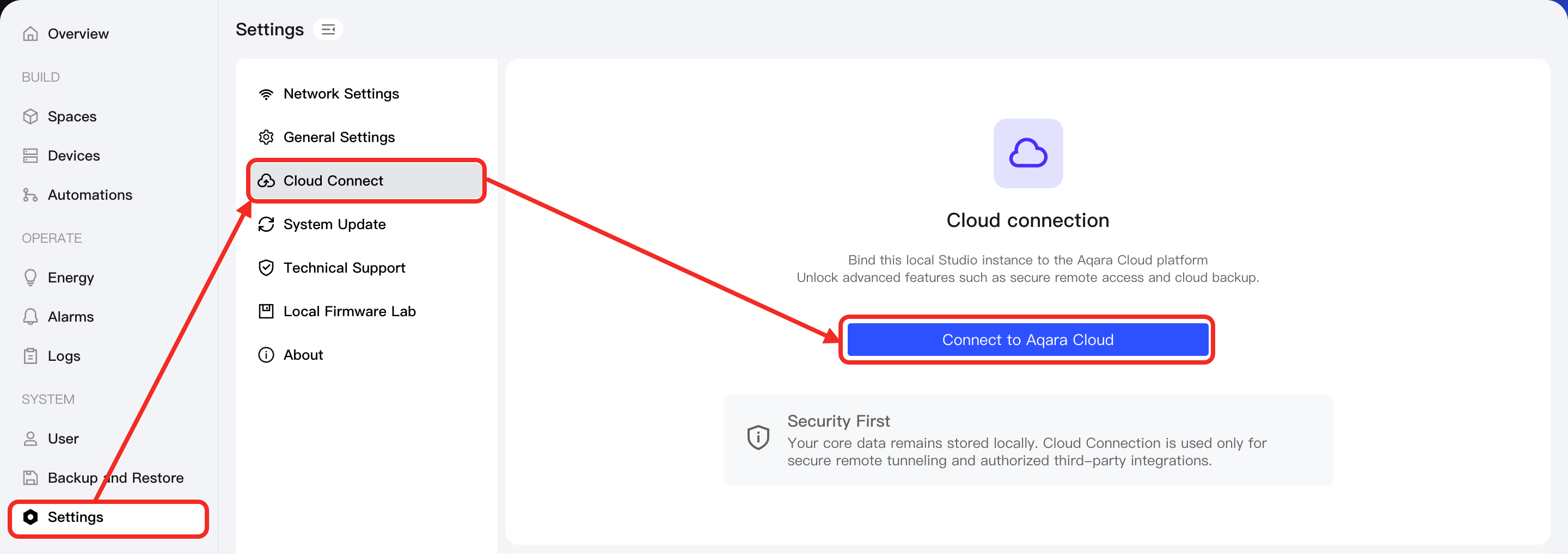
From the left sidebar, go to Settings -> Cloud Connect, then click the Connect to Aqara Cloud button.
-
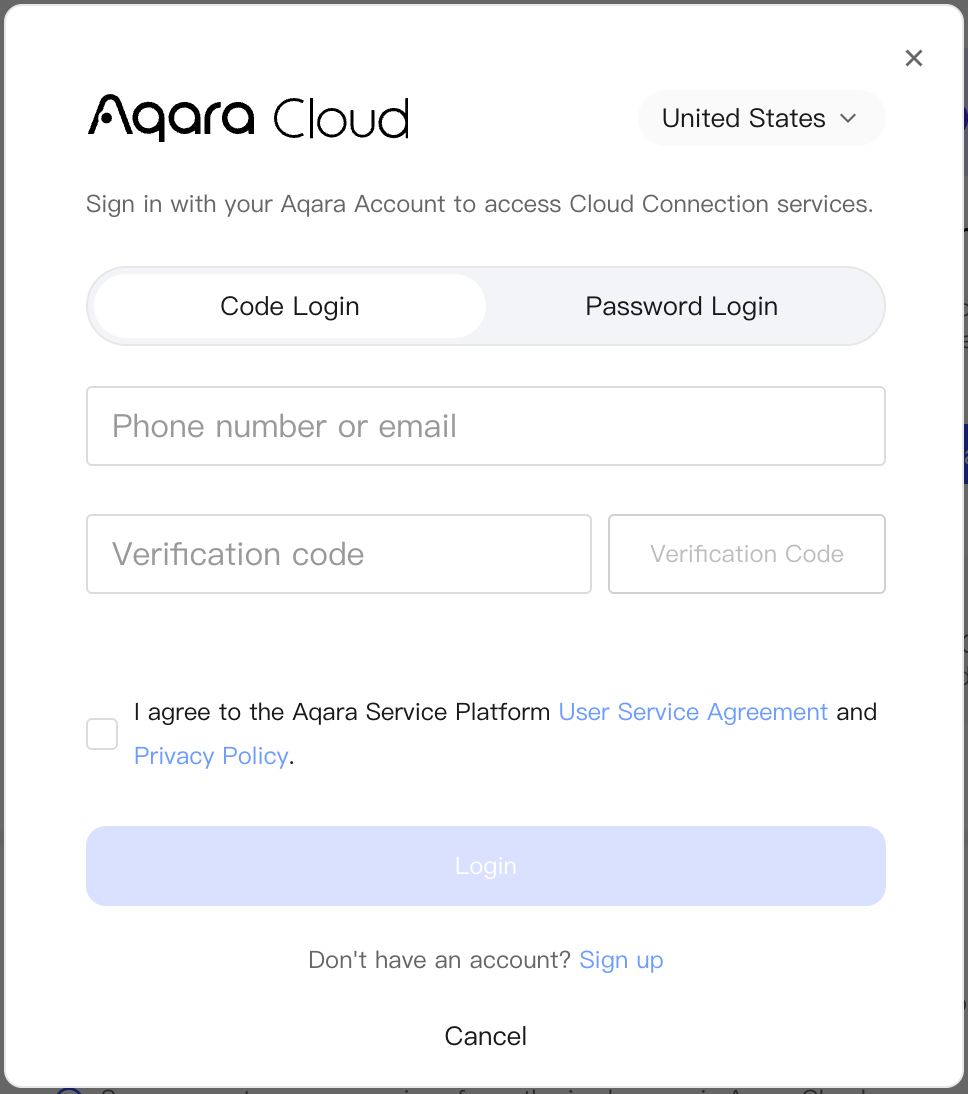
In the pop-up window, log in with your Aqara account and complete verification to use Cloud Connect services.‘
tipBefore logging in, please confirm that the region selected in the pop-up window is correct. It will determine the region of Aqara Studio in Aqara Builder, and directly affect the usage experience of Remote Access.
-
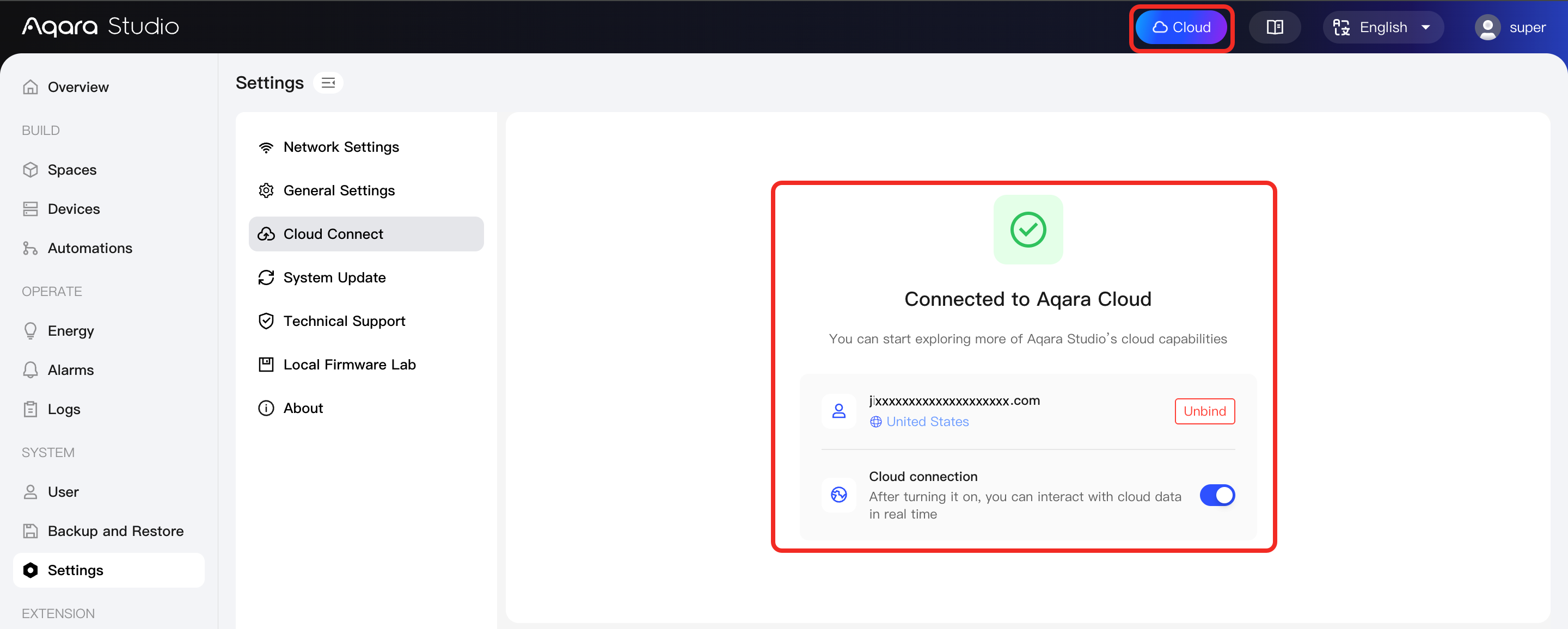
After a successful login, the system will automatically complete the cloud connection, and a colorful cloud icon will appear at the top of the page, indicating that the device has been successfully connected to Aqara Cloud, as shown below:
-
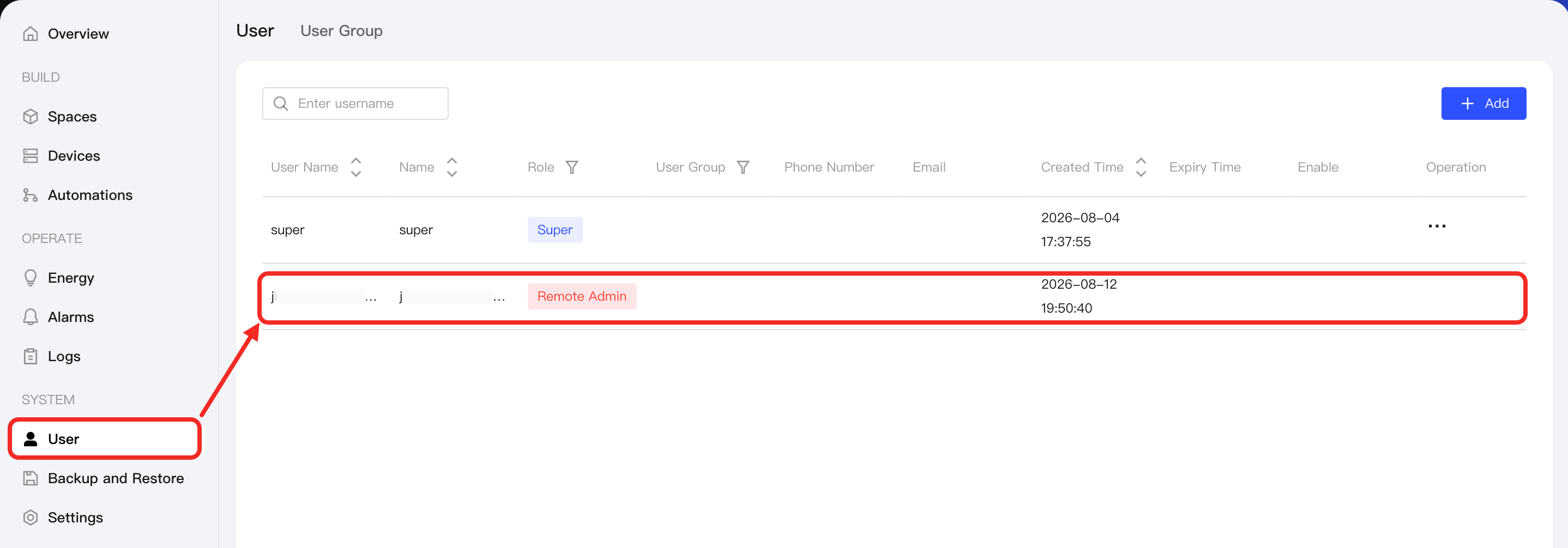
After successful binding, go to the User page in the left sidebar of Aqara Studio to view the bound Aqara account information. The user role for this account will be Remote Admin.