Static IP
This article describes how to set up a static IP for Aqara Studio.
Overview
To simplify access, you can assign a static IP to Aqara Studio. Simply enter this IP in your browser to stably and conveniently access Aqara Studio.
Steps
The steps to set a static IP are as follows:
-
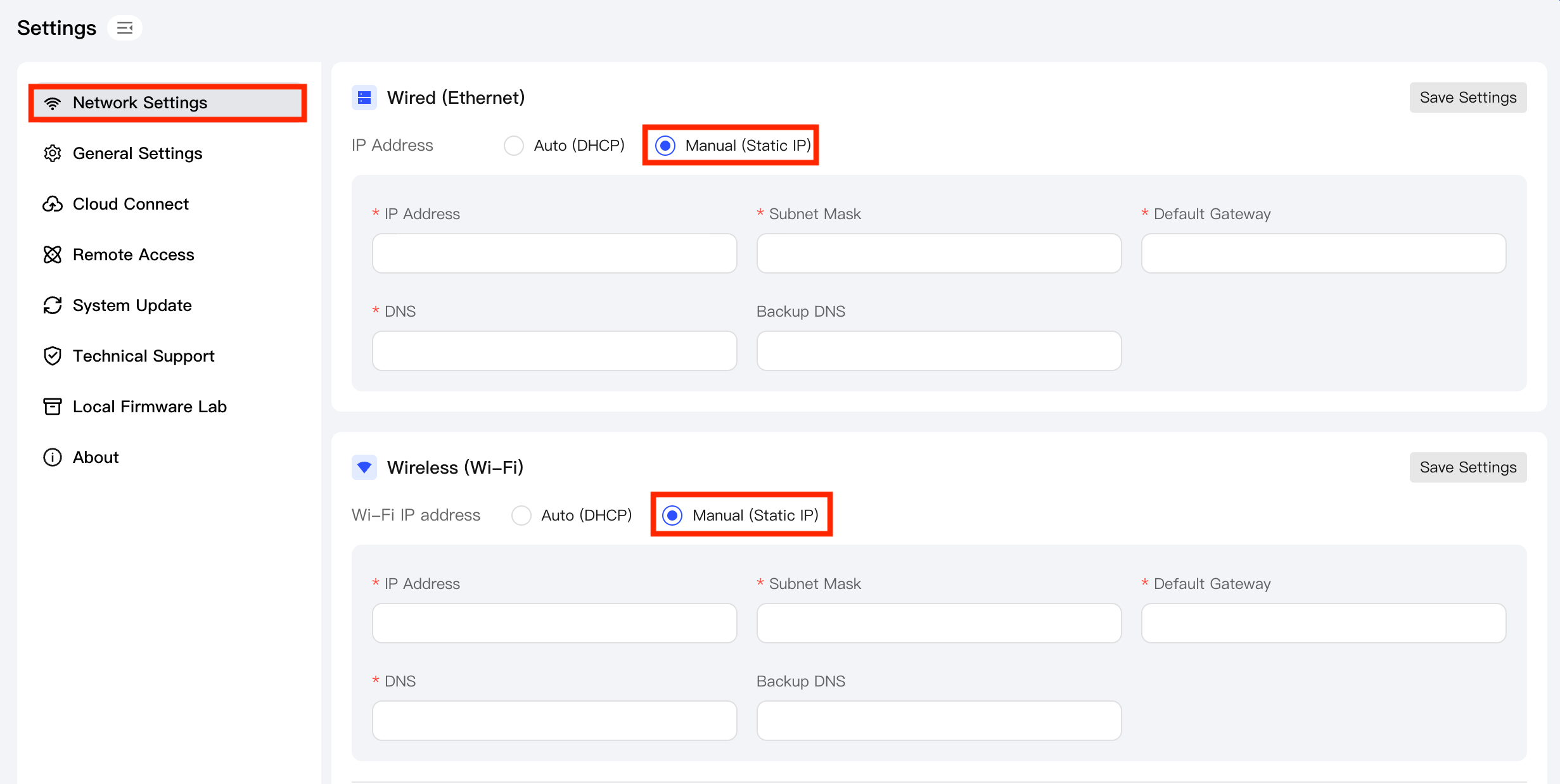
In the left navigation bar, click Settings. On the settings page, select Network Settings from the sidebar.
-
Depending on your current network connection status, under Wired (Ethernet) or Wireless (Wi-Fi), switch the network mode to "Manual Configuration (Static IP)".
-
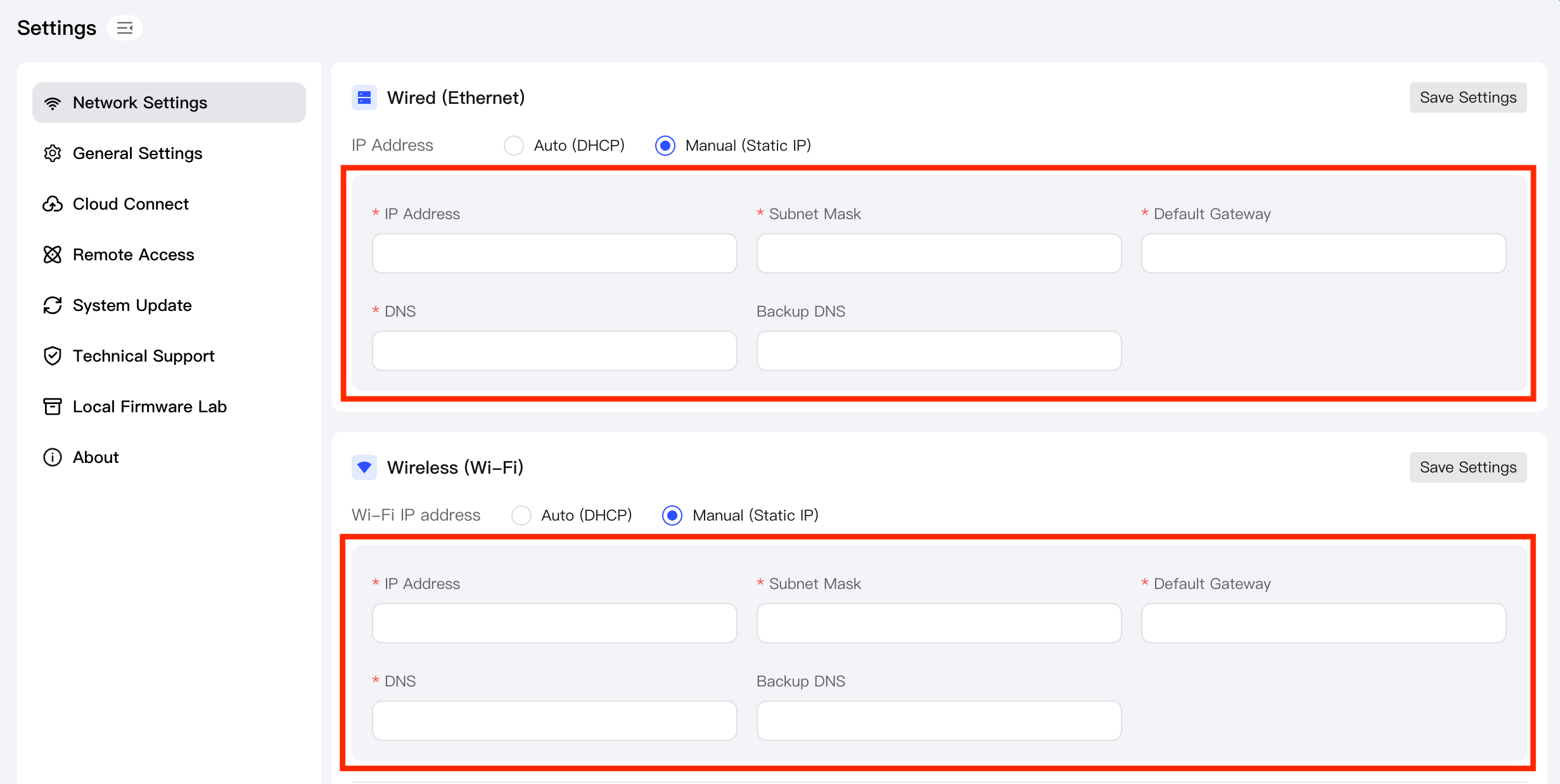
In the corresponding input fields on the page, fill in the relevant parameters for the static IP, including the IP address, subnet mask, gateway, primary DNS, and backup DNS. Make sure the information is filled in correctly.
-
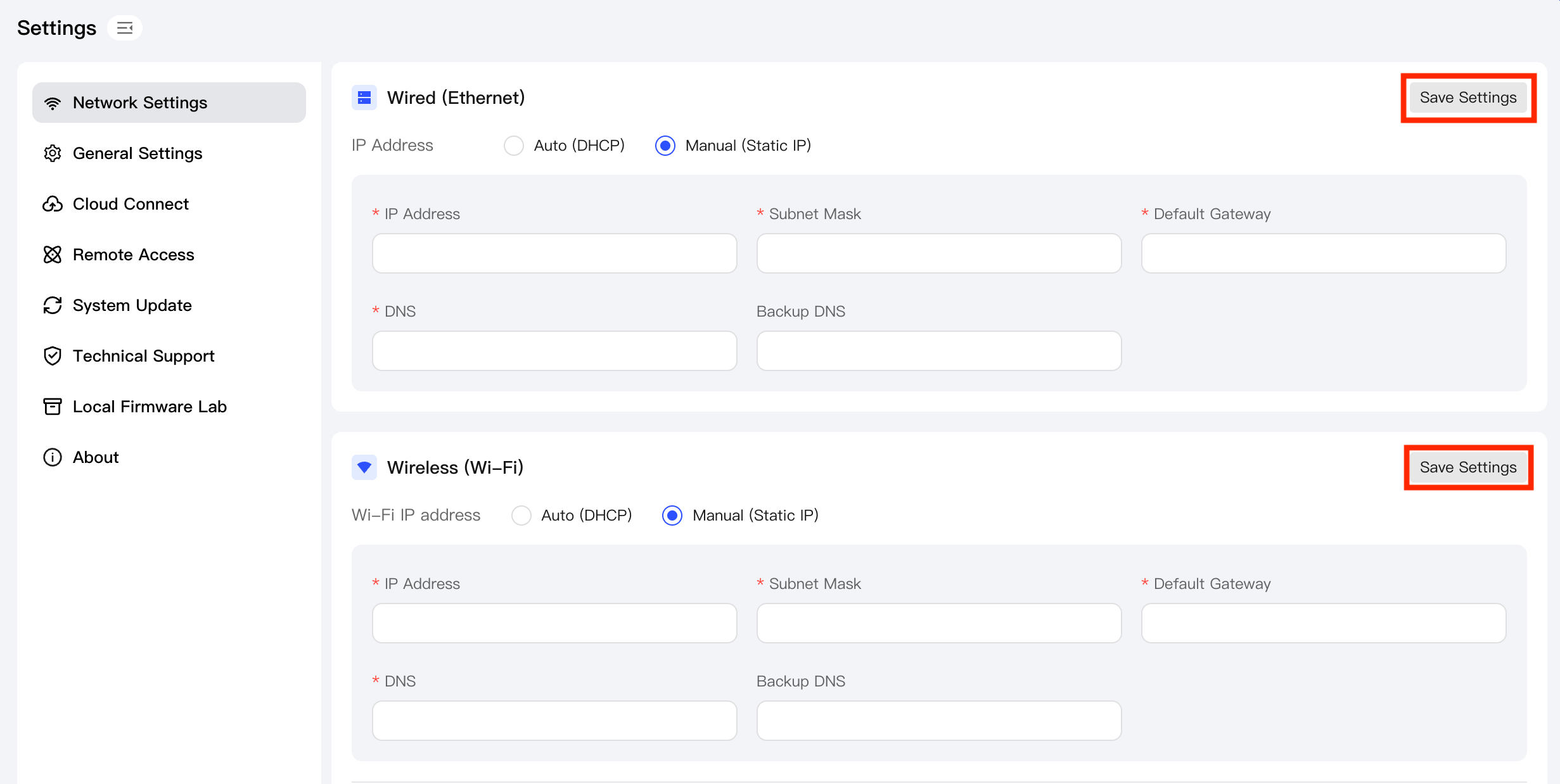
After completing the input, click the Save settings button to complete the static IP configuration.
-
Validate the accessibility of the static IP by using it to access the platform.