Plugin Center
Aqara Studio supports the acquisition and installation of plugins via Aqara Builder Lab - Marketplace to extend its functionality. Plugins in the marketplace are provided by Aqara officially, and users can also develop and upload their own plugins.
Prerequisites
Before getting started, please make sure you have set up Cloud Connect.
Acquire a Plugin
-
Visit the Aqara Builder Lab - Marketplace website, and navigate to Builder Lab from the left sidebar.
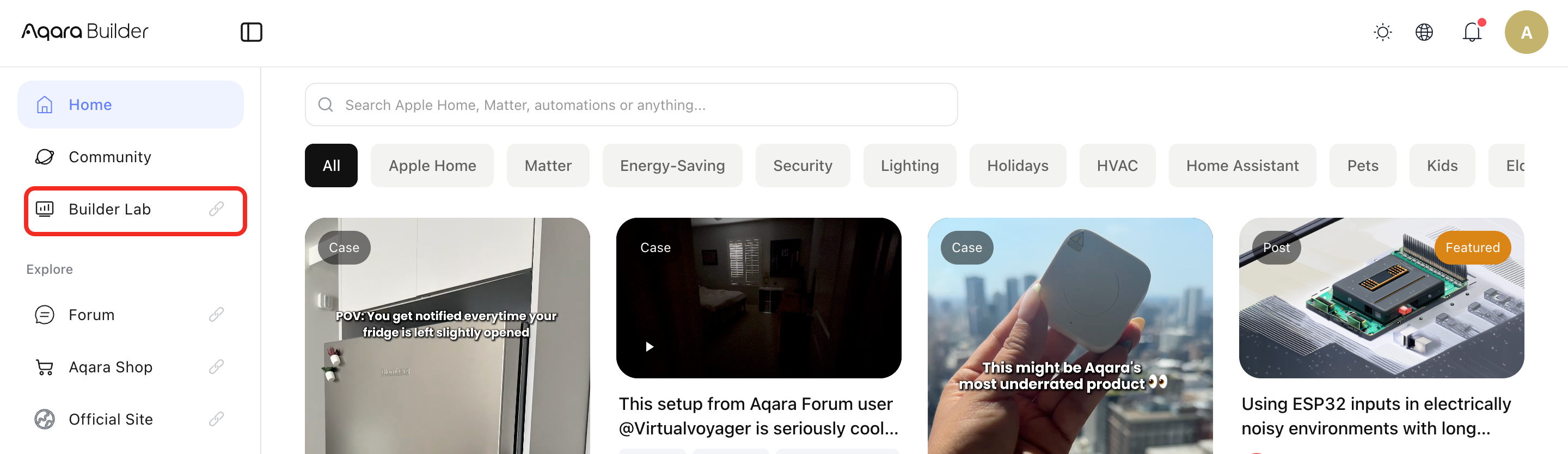
-
Go to the Marketplace from the left sidebar to browse various plugins. Click on the plugin you wish to acquire to view its details page.
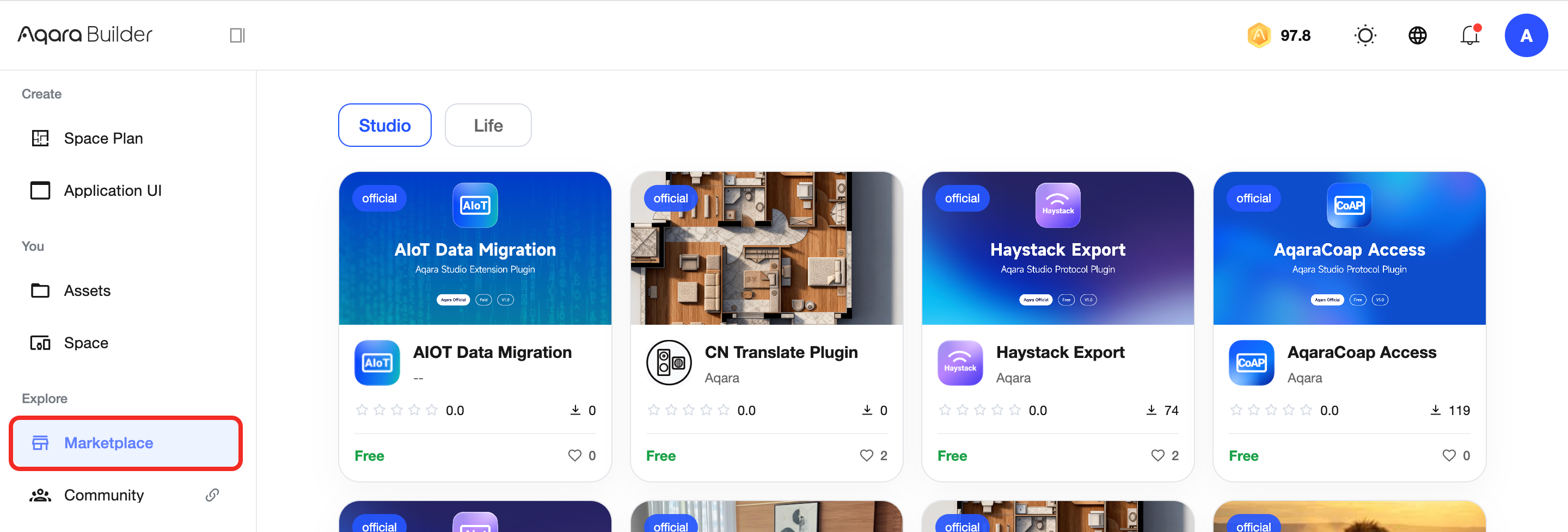
-
Click the Get Plugin button. After confirming you have read the installation information and confirming your order, you will successfully acquire the plugin.
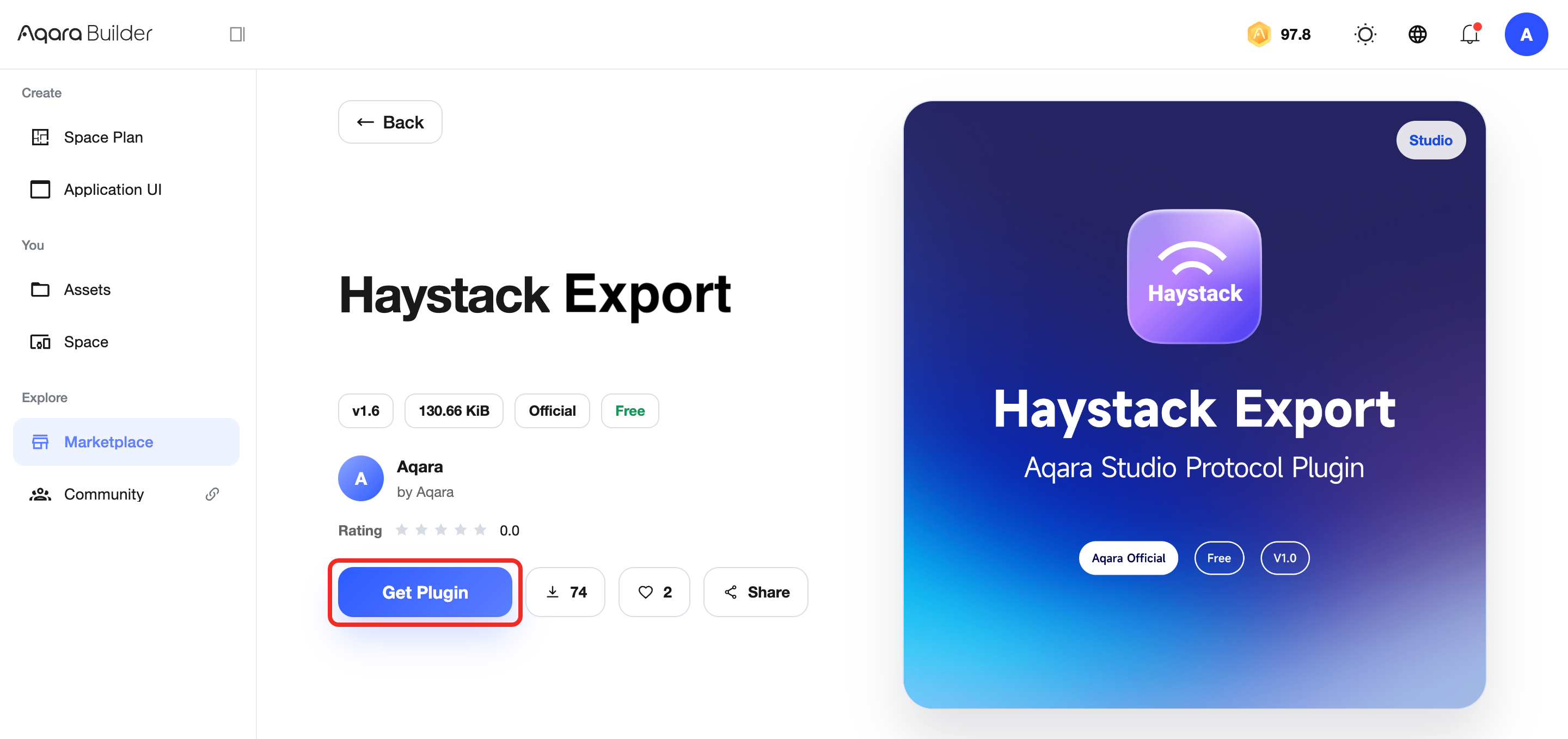
-
Go to Assets from the left sidebar to view the plugins you have acquired.
Click the Assign button to bring up the configuration popup.
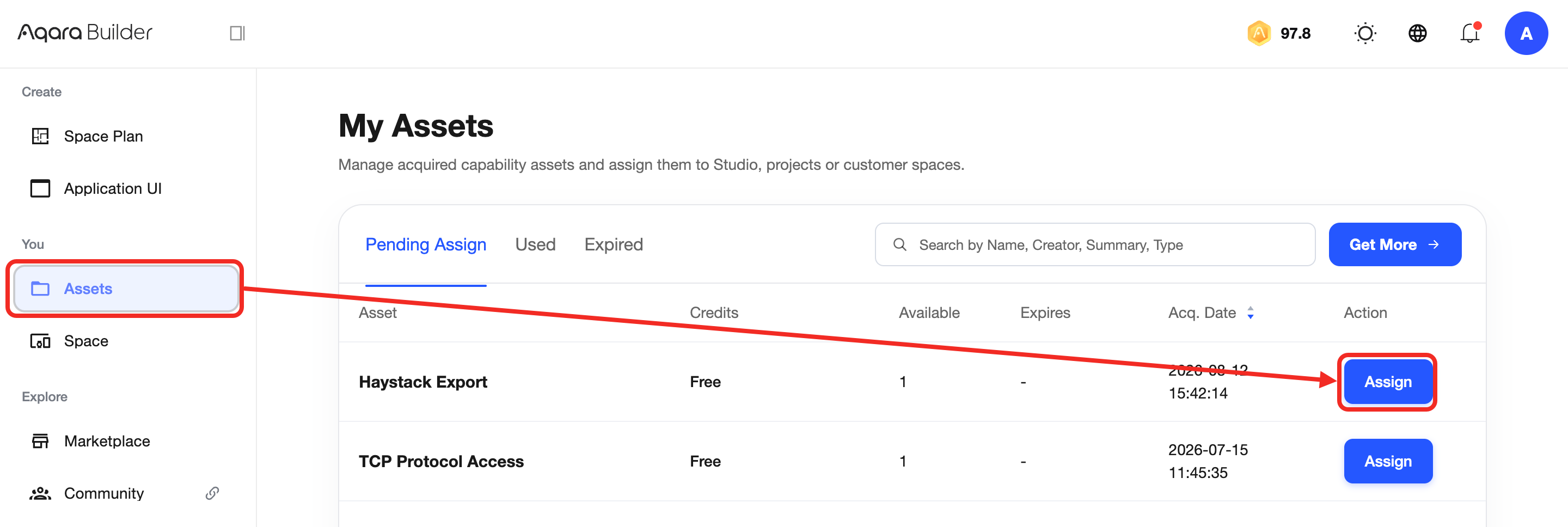
-
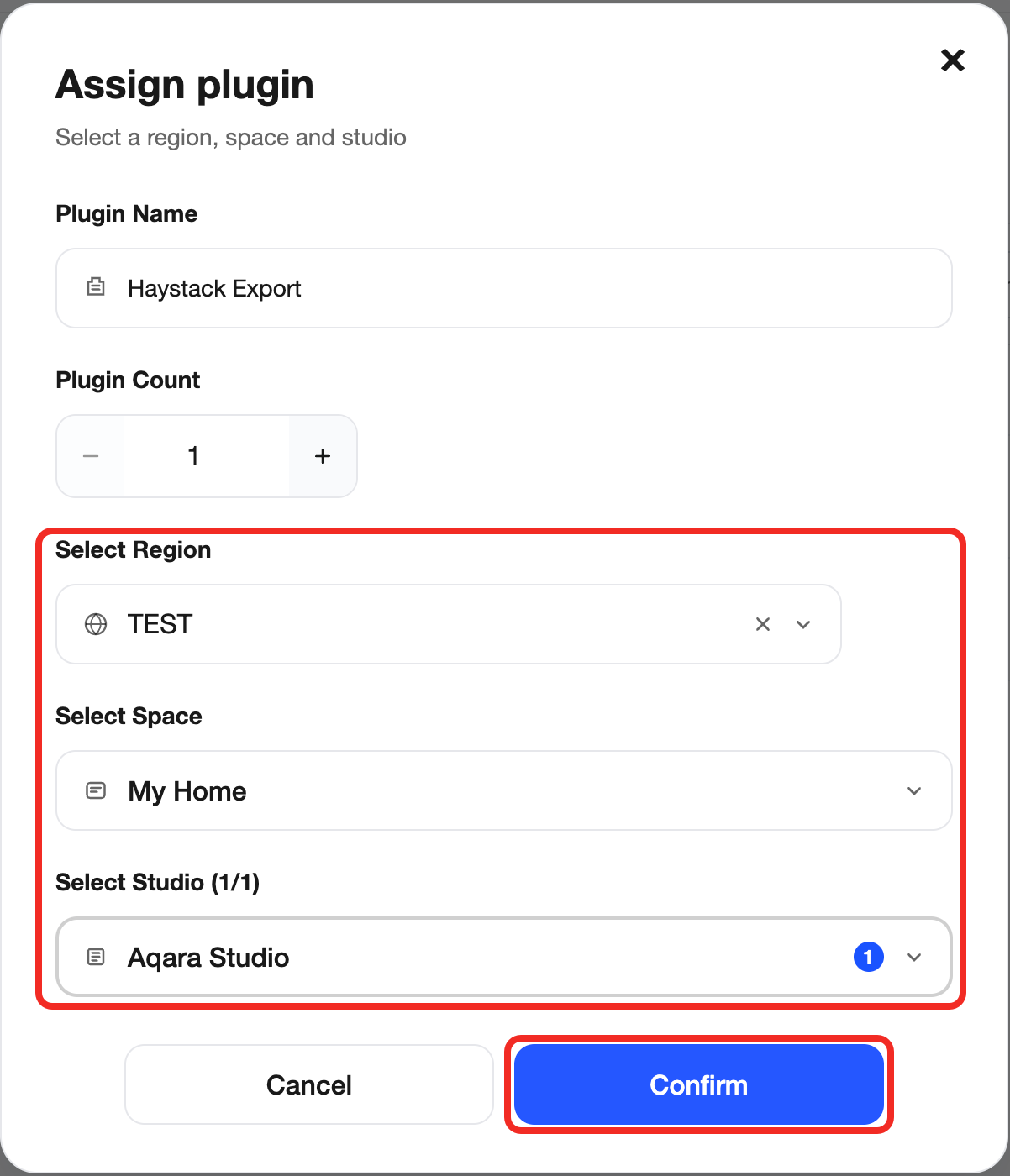
In the configuration popup, select the target region, space, and Aqara Studio where you wish to install the plugin. After confirming everything is correct, click Confirm to successfully assign the plugin to the specified Aqara Studio.
Install a Plugin
-
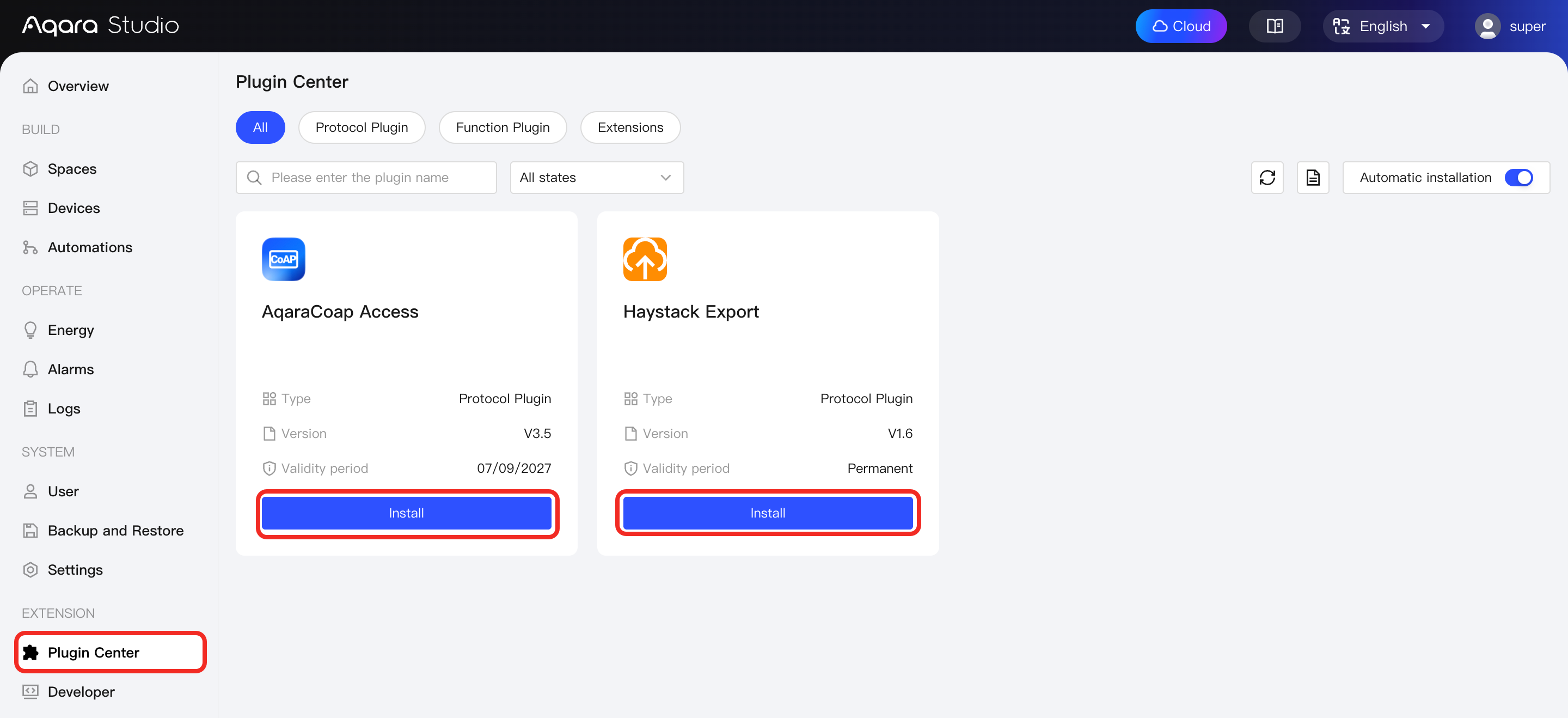
Visit your Aqara Studio and go to the Plugin Center from the left sidebar.
-
Find the plugin you just assigned, click the Install button to start installation. Once installed, you can use the capabilities provided by the plugin.
Plugin Overview
The following table summarizes the various plugins related to Aqara Studio. You can clearly understand the main function of each plugin and use the links to view detailed usage instructions.
| Plugin Name | Description | Documentation |
|---|---|---|
| AIOT Data Migration | Support the migration of sub device data from some gateways on AIOT (Aqarahome) to gateways within Studio, with the migration scope only supporting Zigbee sub device binding relationships. | AIOT Data Migration |
| MQTT Protocol Access | Provides device access capabilities based on the MQTT standard protocol, supporting connection configuration, message parsing, and data processing through scripting. | MQTT Protocol Access |
| HTTP Protocol Access | Provides device access capabilities based on the HTTP standard protocol, supporting connection configuration, message parsing, and data processing through scripting. | HTTP Protocol Access |
| TCP Protocol Access | Provides general network access capabilities based on TCP Socket, supporting custom message parsing and connection management. | TCP Protocol Access |
| UDP Protocol Access | Provides device access capabilities based on the UDP standard protocol, supporting connection configuration, message parsing, and data processing through scripting. | UDP Protocol Access |
| Sonos Access | Support Sonos speaker devices to connect to Studio for use. | Sonos Access |
| AqaraCoap Protocol Access | Support the integration of original Aqara ecosystem devices into Aqara Studio using AqaraCoap protocol. | AqaraCoap Protocol Access |
| Haystack Export | Support the distribution of model information generated based on the Haystack framework to supported category devices, with only certain gateways being compatible | Export via Haystack Framework |