Factory Reset
This article explains how to perform a factory reset on Aqara Studio, how to disable button factory reset, and how to enable button factory reset.
Perform a Factory Reset
Depending on your Aqara Studio deployment model, choose one of the following methods to perform a factory reset:
- For
Hub-Integratedmodel, you can factory reset Aqara Studio either via the Web page or by pressing the physical button on an official Aqara Studio master device (such as Edge Hub M300). - For
Edge-Deployedmodel, you can factory reset Aqara Studio on the Web page.
Web Operation
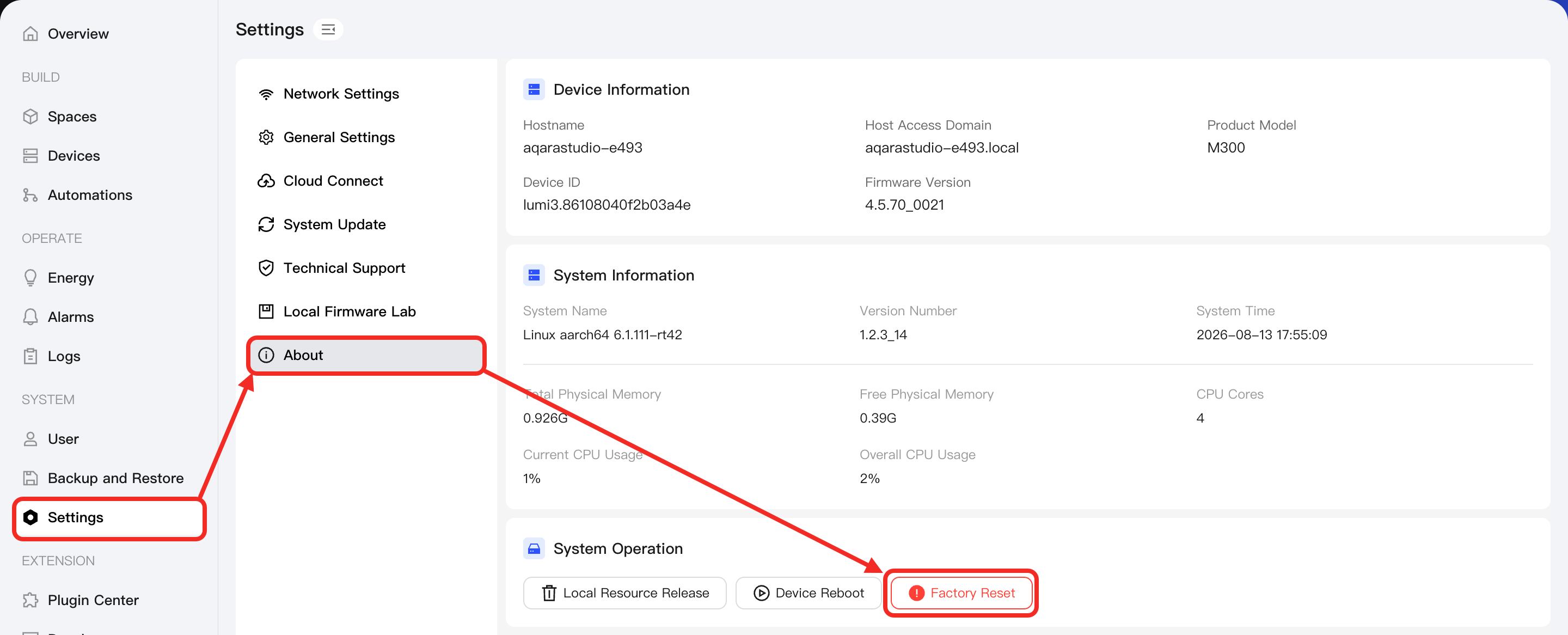
- Click Settings in the left navigation bar. On the settings page, select About from the sidebar.
- Find System Operation on the page, click the Factory Reset button, and a confirmation box will pop up. In the confirmation box, click Confirm to restore Aqara Studio to factory settings.
Physical Button Operation
Please refer to the manual of the official Aqara Studio master device (e.g., Edge Hub M300) to learn how to perform a factory reset on Aqara Studio using button operation.
Disable Button Factory Reset
For Aqara Studio in Hub-Integrated mode, if you do not want others to perform factory reset via the physical button, you can disable it by following these steps:
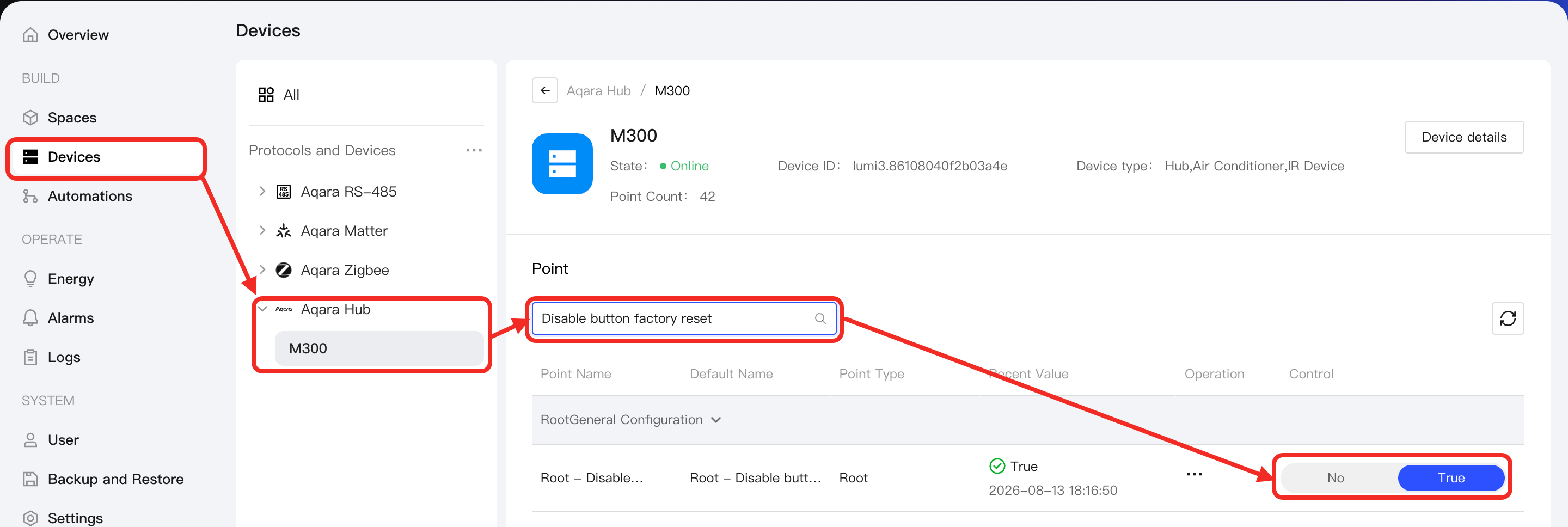
- In the left navigation bar, click Devices, select AqaraHub, and locate the required official Aqara Studio master device.
- In the point list of that device, find the Disable Button Factory Reset point and set it to
Trueto prevent factory reset via the physical button.
In this way, when someone attempts to reset Aqara Studio to the factory settings via the physical button, Aqara Studio will play a voice prompt: "Factory reset is disabled. You can enable it in Aqara Studio settings."
Enable Button Factory Reset
If you need to allow factory reset via the physical button, refer to the process in Disable Button Factory Reset and set the Disable Button Factory Reset trait to False to enable factory reset via the physical button.
If you forget your password and cannot log in to Aqara Studio, please follow these steps:
- Contact Aqara support to obtain an SD card containing the reset file.
- Insert the SD card into the SD card slot of the official Aqara Studio master device (such as the Edge Hub M300).
- Power off the master device, and then power it on.
- Wait for the master device to detect and recognize the SD card.
- If the card matches successfully, the device will automatically enable button factory reset, after which you can press the physical button to reset Aqara Studio to the factory settings.
- If the card does not match and you cannot enable button factory reset, please contact Aqara support again to obtain the correct SD card.