Aqara RS-485
This guide explains how to integrate Aqara RS-485 devices into Aqara Studio.
What is Aqara RS-485
Aqara RS-485 is Aqara's proprietary RS-485 communication protocol designed for wired intelligent scenarios. It is mainly used to support RS-485 interface devices, enabling them to connect to the Aqara Studio local platform through a standardized wired bus.
Based on Aqara's proprietary RS-485 protocol, related devices can achieve stable and reliable data reporting, status synchronization, parameter configuration, and automated linkage. This meets the requirements for high reliability, centralized management, and local control in project-based scenarios such as hotels, apartments, office buildings, and commercial spaces.
Comparison of Wired / Wireless / Wired+Wireless Solutions
After integrating with the Aqara RS-485 protocol, Aqara can further expand RS-485 wired device access on top of its original Zigbee, Thread, Wi-Fi, and other wireless systems, forming a "wired + wireless" integrated local intelligent control solution.
| Capability / Advantage | Wired Solution | Wireless Solution | Aqara Wired + Wireless Fusion Solution |
|---|---|---|---|
| Supports high reliability communication | ✓ | ✓ | |
| Suitable for critical control links | ✓ | ✓ | |
| Flexible installation | ✓ | ✓ | |
| Easy to expand | ✓ | ✓ | |
| Supports centralized management | ✓ | ✓ | |
| Supports local control | ✓ | ✓ | |
| Supports automated linkage | ✓ | ✓ | |
| Supports cross-protocol linkage | ✓ | ✓ | |
| Suitable for project-level delivery | ✓ | ✓ |
Prerequisites
Before you start, please make sure:
- Your Aqara DIN Rail Hub (such as AX100M), edge hub (such as M300/GX300M), and your computer are all on the same local area network (LAN);
- Your Aqara DIN Rail Hub has been connected to the edge hub's Aqara Studio, details please refer to Aqara Hub Integration;
- You have connected the Aqara RS-485 device (such as AW110K) to the RS485 interface of the Aqara DIN Rail Hub. For wiring instructions, please refer to the respective device's electronic manual or consult technical support.
Procedure
-
In the left sidebar, click Devices, select
Aqara RS-485to enter the management page, and click the Add Device button.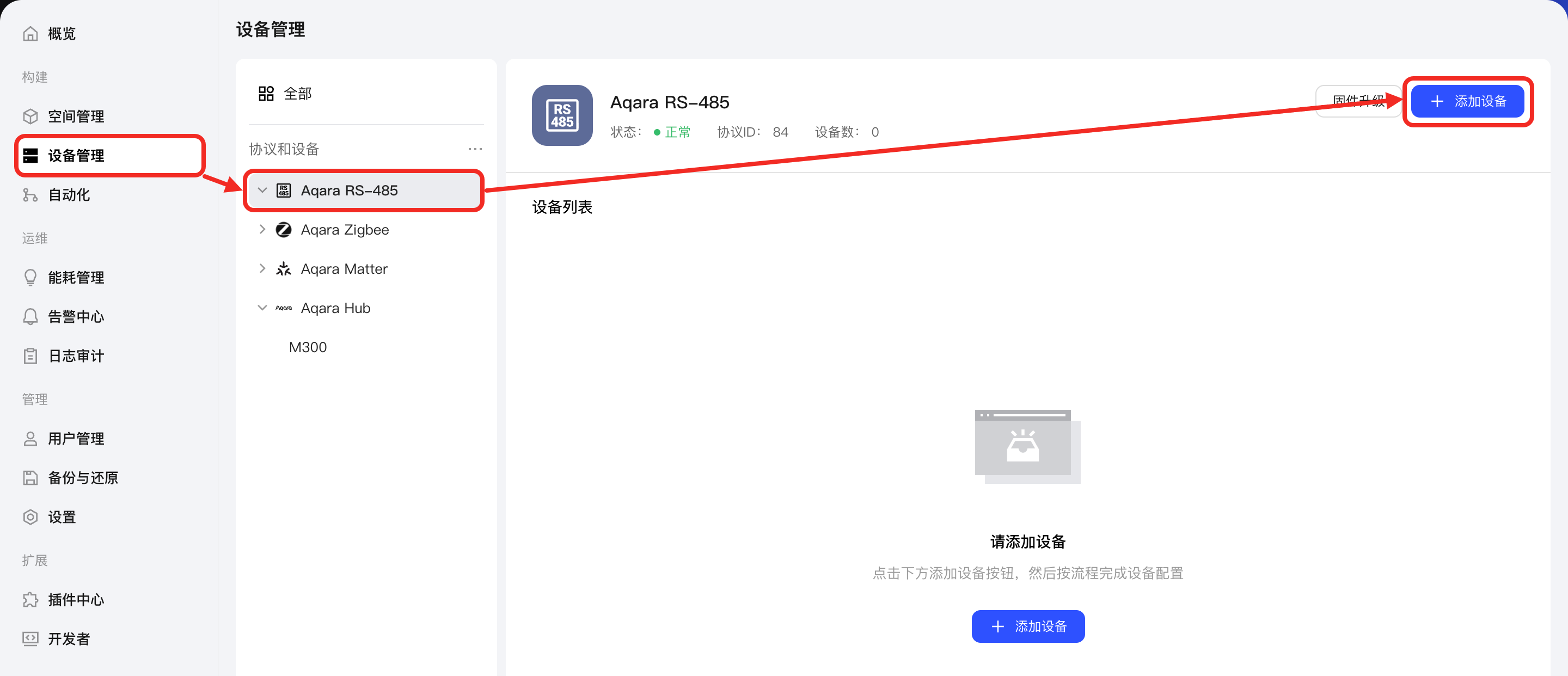
-
On the page, select the Aqara Hub gateway (which should already be connected to the Aqara RS-485 device to be added), choose Real-time or Timing network pairing, and click the Enable Network Access button. Aqara Studio will integrate the Aqara RS-485 device.
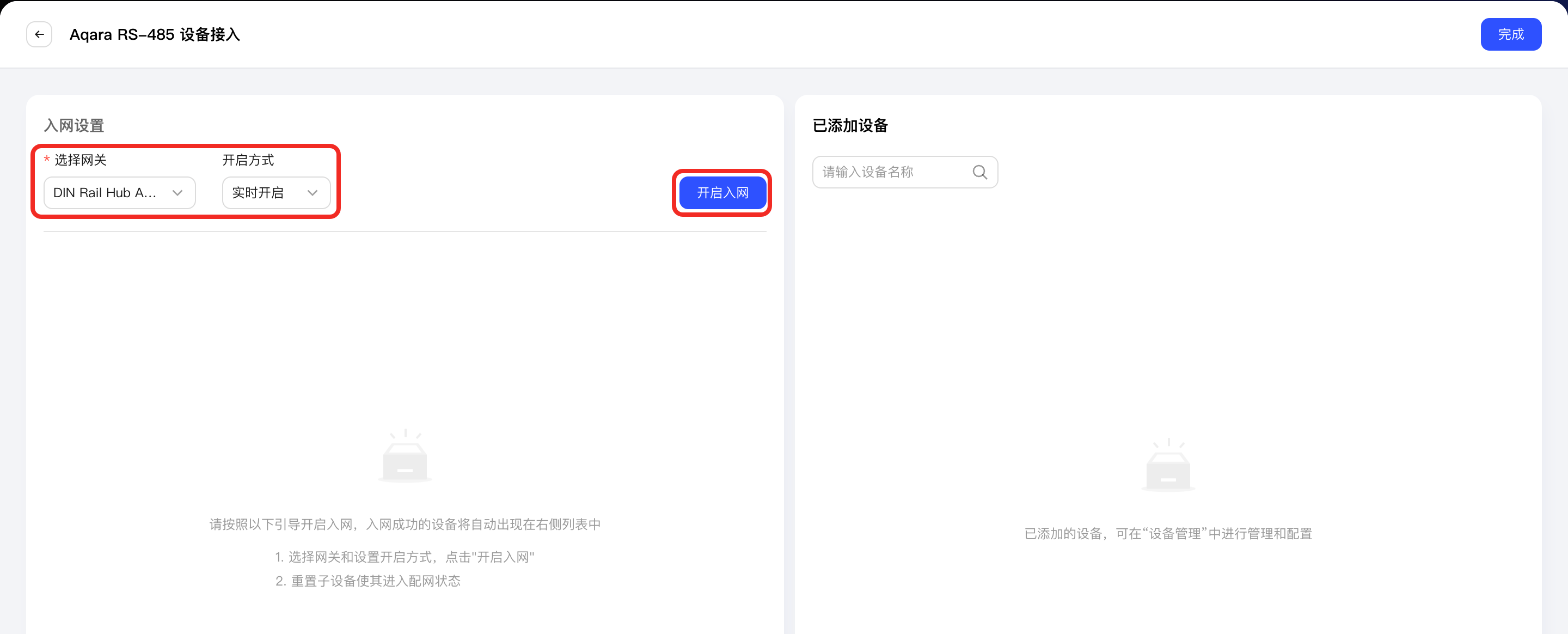
Once pairing is successful, the Aqara RS-485 device will appear in the Added Devices list on the left. Click the Complete button to exit the device integration process.
-
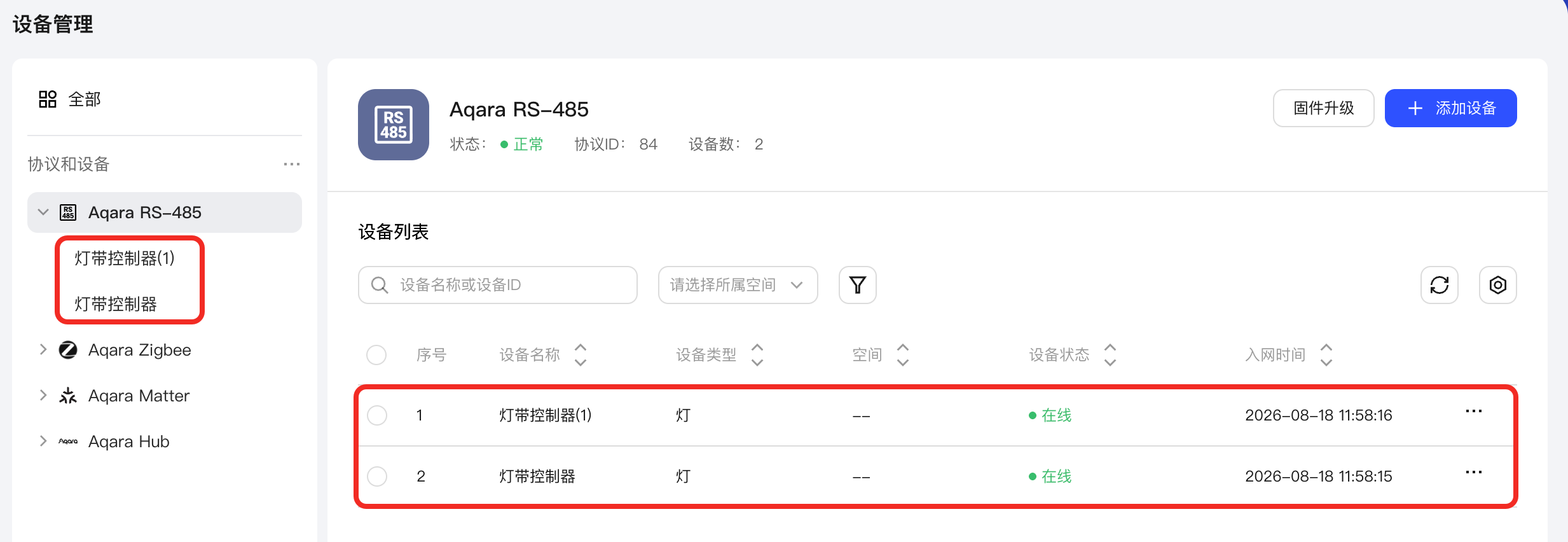
You will then see the successfully added device under the Aqara RS-485 node in Protocols and Devices on the left, as well as in the device list on the Aqara RS-485 management page.
Next Steps
Now, you can view details and control the device, or use the device in automation.