Matter Bridge
After enabling Aqara Studio's Matter Bridge feature, devices that do not natively support the Matter protocol can be integrated into Aqara Studio and bridged into the Matter ecosystem, achieving device interoperability and unified integration.
Process
-
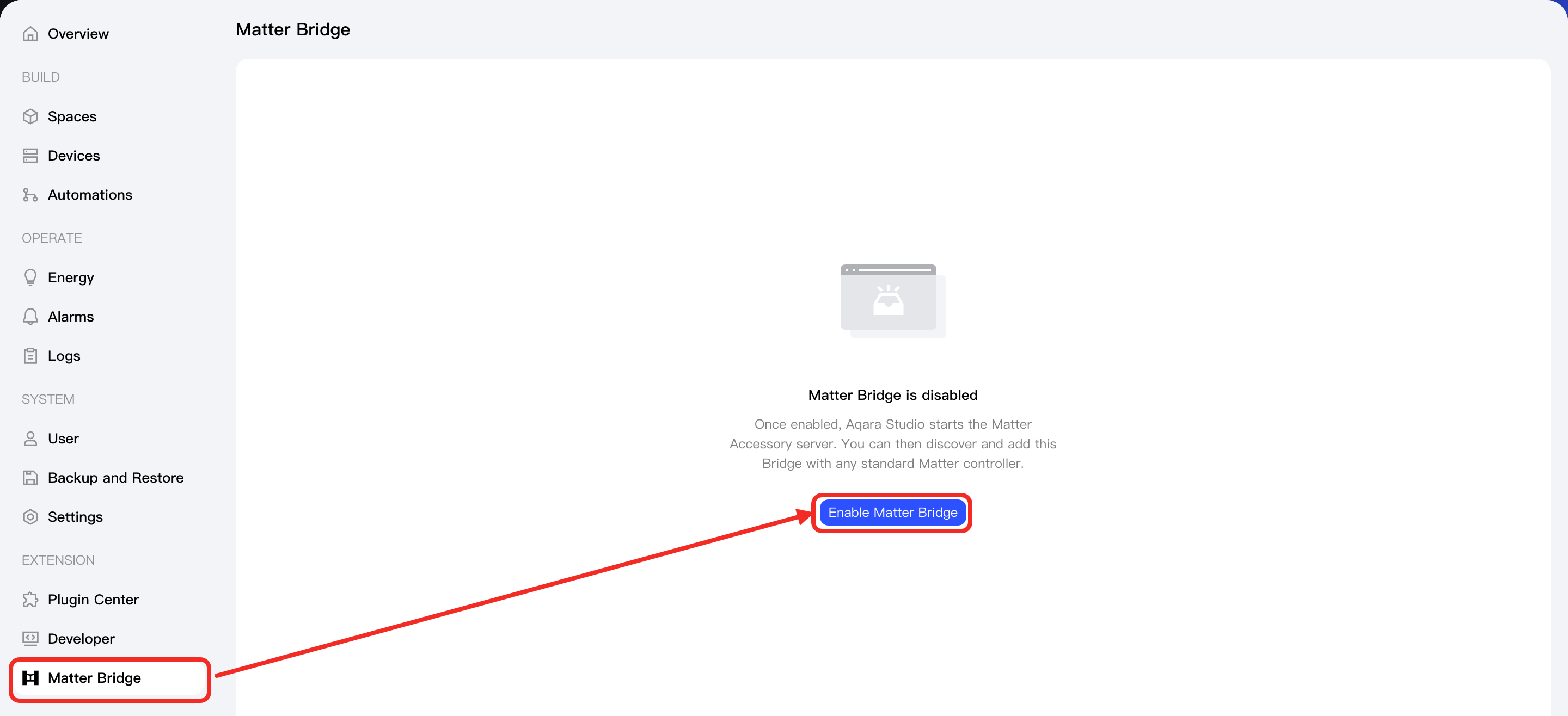
Click Matter Bridge in the left navigation bar to enter the feature page, then click the Enable Matter Bridge button to activate this function.
-
In the Export to Matter Ecosystem section, click to add devices or scenes. Select the devices and scenes you wish to integrate into the Matter ecosystem according to your needs.
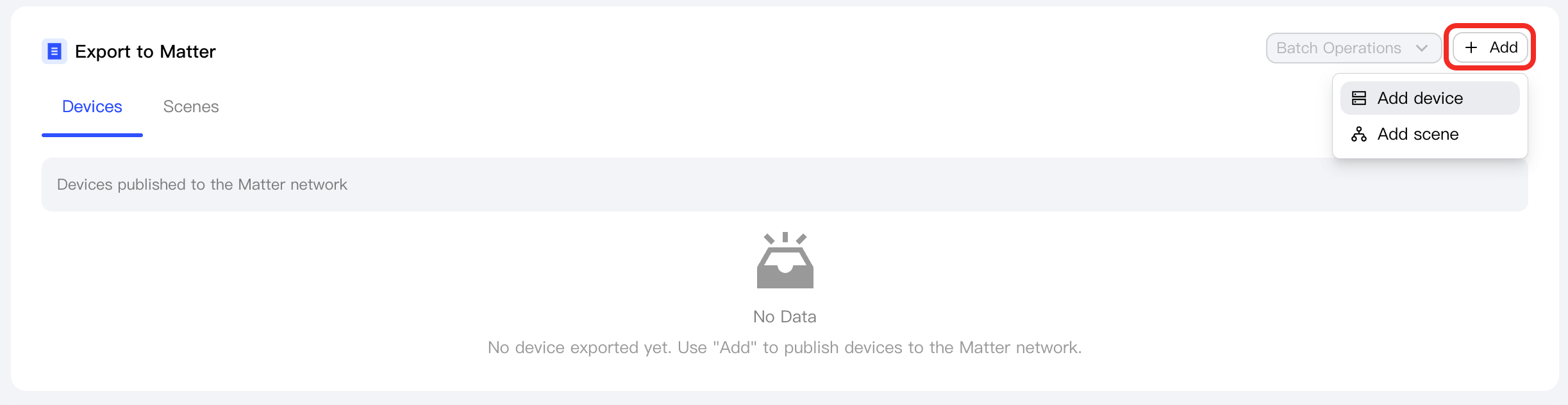
After adding, you can view all the devices and scenes in the list of this section.
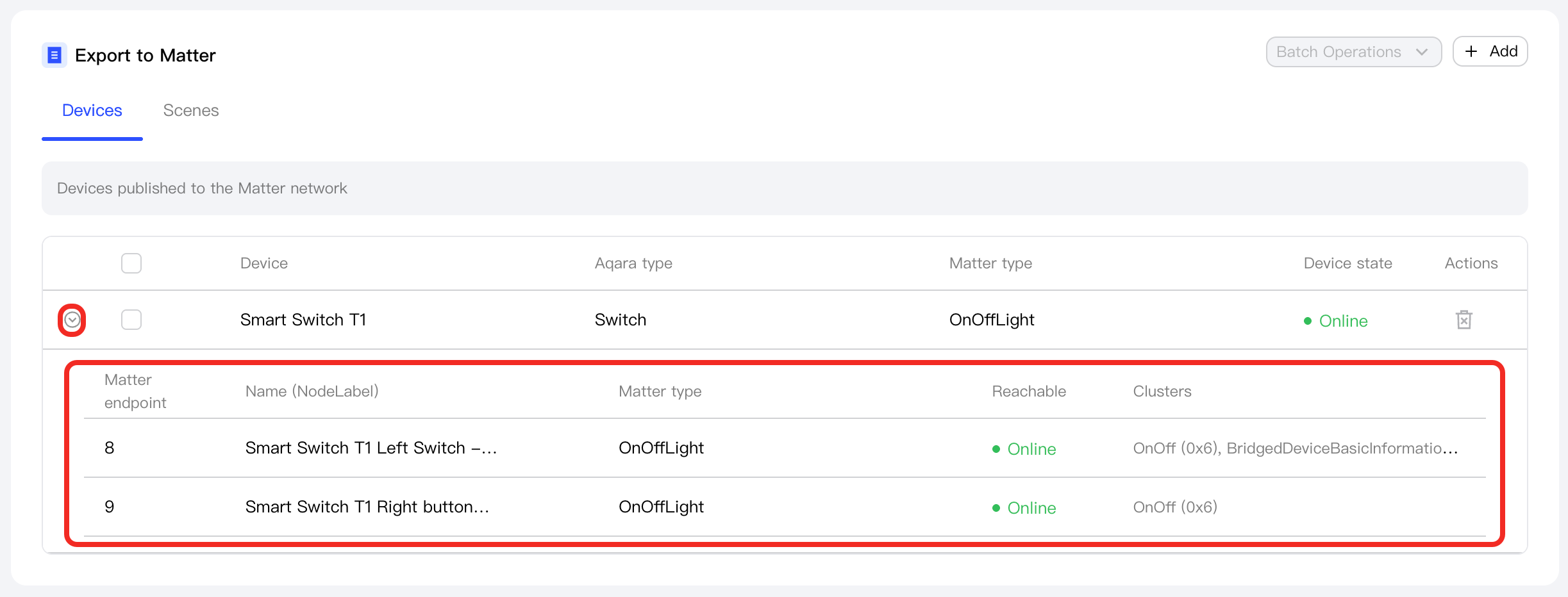
Click on a device to expand detailed information, including: Matter endpoint, name (NodeLabel), Matter type, reachability, clusters, and other attributes.
-
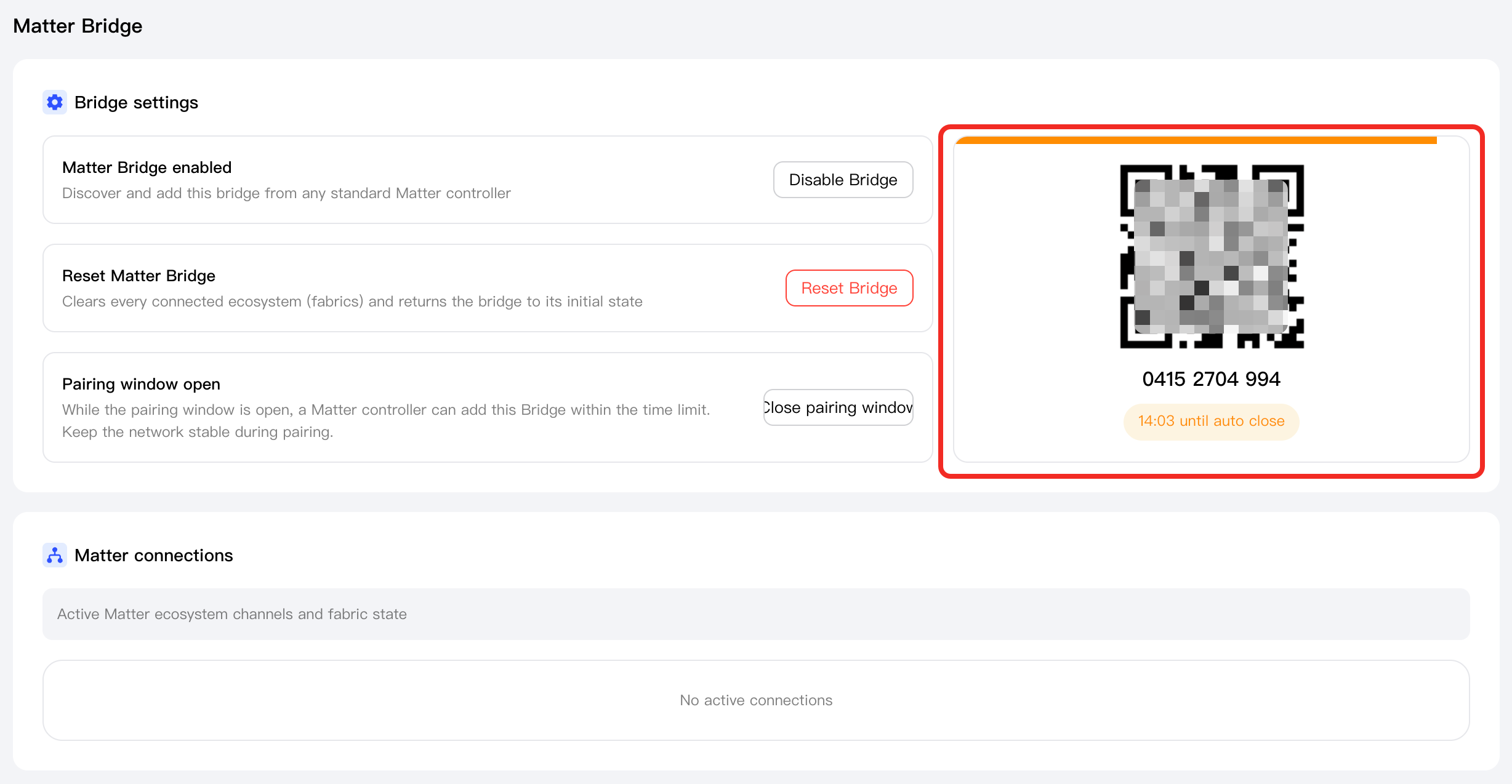
In the Bridge Configuration section, click Open Pairing Window to display a pairing QR code and an 11-digit setup code.
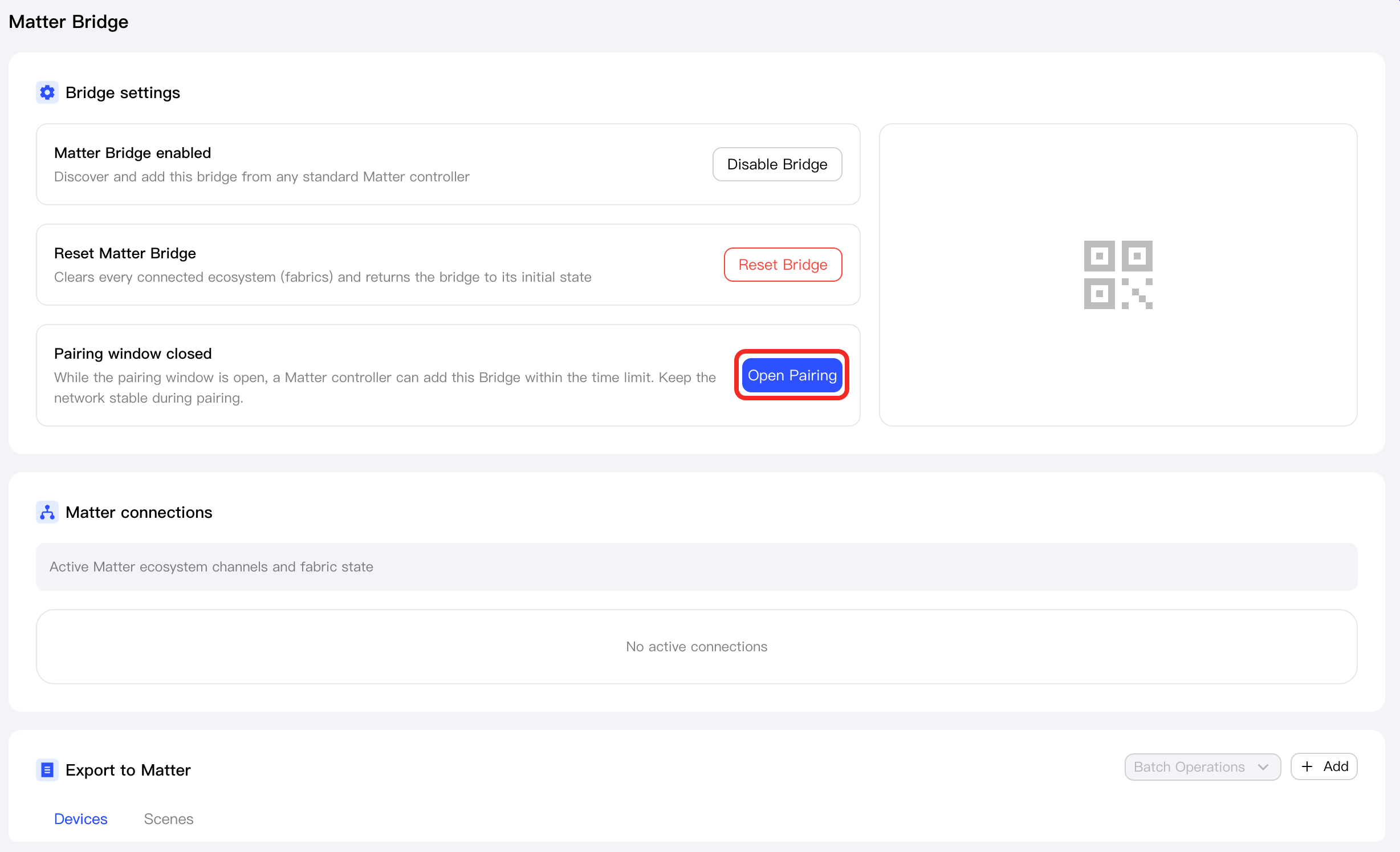
Use a Matter-enabled controller app (such as Apple Home, Google Home, Amazon Alexa, etc.) to scan the QR code or enter the 11-digit code to add the selected devices or scenes to the Matter ecosystem for seamless integration.
-
After successful pairing, you can view all paired Matter ecosystems in the Matter Connections section.