Scenes
A scene stores multiple action blocks and runs them together when the scene is activated. For example, a "Home" scene can turn on the lights and set the air conditioner to a comfortable temperature.
When to Use a Scene
Use a scene when several device actions need to run together and you want to call that same set from more than one place.
For example, you can save actions such as turning on the lights and adjusting the air conditioner as "Home mode." You can then trigger it manually with a wireless switch, or have an automation run it after the door lock is unlocked, without configuring the same set of actions again.
If those actions are used only once in a single automation, you do not need to save them as a scene. Add the corresponding action blocks directly in that automation.
Create a Scene
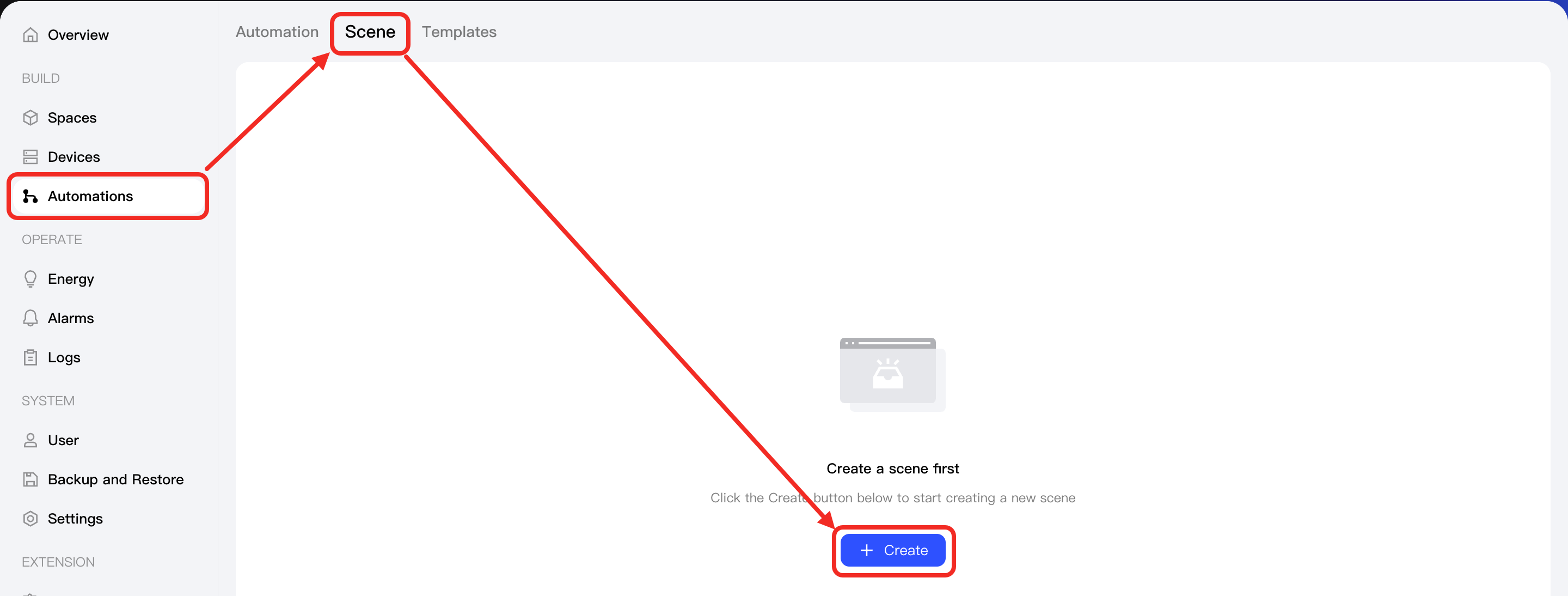
In the left navigation bar, click Automation. Under the Scene tab, click the Create button.
Other Operations
The following scene operations are similar to the operations in automations. For the steps, see the documents in the table below:
| Operation | Document |
|---|---|
| Rename a scene | Rename an Automation |
| Assign a scene to a space | Assign Automation to a Space |
| Add an action block | Add a Block |
| Add variables | Add Variables |
| Debug and test | Debug and Test |