Control Devices By Commands
This article describes how to control devices through Commands in Aqara Studio.
tip
A Command describes an executable operation.
Difference from Trait: Traits support Read, Write, Report, and other operations, while a Command is only a command, without status.
Steps
-
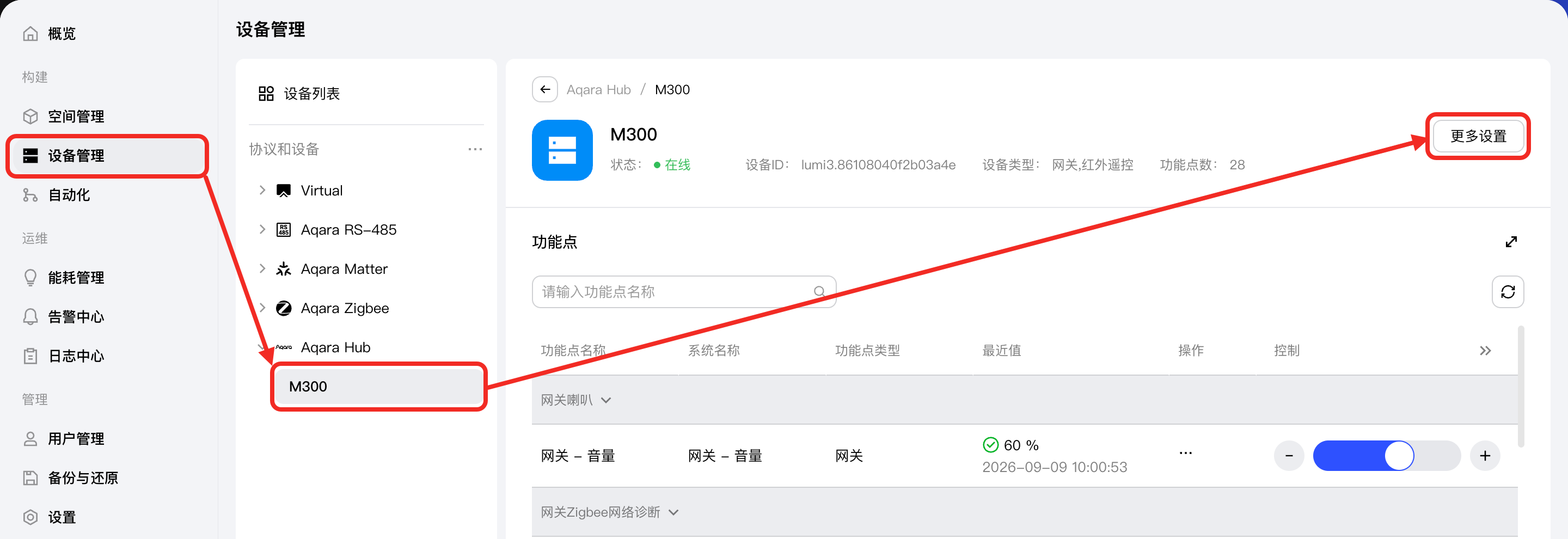
Go to the Devices page. In the Protocols and Devices tree on the left, select the device you want to view to open that device's management page, then click More Settings.
-
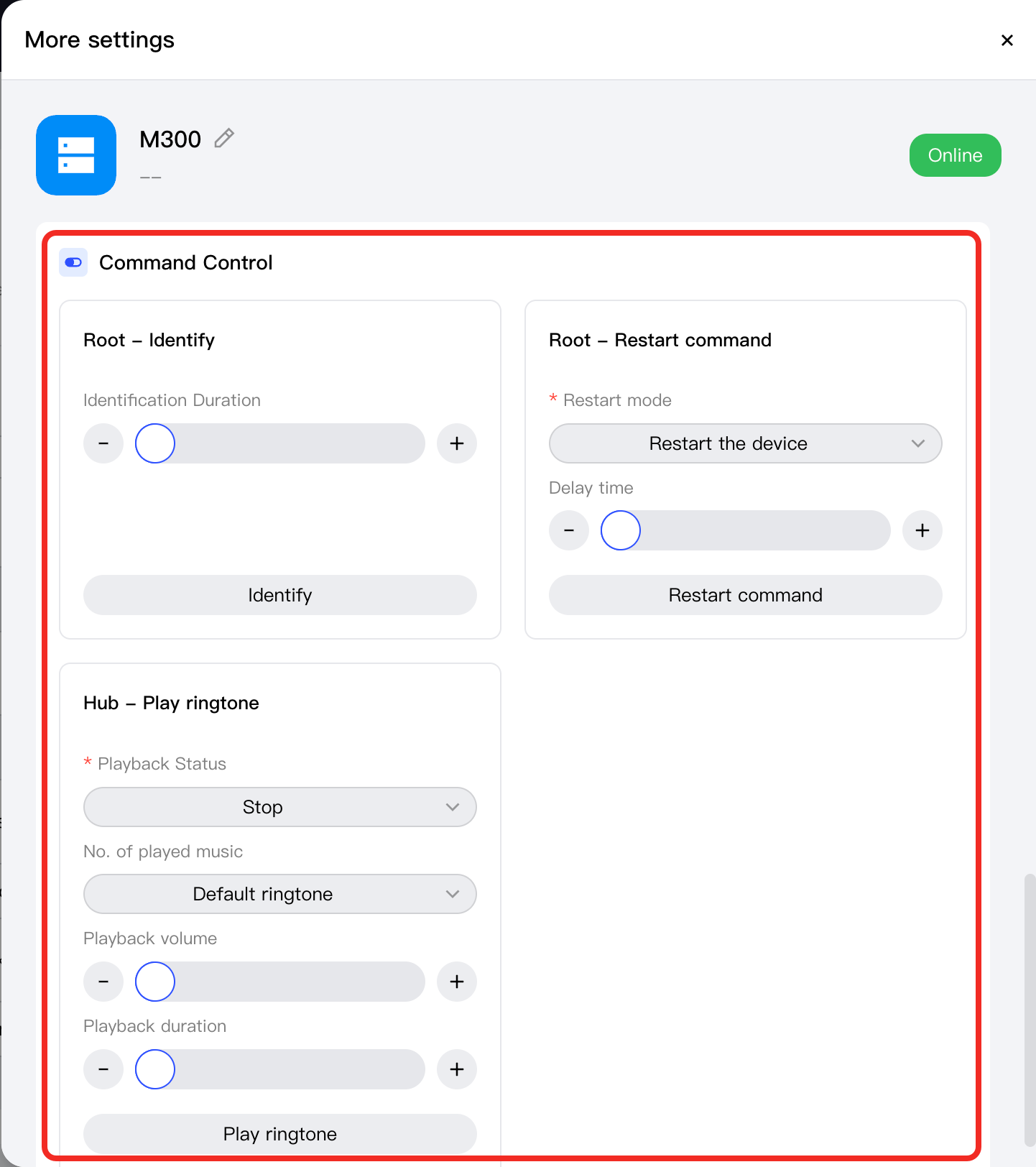
In the More settings popup, scroll down to the Command Control section to view the commands supported by the device. You can control the device through the various components in the commands.